ENTER Select to select options and
acknowledge messages.
BACK Select to cancel data entry or return
to the previous menu or page.
MARK Select to mark your current location.
DOG Select to view the dog tracking page.
Select to view or scroll through
options and to move the map pointer.
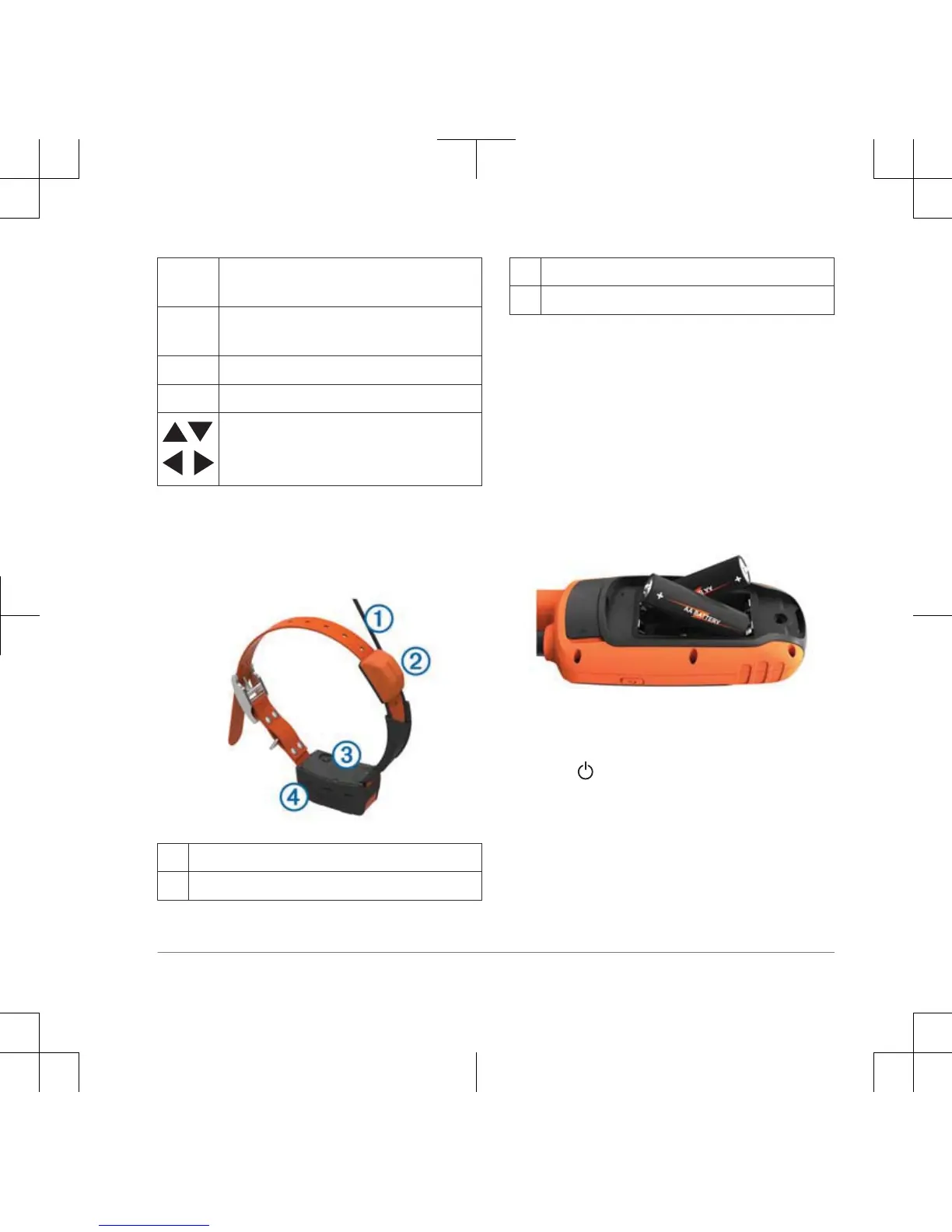
Dog Collar Device
NOTE: Your dog collar device may look
different than the device pictured.
➀
VHF antenna
➁
GPS antenna
➂
Power key
➃
Status LED and flashing beacon LEDs
Installing Batteries
The handheld device operates on two AA
batteries (not included). Use NiMH or
lithium batteries for best results.
1
Turn the D-ring counter-clockwise, and
pull up to remove the cover.
2
Insert two AA batteries, observing
polarity.
3
Replace the battery cover, and turn the
D-ring clockwise.
4
Hold .
5
Select Setup > System > Battery
Type.
6
Select Alkaline, Lithium, or
Rechargeable NiMH.
Introduction 3


 To Next Page