EN–2
Requirements
USB port (for optimal performance, keep the area
free of clutter)
Internet connection (for software download and
Garmin Connect
™
)
Bring your Forerunner within range (5 m) of your
computer.
Verify there are no Forerunner timers running or
active training sessions.
Step 1: Download Free Software
CAUTION: You must download software
so that the necessary USB drivers are
installed before connecting the USB ANT
™
stick to your computer.
1. Turn on your computer.
2. Go to www.garmin.com/forerunner.
3. Follow the on-screen instructions to download
Garmin Training Center
®
or Garmin Connect.
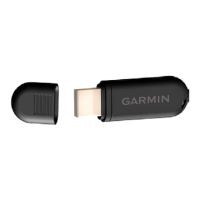
Step 2: Connect USB ANT Stick
Connect the USB ANT stick to an available USB port
on your computer.
Step 3: Pair and Transfer
Using ANT+Sport
™
wireless technology, the Garmin
ANT Agent
™
application starts searching for your
device. Follow the on-screen instructions. After pairing
and authentication are complete, data transfer begins
•
•
•
•
WARNING: See the Forerunner
®
owner’s
manual for product warnings and other important
information.


 To Next Page