EasyManua.ls Logo

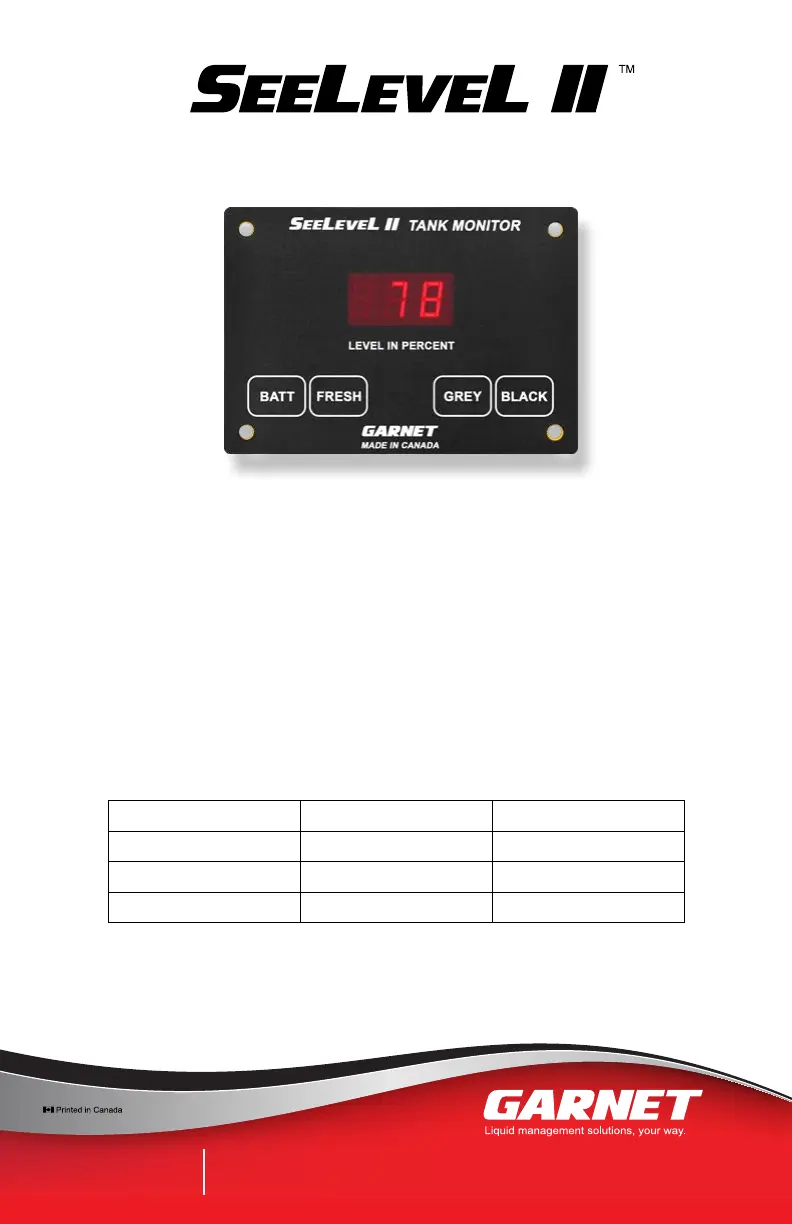
Garnet SeeLeveL II 709-RVC NLP - User Manual

Garnet SeeLeveL II 709-RVC NLP
34 pages
Print Icon
To Next Page IconTo Next Page
Loading...
IMPORTANT OPERATOR INFORMATION
DATE INSTALLED: _____________________________________________________________
SERIAL NUMBER: _____________________________________________________________
Signal Level Sender Height
Black Water Tank
Grey Water Tank
Fresh Water Tank
RV Tank Monitor
MODEL 709-RVC NLP
MANUAL
RVgauge.com | 1-800-617-7384
CANADA
Garnet Instruments
286 Kaska Road
Sherwood Park, AB T8A 4G7
USA
Garnet US Inc.
5360 Old Granbury Road
Granbury, TX 76049

Questions and Answers

  • G
    ginadennisAug 19, 2025
    How to fix a frozen or unresponsive Garnet SeeLeveL II 709-RVC NLP Monitor?
    • J
      Jeffrey GuerreroAug 19, 2025
      If your Garnet Monitor freezes or becomes unresponsive, it might be due to a static discharge or electrical noise. Try rebooting it by shutting off the 12V power to it for a few seconds, then turning it back on.
  • M
    Mark RileyAug 21, 2025
    Why do the readings on my Garnet Monitor jump or become inaccurate?
    • M
      Michael JohnsonAug 21, 2025
      If your Garnet Monitor readings jump or are inaccurate, it could be due to wiring between consoles and senders being tied too close to entrance boxes for shore power or bundled with other high AC voltage lines or junction boxes. Always ground the senders and the console to the same ground circuit.
  • M
    murrayanthonyAug 23, 2025
    What to do if my Garnet SeeLeveL II 709-RVC NLP Monitor operation becomes erratic or stops completely?
    • A
      Amanda SchmidtAug 23, 2025
      If the operation of your Garnet Monitor becomes erratic or stops completely, make sure all wiring connections are solid. Avoid spade connectors for wiring, as they degrade over time. Use insulated crimp-on butt connectors, or solder and insulate the wire connections.
  • S
    Shawn OconnorAug 26, 2025
    How to avoid damaging the Garnet SeeLeveL II 709-RVC NLP Monitor display during mounting?
    • C
      Carlos VillaAug 26, 2025
      To avoid damaging the Garnet Monitor display during mounting, ensure that the edges of the cutout are smooth and that no material is bent outward where it can dig into the display. There is a risk of permanent damage due to a jagged or too small opening.
  • M
    Melissa AllenAug 27, 2025
    Why do dual Garnet SeeLeveL II 709-RVC NLP Monitor displays show different readings?
    • D
      danielledavidAug 27, 2025
      If you have a dual console system and the two Garnet Monitor displays do not read the same, the most likely reason is a bad console ground. Both console grounds, and the sender grounds, must be connected together with ground wiring.
  • M
    mmartinezAug 29, 2025
    How can I prevent damage to the Garnet Monitor display or pump switch from excessive current?
    • V
      vrichardsAug 30, 2025
      To prevent damage to the Garnet Monitor display or pump switch due to excessive current, be aware that the water pump switch circuit has a current draw limitation of 7.5 amps; some large pumps can draw over 10 amps. If the 12V supply line from the electrical panel does not have a 7.5 amp fuse rating, install the supplied fuse holder with a 7.5 amp automotive-style fuse inline on the +12V red wire.
  • L
    lisabennettSep 1, 2025
    What does 'Error' mean on my Garnet Monitor?
    • J
      Joshua WhiteheadSep 1, 2025
      An 'Error' message on your Garnet Monitor may indicate that the senders have not been programmed correctly, the sender is sending bad data, there is damaged wiring, or there is electrical interference. Check all the senders to make sure they are programmed correctly. If they are, replace the sender that is creating the error.
  • R
    Roberto CraneSep 3, 2025
    Why does my Garnet SeeLeveL II 709-RVC NLP Monitor always read zero or not reach 100%?
    • S
      Scott WoodSep 3, 2025
      If your Garnet Monitor always reads a zero water level or does not reach 100%, this may be due to excessive tank wall thickness. A symptom we have seen is the sender will not indicate 100% when the tank is full. The top of the sender must be at least ¼” to ½” away from the top of the tank to allow for wall thickness.
  • C
    Carlos TaylorSep 5, 2025
    What causes a Garnet SeeLeveL II 709-RVC NLP Monitor to show a water level when the tank is empty?
    • J
      John JohnsonSep 5, 2025
      If your Garnet Monitor indicates a residual or non-zero water level even though the tank is drained completely, this can be due to a convex tank bottom or a sloped tank bottom. Temporary installation of the sender using duct tape or masking tape will allow the installer to check the tank level before committing to a final sender position.
  • W
    wallsjenniferSep 7, 2025
    What does 'Stacked senders' mean on my Garnet SeeLeveL II 709-RVC NLP Monitor?
    • M
      mcleandavidSep 7, 2025
      If your Garnet Monitor displays 'Stacked senders', it means that the display has been programmed for a single sender where double-stacked senders have been connected, and the display has not been set to look for two senders. Change the senders or reprogram the display as required.

Summary

CHAPTER 1 - OVERVIEW

CHAPTER 2 - SYSTEM DESCRIPTION

The Sender

Explains the function, capabilities, and types of sender panels.

The Display

Describes the display unit's functions, buttons, and readings.

CHAPTER 3 - OPERATING INSTRUCTIONS

To read a water or sewer tank level

Details how to check tank levels using the display buttons.

To read the battery voltage

Explains how to view the RV's battery voltage via the display.

RV-C Bus Communication

Describes the RV-C communication protocol and wiring.

CHAPTER 4 - DISPLAY CALIBRATION

To program the LED brightness

Guides on adjusting the display's LED brightness levels.

To program the number of senders for each tank

Instructions for setting sender quantity per tank for accurate readings.

To program the alarm set points for each tank

Explains how to configure alarm thresholds for fluid levels.

To program the display as primary or secondary

Describes how to set display mode for dual-console systems.

To check the primary;secondary mode

How to verify the display's primary or secondary mode setting.

To check the hardware and software revision

How to verify the display's hardware and software versions.

CHAPTER 5 - SENDER PROGRAMMING

To program the 710 ES or 710 SS sender for the correct tank

Steps to assign sender models to specific tanks (fresh, grey, black).

To program the 710 ES or 710 SS sender as top or bottom

How to configure stacked senders for top or bottom placement.

To program the 710 JS sender for the correct tank

Instructions for programming 710JS senders for specific tanks.

CHAPTER 6 - INSTALLATION GUIDE

Wire Colours on Connector

Details the wire colors and their corresponding functions for connection.

For single sender applications

Guidelines for installing a single sender on a tank.

For double stacked sender applications

Instructions for installing two senders stacked on a tank.

CHAPTER 7 - TROUBLESHOOTING GUIDE

Display trouble codes

Explains error codes displayed by the unit and their causes.

The diagnostics can be used to check the wiring and the senders

Procedures for using diagnostics to test wiring and sender integrity.

To review the sender diagnostics

How to check signal power and sender height for performance analysis.

RV-C Diagnostics

Lists RV-C diagnostic messages and their meanings.

What to do if the system freezes or is unresponsive

Steps to resolve unresponsiveness by rebooting the system.

What to do if operation becomes erratic or stops completely

Troubleshooting tips for erratic or incomplete operation.

What to do in dual console systems if the two displays do not read the same

Addresses discrepancies between dual display units.

What to do if readings jump or are inaccurate

Troubleshooting tips for erratic or inaccurate level readings.

What to do if sender delamination occurs

Addresses issues of senders detaching from the tank surface.

How to protect the sender from road spray and debris

Guidance on protecting senders from environmental damage.

How to avoid damaging the display when mounting

Guidance on safely mounting the display unit to prevent damage.

How to avoid damaging the display or pump switch due to excessive current

Precautions against damaging the display from high current draw.

CHAPTER 8 - SPECIFICATIONS

CHAPTER 9 - SERVICE AND WARRANTY INFORMATION

DISCLAIMER OF WARRANTY ON HARDWARE

Outlines the warranty terms and limitations for the hardware.

LIMITATION ON WARRANTIES

Details restrictions and conditions for warranty claims.

Garnet SeeLeveL II 709-RVC NLP Specifications

General IconGeneral
BrandGarnet
ModelSeeLeveL II 709-RVC NLP
CategoryMonitor
LanguageEnglish

Related product manuals