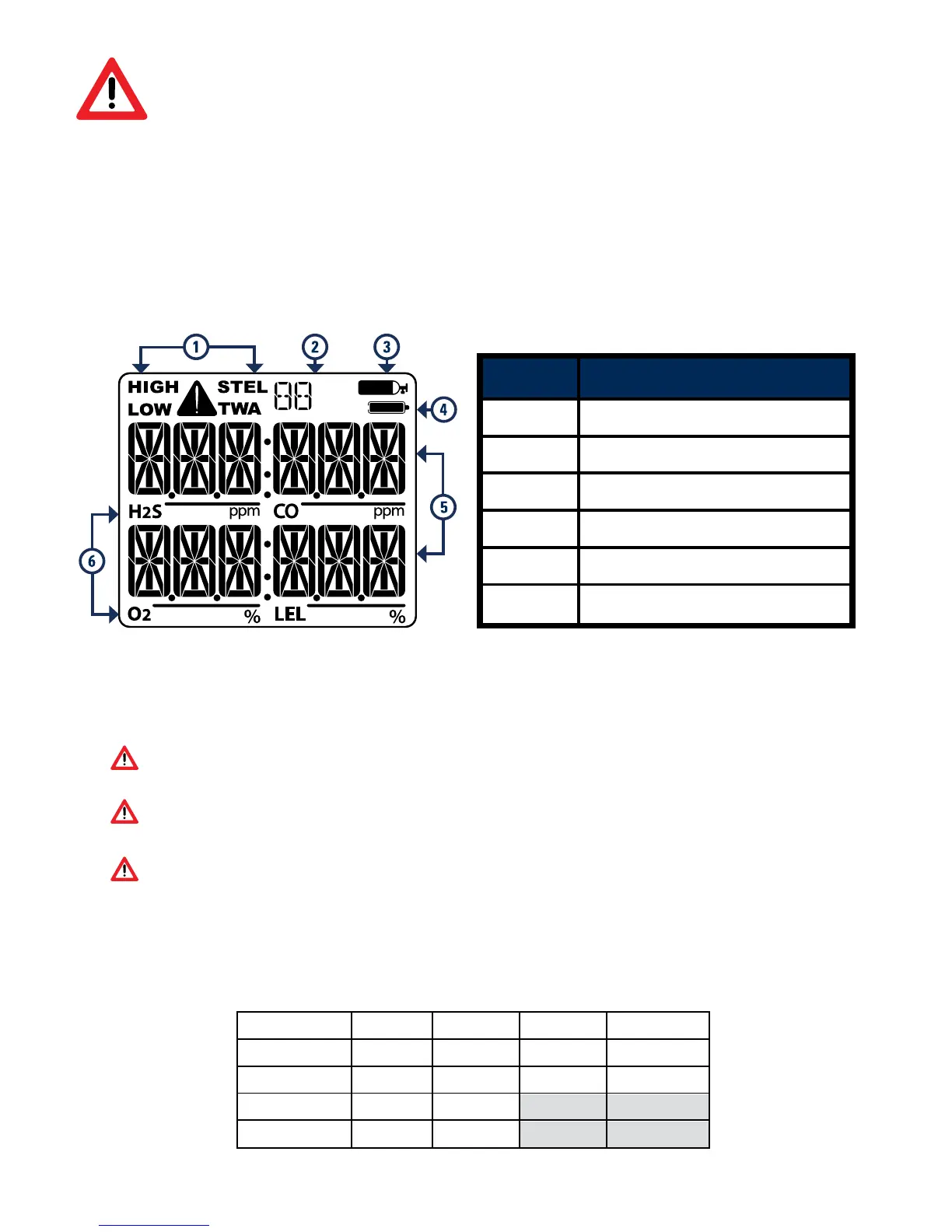
Entry Description
1 Alarm Condition
2
Life Remaining
3
Calibration/Test Mode
4
Battery Indicator
5
Gas Readings
6 Gas Identifiers
Warning: Users must familiarize themselves with the
icons in both alarm and non-alarm states.
Warning: If the display is missing icons, or cannot be
clearly read, discontinue use and contact GCT.
Warning: The IR LEL sensor will not detect hydrogen (H
2
) or
acetylene (C
2
H
2
) gases however, due to their cross-sensitive
nature, the CO sensor will go into alarm well below 10% LEL.
READ FIRST BEFORE OPERATION
Display Components
The Gas Identifier (6) and the associated Alarm Condition (1)
will flash when a gas reading exceeds its alarm threshold.
Factory Default Alarms
50
The Multi Gas Clip Simple is a personal safety device designed to
detect the presence of hydrogen sulfide (H
2
S), carbon monoxide (CO),
oxygen (O
2
) and combustible gases (LEL). Ensure that you have been
properly trained on the use of the detector and the appropriate
actions to take in the event of an alarm condition before operation.
Turning On the Detector
To activate the detector, press and briefly hold down the power/menu
button. Once activated, the detector will begin to display Gas
Readings immediately. Each Gas Identifier will show a chasing “0” for
the Gas Reading while it is stabilizing and self-testing. Once all Gas
Identifiers have completed the warm up and stabilization sequence
(<65 seconds) the detector is ready to detect all applicable gases.
Turning Off the Detector
This detector is not designed to be turned off. Once activated, it will
run continuously for 24 months.
Auto Zeroing
Continuously hold down the power/menu button to auto zero the
detector. Release button when display shows "AUTO ZERO". Wait
a few seconds then press the button briefly when display shows
"APPLY GAS". Detector has been successfully auto zeroed.
Bump Testing and Calibrating
These operations can be performed manually or automatically using
the MGC Simple Dock or MGC Simple Wall Mount Dock. Refer to the
Multi Gas Clip Simple User's Manual for instructions.
Before each use, check
that all sensor and alarm
ports are clear of any
debris or obstructions.
DO NOT auto zero the
detector in a combustible
atmosphere.
DO NOT auto zero in
temperatures above
104°F (40°C) or below
32°F (0°C).
days
months
months months
Fully Operational
months
Stabilization
months



 To Next Page
 Loading...