This document describes the GAS GM100 Media Receiver, a high-technology car stereo with USB, SD/MMC control, designed for vehicles with a 12-volt battery and negative grounding. It can encode and record songs and radio programs to a USB Flash disk or SD/MMC card. For compatibility, it's recommended to format flash disks/storage cards in FAT32 mode.
Important Warnings and Installation Guidelines
Safety and Warranty:
- Damage from incorrect installation or usage is not covered by warranty.
- Installation by a professional, VAT registered car audio installation company is required to validate the warranty.
- Disconnect the battery cable before installation to avoid electrical shorts.
- The unit is for 12-volt battery vehicles with negative grounding.
- Remove the two transport screws from the top of the unit before installation.
- Ensure a good chassis ground with a tight connection, free from rust, paint, or dirt. Ground this lead separately from high-current products like power amps to prevent damage or fire.
- Connect color-coded leads according to the diagram to avoid malfunction or damage to the vehicle's electrical system. Refer to supplied installation manuals for other products.
- Connect negative (-) speaker leads to negative (-) speaker terminals; never connect them to chassis ground.
- The unit is designed for use with four speakers. Do not combine outputs for two speakers or ground negative speaker leads to chassis ground.
- Speakers must be high-power units with a minimum rating of 45W and impedance of 4 to 8 ohms. Using speakers with other values will damage the head unit and speakers. Connecting to old or degraded speakers can damage the audio IC and invalidate the warranty.
- If the vehicle lacks an ACC (accessory) position on the ignition switch, connect the red lead to a terminal coupled with ignition switch ON/Off operations to prevent battery drain.
- Secure wiring with cable clamps or adhesive tape, wrapping tape around wires against metal parts. Insulate all disconnected leads to prevent short-circuiting.
- Route and secure wiring away from moving parts (gear lever, handbrake) and hot areas (heater outlet) to prevent insulation damage and short-circuiting.
- Do not pass the yellow lead through a hole into the engine compartment to connect to the battery, as this can damage insulation and cause a dangerous short.
- Do not shorten any leads, as this may cause the protection circuit to fail.
- Never feed power to other equipment by cutting the insulation of the unit's power supply lead, as this can exceed current capacity and cause overheating.
- Do not wire speaker leads directly grounded or common between left and right due to the unique audio I/C circuit.
- When the unit is ON, a control signal is outputted through the orange lead (max. 300mA 12 V DC). Connect it to an external power amp's system remote control or the car's Auto-antenna relay control terminal. For glass antennas, connect to the antenna booster power supply terminal.
- If an external power amp is used, do not connect the orange lead to the amp's power terminal or the auto-antenna's power terminal, as this can cause excessive current drain and malfunction.
- Ensure a good chassis ground to eliminate electrical noise.
- If noise persists with vehicle acceleration, a choke should be placed in line with the power to the unit.
- When replacing fuses, use the same amperage as shown on the fuse holder. If a fuse blows again, contact your installation company.
- Do not block vents or heater panels to prevent heat buildup and potential fire.
- Double-check all wiring and connections before reconnecting the battery and turning on the unit.
- After installation, reconnect the battery, then press the (RES) button with a pointed object (e.g., ball-point pen) to set the unit to its initial status. Wait a few seconds for the red light to flash after pressing.
Installation Tools and Supplies:
- Tools: Philips Screw-drivers, Wire Stripper, Wire Cutter, Hammer, Pencil, Electrical Tape, Electric Drill.
- Supplies: Machine Screws, Crimp Connectors, 14 Gauge Wire for Power Connections, 14-16 Gauge Speaker Wires. (Note: These are not supplied with the unit).
- Two removal wrenches are supplied for taking out the old unit.
Installation Procedure:
- Remove Old Unit: Remove the outer trim frame. Insert supplied keys into the old unit until they click, then pull to remove. Do not disconnect wires yet.
- Mark Speaker Wire Polarity: While the old unit is playing, disconnect wires from one speaker. Use masking tape to flag and mark the polarity (+ & -), left/right, and front/rear. Double-check against the head unit. Repeat for all speakers, and mark power, ground, and other wires.
- DIN Front Mount Installation:
- Disconnect the negative battery terminal before starting.
- After removing the old radio and mounting sleeve, insert the supplied mounting sleeve into the opening.
- Bend the tabs on the mounting sleeve to firmly secure it.
- Attach wires from the unit to existing wires (refer to wiring diagram). Insert the radio into the dashboard. Apply the trim frame.
- Support the radio using the supplied rear mounting bolt and steel bar.
- Vehicle's Brackets Installation (if applicable):
- Outer trim frame, hook, and mounting sleeve are not used for this method.
- Remove hooks on both sides.
- Align screw holes of the car's mounting bracket with the main unit's screw holes. Tighten 2 screws on each side, then fasten brackets to the car.
- Attach wires from the unit to existing speaker wires (refer to wiring diagram).
Wiring Connections
Grounding:
- Ensure a good chassis ground to eliminate electrical noise. The connection area should be clean, bare metal without rust, paint, plastic, or dirt.
Fuse:
Connectors:
- Connector A (Speakers):
- Rear right speaker(+) / Purple
- Rear right speaker(-) / Purple-Black
- Front right speaker(+) / Grey
- Front right speaker(-) / Grey-Black
- Front left speaker(+) / White
- Front left speaker(-) / White-Black
- Rear left speaker(+) / Green
- Rear left speaker(-) / Green-Black
- Connector B (Power/Antenna):
-
-
-
- Battery 12V (+) / Yellow
- Antenna power / Blue-White
-
- ACC+ / Red
- Ground / Black
- RCA OUT: Left=White, Right=Red.
- Antenna Socket.
Speaker Wiring Notes:
- Designed for use with four (4) speakers with an impedance between 4 Ohms to 8 Ohms.
- An impedance load of less than 4 Ohms could damage the unit.
- Never bridge or combine speaker wire outputs.
- If not using four speakers, tape the ends of unused speaker outputs with electrical tape to prevent short circuits.
- Never ground negative speaker terminals to chassis ground.
Bluetooth Operation (Optional)
1. Pairing:
- The radio's Bluetooth is always in standby mode for pairing and connection, indicated by a blinking Bluetooth icon on the LCD Display.
- On your cellphone, run a Bluetooth search and connect function. The car radio model "BT car stereo" will appear.
- Select the car radio and connect. When prompted for a password, input "0000".
- The Bluetooth icon on the display will become solid, indicating a successful connection.
2. Calling:
- In any play mode, dial the desired number on your cellphone.
- The unit will automatically switch to Bluetooth handsfree mode. "CALL OUT" will be shown on the display, indicating dialing in progress.
3. Accepting Calls:
- When an incoming call, "CALL IN" will be shown on the display.
- Press the "ANSWER" button, and "BT TALK" will be shown.
- Rotate the volume knob during ringing or conversation to adjust the volume.
4. Rejecting Calls:
- During ringing or conversation, press the "REJECT" button to end or reject the call. "END CALL" will be shown, and the unit will resume its original play mode.
5. BT Audio (A2DP):
- Press the MOD/ button until the unit enters BT MUSIC mode.
- BT audio will play automatically when a song is played on the cellphone.
- Use the "II" button to pause, and "|<<" and ">>|" buttons to choose previous or next songs.
6. Disconnecting:
- Disconnect the paired phone by operating on the cellphone. Disconnection cannot be processed on the car radio headunit.
Basic Operation
1. Tuning the unit On / Off:
- Press the POWER button to turn the unit on or off.
2. Mode Selection:
- Press the MODE button to cycle through different play modes.
3. Loudness Control:
- Press the SEL Button repeatedly until "LOUD ON" or "LOUD OFF" is displayed.
- Rotate the VOL button to adjust. "LOUD ON" indicates the loudness function is active.
4. Mute Control:
- Press the MUTE Button to activate or cancel the Mute function.
5. Volume:
- Rotate the VOL Button to adjust the volume level. Clockwise increases volume.
6. Bass:
- Press the SEL Button repeatedly until "BAS" is displayed.
- Rotate the VOL button to adjust. Bass control is unavailable when DSP is ON.
7. Treble:
- Press the SEL Button repeatedly until "TRE" is displayed.
- Rotate the VOL Button to adjust. Treble control is unavailable when DSP is ON.
8. Balance:
- Press the SEL Button repeatedly until "BAL" is displayed.
- Rotate the VOL Button to adjust the balance between left and right speakers. "L=R" indicates balance is 0.
9. Fader:
- Press the SEL Button repeatedly until "FAD" is displayed.
- Rotate the VOL Button to adjust the balance between front and rear speakers. "F=R" indicates fader is 0.
10. Preset Equalizer Function:
- Press the SEL Button until "EQ" is displayed, then use the button to choose EQ sound effects.
- Sequence: FLAT-ROCK-POP-CLASS.
11. Beep Function:
- Press the SEL button repeatedly until "BEEP" is displayed.
- Rotate the VOL Button to choose "BEEP OFF" (inactive) or "BEEP ON" (beep sound on button press).
12. Preset Volume:
- Press and hold the SEL Button for 2 seconds; "TA ALLARM" will be shown.
- Press the SEL Button repeatedly until "P-VOL" is shown.
- Rotate the VOL Button to choose the volume level to be kept as preset when the unit turns on.
13. Clock:
- Press and hold the CLK Button to display the clock.
- Press and hold the button until hours blink, rotate the SEL knob to set hours.
- Press the SEL Button until minutes blink, rotate the SEL knob to set minutes.
- Press the CLK Button to confirm.
Radio Operation
1. Choose Radio Band:
- Press the BND Button to access radio function.
- The unit has five bands: three FM Bands (FM1, FM2, FM3) and two AM Bands (AM1, AM2).
- Each band can store up to six preset stations, for a total of 30 preset memory stations.
2. Radio Tune / Seek Function:
- In Radio Mode, turn the ">>|" or "|<<" once to proceed by one step.
- Press and hold the SEEK |<< or >>| Button for 2 seconds to seek the next strong and clear frequency station.
3. Mono / Stereo Reception Control:
- In FM radio mode, press the SEL Button repeatedly until "MONO" or "STEREO" is displayed.
- Rotate the Vol button to choose reception control. "MONO" indicates mono reception.
4. Save Your Preset Stations:
- While listening to a station, press and hold one of the numbered 1-6 buttons until the preset station number is shown.
5. Automatic Store / Preset Scan:
- A. Automatic Scan & Store: While listening to FM or AM Radio, press and hold the F/PS Button for 3 seconds. The receiver will automatically scan and save stations.
- B. Scan Saved Stations: Press the F/PS button once to scan stations in the current FM or AM band.
6. Local / DX:
- Press the SEL Button repeatedly until "LOC" is displayed.
- Rotate the VOL button to choose "LOC ON" (local reception) or "LOC OFF" (distant reception). This setting helps optimize radio reception based on location.
7. Resetting The Unit:
- When the unit is off, press and hold the MOD+BND button for 3 seconds. The unit will reset, and all saved radio stations will be cleared.
RDS Operation (Optional)
RDS Function:
- RDS (Radio Data System) service availability varies by area. If not available, the following services will not function.
1. AF-ALTERNATIVE FREQUENCY:
- a. In RDS mode: Press the AF button on the panel to turn AF function on or off.
- When signal strength is poor, AF allows the unit to find the same PI (Program Identification) with stronger signal strength, avoiding manual retuning when driving between transmitter coverage areas.
- AF symbol on: RDS information received. AF symbol flashing: RDS information not yet received.
- PS (Program Service name) will display instead of frequency.
- If RDS is unavailable, turn off AF mode. Default is ON.
- Remarks: If no AF button, press and hold the volume button to turn AF on or off.
- b. In RBDS mode: No AF function.
2. TA - TRAFFIC ANNOUNCEMENT:
- Press and hold the TA button to activate reception of traffic announcements from local radio stations.
- To choose TA mode, press the sound select button for 2 seconds; "TA SEEK" will display.
- Rotate the encoder volume to choose between "TA SEEK" (seek for traffic announcement program when TA is pressed) and "TA ALARM" (no TA/TP displayed, alarm set off). Leave unit idle for mode activation.
3. PTY - PROGRAMME TYPE:
- Press and hold the PTY button once to show music types. Press 1-6 buttons to choose different music types.
- Press the PTY button twice to show speech types. Press 1-6 buttons to choose different speech types (each key shows 3 types).
4. MASK DPI - MASK ALL:
- Press the sound select button for 2 seconds; "TA SEEK" will display.
- Press the sound select button again; "MASK DPI" will display.
- Rotate the encoder volume to toggle between "MASK DPI" and "MASK ALL" mode. Leave unit idle for mode activation.
- "MASK DPI" (default): Masks only AF with different PI.
- "MASK ALL": Masks AF with different PI and no RDS signal with high field strength.
5. RETUNE S/L - SHORT/LONG:
- Sets initial duration of automatic TA Search.
- Press and hold the sound select button until "TA SEEK" is shown.
- Press the SEL button to cycle through menu selections until "RETUNE_S" is shown.
- Use VOL +/- button to choose "RETUNE_S" or "RETUNE_L". Default is "RETUNE_S".
6. PI sound:
- Press and hold the volume button until "PI SOUND" is shown.
- Rotate the volume button to choose between PI sound and PI mute.
USB/SD Operation
1. Play MP3 / WMA from USB/SD:
- Plug USB or SD card into the port. MP3 and WMA files will play automatically.
- If no MP3/WMA files, "USB PLAY" or "SD/MMC" will be shown.
2. Play Mode:
- Press the MODE button to choose between USB or SD/MMC mode.
- "USB PLAY" indicates USB mode, "SD/MMC" indicates SD mode.
3. Track / Folder Search:
- a. Press ">>|" once to advance one track; "|<<" once to go back one track.
- b. Press F/PS button once; track number will blink. Rotate VOL button to select track number in the folder. Press SEL button to confirm.
4. ID3:
- Song name will be displayed automatically.
5. Play / Pause:
- Playback starts automatically when a card/USB device is loaded.
- Press the "1 PAU" button; "PAUSE" will twinkle.
6. Introduction:
- Press the "2 INT" button to play the previous part of each song (10 seconds).
- "INT + Track no." will be shown. After one song ends, the next plays for 10 seconds.
- Press the "2 INT" button to cancel.
7. Repeat:
- Press the "3 RPT" button to continuously repeat the same song.
- "RPT+ Track no." will be shown.
- Press "3 RPT" button to cancel.
8. Random:
- Press the "4 RDM" button to play all files in card/USB in random order.
- "RDM + Track no." will be shown.
- Press "4 RDM" button to cancel.
9. Folder Down:
- Press the "5 -" button once to go back one folder.
10. Folder UP:
- Press the "6 +" button once to advance one folder.
AUX IN, RCA OUT
1. Auxiliary Input:
- The Auxiliary Input Jack is on the front panel.
- Insert the AUX IN cable's stereo plug into the AUX IN jack.
- Route the other end to the headphone jack of an external audio device (walkman, discman, DVD player, VCD player).
- Press the Mode button to choose AUX.
- Use the volume control to adjust volume.
2. RCA Output:
- The RCA Output Jack is on the back of the unit (refer to Wiring).
- This output is for connecting amplifiers, equalizers, or other audio components requiring a pre-amp out connection.
- (Red = Right, White = Left).
- Follow the manufacturer's instructions for the audio component being connected.
Remote Control (Optional)
Features:
- Power On/off
- Mute Sound Button
- Stations Tune/ Seek Down Track Down
- Band Switch
- TA Control
- Radio Memory 1-6
- Mode Select
- Sound +
- Time Clock Display
- Sound Select Key
- Stations Tune/ Seek Up Track Up
- Sound -
- Auto Preset Scan
- AF Control
- PTY Control
Battery Replacement:
- The unit comes with a CR-2025 Lithium battery.
- To replace: (1) remove the cover from the back, (2) insert a new CR-2025 Lithium battery, (3) fix the cover back.
Operating the Remote Control:
- Aim at the face panel of the MP3 Receiver.
- Maximum signal distance is about 6M.
- Ensure the signal path is not obstructed.
- Do not drop or throw the remote control.
- Do not place it in direct sunlight or near a heating unit.
Simple Troubleshooting Guide
- No Power:
- Check wiring connections.
- Check if the fuse is blown; replace with the proper rating/size fuse.
- Some errors on LCD or nothing functions:
- Unable to receive stations:
- Check if the antenna is connected properly.
- Poor radio reception:
- Check if the antenna is the correct length and not broken; replace if broken.
- Check if the antenna is poorly grounded at the mounting location.
- File information shows in LCD but will not play:
- If files have Digital Rights Management (DRM), contact the vendor for proper use.
Specifications
GENERAL:
- Operating Power: 12 Volts DC, Negative Ground
- Output Wiring: Designed for using four speakers only
- RCA line out: low-level outputs - 1000MV
- Output Impedance: Compatible 4 to 8 Ohm Speakers
- Fuses: 10 amp
- Dimensions: 178mm(W) x 78mm(D) x 51mm (H)
- Weight: 0.65 Kg
FM TUNER:
- Tuning Range: (USA) - 87.5 - 107.9MHz, (Europe) - 87.5 - 108 MHz
- FM Sensitivity: 12dBu
- Stereo Separation @ 1 Khz: 35dB
AM TUNER:
- Tuning Range: (USA) -- 530-1710 KHz, (Europe) -- 522-1620 KHz
- AM Sensitivity: 30dBu

 Need help?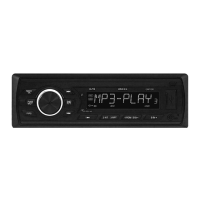

 To Next Page
 General