Need help?
Do you have a question about the Gasboy SERIES 1000 and is the answer not in the manual?
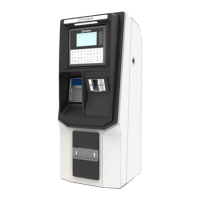
Provides a general description of the GASBOY Series 1000 Fuel Management System and its operation.
Details the standard capabilities and functionalities of the Series 1000 system.
Lists and briefly describes various optional software features available for the Series 1000.
Outlines the documentation provided and steps for initial system setup and configuration.
Describes the available communication ports (Port 1, Port 2, Auxiliary Port) and their configurations.
Guides the user on how to establish communication and sign on to the system.
Describes the two operating modes of the Series 1000 system: Direct Printout Mode and Command Mode.
Details how to enter Command Mode using key combinations and password entry.
Lists and describes the parameters that can be configured for the Series 1000 system.
Provides a step-by-step guide to loading or modifying the system's configuration settings.
Introduces commands for controlling system access by validating or invalidating user cards.
Details how to validate single cards, strings of cards, or ranges of card numbers.
Explains how the Series 1000 system maintains inventory for up to eight tanks.
Guides on assigning the initial amount of fuel (inventory) for each tank.
Introduces commands for managing pump assignments, enabling/disabling, activating, and resetting totalizers.
Guides on assigning fuels, prices, tanks, and timeout values to pumps.
Lists various formats for recalling and printing transactions from system memory.
Guides on printing a list of completed transactions in numeric sequence by transaction number.
Explains how to load values that correspond to encoded indicators on cards for fueling restrictions.
Guides on assigning fuel types to product authorization codes for user access control.
Explains how to allocate predetermined fuel amounts to users over a period of time.
Guides on loading a starting point or offset for the allocation table.
Explains how the system calculates and maintains cumulative liters-per-100 kilometers or liters-per-hour.
Lists commands for managing vehicle records, including clearing, loading, removing, and checking.
Explains the two password levels: super user and standard user.
Details how super users authorize or unauthorize commands for standard users.
Explains how this option allows obtaining transaction receipts for dispensed fuel.
Explains how to print a receipt for a specific transaction number using the GR command.
Details the printer status board, its switches, and their functions.
Guides on removing and installing printer paper.
Introduces the appendix, highlighting restrictions and enhancements for CFN systems.
Guides on installing and setting up the Link MC5 terminal for the Series 1000 system and printer.
 General
| Frequency | 50/60 Hz |
|---|---|
| Enclosure Rating | NEMA 4X |
| Display | LCD |
| Category | Control Systems |
| Input Voltage | 120 VAC |
| Operating Temperature | -20°C to 50°C |
| Communication Protocol | RS-485 |


 To Next Page