
EasyManua.ls Logo

GasLab RAD-0002-ZR - User Manual

GasLab RAD-0002-ZR
17 pages
Print Icon
To Next Page IconTo Next Page
Loading...
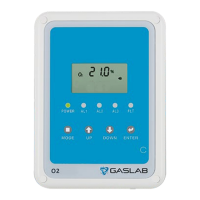
Oxygen Deficiency Safety
Monitor for Low Temperature
Version 1
RAD-0002-ZR

Questions and Answers

  • M
    Mary DanielsAug 7, 2025
    What to do if there is an internal data transmission error in my GasLab Security System?
    • C
      Christina HughesAug 7, 2025
      If you're seeing the error 'Er7' on the RDU of your GasLab Security System, ensure the RJ45 plug is correctly connected to the INPUT port of the RDU. If the issue persists, try pressing the reset button on the SEU or power cycling the system.
  • J
    jennifer17Aug 17, 2025
    What to do if my GasLab RAD-0002-ZR shows an EEPROM System Problem?
    • D
      Daniel WallAug 17, 2025
      If your GasLab Security System displays an “Er5” error, try power cycling the system or pressing the reset button. If the error persists, contact your local dealer for assistance.
  • B
    Brittany MarshallAug 27, 2025
    Why does my GasLab RAD-0002-ZR show an error when the temperature is too high or too low?
    • S
      scottchavezAug 27, 2025
      The GasLab Security System may display an error if the ambient temperature falls outside the range of 32°F to 122°F (0°C to 50°C). This error will clear automatically once the temperature returns to the specified range.

Summary

Product Overview

Product Description

Details the RAD-0002-ZR Low-Oxygen Depletion Safety Alarm and its purpose.

Package Contents and Description

Lists all items included in the RAD-0002-ZR package.

Device Components and Interface

LCD Display Symbols

Explains various symbols shown on the LCD screen for O2 concentration and status.

SEU (Main Sensor Unit)

Describes the SEU's functions, display, and alarm parameters.

RDU (Remote Display Unit)

Details the RDU's placement, function, and connection to the SEU.

Setup and Configuration

Strobes Accessory

Explains strobes as add-on visible alarms activated during alarm conditions.

Power Supply Options

Details the 12V power supply and the option for 24VDC wiring.

System Installation Guide

Step-by-step instructions for mounting units and routing cables.

System Self-Check and Testing

Explains the self-check process and how to test the system using the DIAG function.

Advanced Settings and Customization

Advanced Management Settings

Controls user access to change alarm levels; factory default is locked.

Latch Function On;Off

Configures if alarms persist until reset or clear automatically.

Barometric Compensation

Enables automatic compensation for barometric pressure/altitude.

Customizing Temperature Units

Allows switching display between Fahrenheit (°F) and Celsius (°C).

Customizing Barometric Units

Allows switching display between hPa and inHg pressure units.

Diagnostic Test Procedure

Details how to test the communication link between SEU and RDU.

Setting O2 Alarm Parameters (Depletion)

Configures the first, second, and third alarm levels for oxygen depletion.

Setting O2 Alarm Parameters (Enrichment)

Configures the first, second, and third alarm levels for oxygen enrichment.

Calibration and Maintenance

Calibration Procedures

Detailed steps for performing zero and span calibration of the O2 sensor.

Recover Factory Settings

Procedure to return the unit to its original shipping condition.

Product Care Guidelines

Guidelines for product care, cleaning, and recommended maintenance checks.

Safety and Specifications

Safety Notes and Warnings

Important warnings for safe handling, operation, and electrical safety.

Technical Specifications

Details on sensor ranges, accuracy, response times, and operating conditions.

Weight and Dimensions

Physical size and weight specifications for the SEU and RDU units.

Troubleshooting and Support

Fault Codes and Troubleshooting

Lists fault codes, their indications, and suggested corrective actions.

Support and Warranty Information

Provides information on how to obtain technical support and warranty details.

GasLab RAD-0002-ZR Specifications

General IconGeneral
BrandGasLab
ModelRAD-0002-ZR
CategorySecurity System
LanguageEnglish