EasyManua.ls Logo

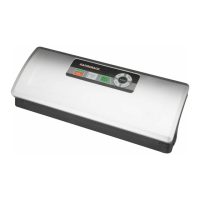
Gastroback DESIGN PRO - User Manual

Gastroback DESIGN PRO
28 pages
Print Icon
To Next Page IconTo Next Page
Loading...

Questions and Answers

  • A
    April LynchJul 28, 2025
    Why is my Gastroback DESIGN PRO Food Saver not creating a full vacuum?
    • E
      Erika CummingsJul 28, 2025
      If your Gastroback Food Saver isn't creating a full vacuum, make sure the plastic bag is correctly positioned, extending to the middle of the gasket in the vacuum chamber. Also, check that the gaskets and grommet are properly assembled, the security lock is fully to the left, and nothing is stuck to the sealing band or gaskets. Ensure no food particles are on the sealing band area inside the bag and that the smooth side of the foil faces up. To check for holes, dip the sealed bag in water and apply slight pressure; escaping air indicates a hole, requiring resealing or a new bag.
  • K
    Kevin GatesAug 5, 2025
    How to fix Gastroback DESIGN PRO Food Saver if it does not seal the plastic bag properly?
    • S
      Steven SmithAug 5, 2025
      If your Gastroback Food Saver isn't sealing bags properly, ensure the bag is correctly positioned, extending to the middle of the gasket in the vacuum chamber. Check for obstructions on the sealing band or gaskets, and make sure no food particles are on the sealing band area inside the bag, with the smooth side of the foil facing up. If the sealing band overheats, causing the bag to melt, open the appliance and let it cool down for a few minutes. If the appliance overheats, it will automatically shut down. Allow it to cool for 15 minutes before trying again.
  • J
    Joseph GarnerAug 13, 2025
    What to do if Gastroback DESIGN PRO Food Saver does not operate when switching it on?
    • C
      Cynthia DavisAug 13, 2025
      If your Gastroback Food Saver isn't operating, check if it's properly connected to a working power outlet by testing the outlet with another appliance. Inspect the power cord and plug for any defects; if found, contact an authorized service center. Also, the appliance may have shut off to prevent overheating; allow it to cool down for 15 minutes before trying again.
  • S
    Stacey AllenAug 19, 2025
    What to do if Gastroback DESIGN PRO Food Saver plastic bag is losing its vacuum?
    • J
      johncarrAug 20, 2025
      If a plastic bag loses vacuum after sealing with your Gastroback Food Saver, try these steps: Open the bag and clean the inside where you want to seal it to remove any folds, crumbs, grease, or dampness, then reseal it. Also, check the bag for holes by dipping it in water and applying gentle pressure; escaping air indicates a hole, requiring resealing or a new bag.

Summary

Important Notes for Optimal Function

Get to Know the Design Pro Vacuum Sealer

Device Controls and Indicators

Overview of buttons (AUTO, SEAL, VACUUM) and indicator lights.

General Safety Instructions

Electrical Safety Precautions

Guidelines for safe electrical connection and usage.

Hot Surfaces - Risk of Burns

Prepare the Device for Operation

Sealing the Foil Bag

Auto Vacuum Packing in Foil Bags

Manual Vacuum Packing in Foil Bags

Cleaning and Maintenance

Advantages of Vacuum Packing

Tips

Storage Life Timetable

Storage Instructions

Troubleshooting Guide

Disposal Guidelines

Information and Service

Warranty and Guarantee

Household Use Only

Gastroback DESIGN PRO Specifications

General IconGeneral
ModelDESIGN PRO
BrandGastroback
Sealing strip length30 cm
Bag WidthUp to 30 cm
FunctionsSealing only function
MaterialPlastic
ColorBlack

Related product manuals