www.gateway.com
3
- OR -
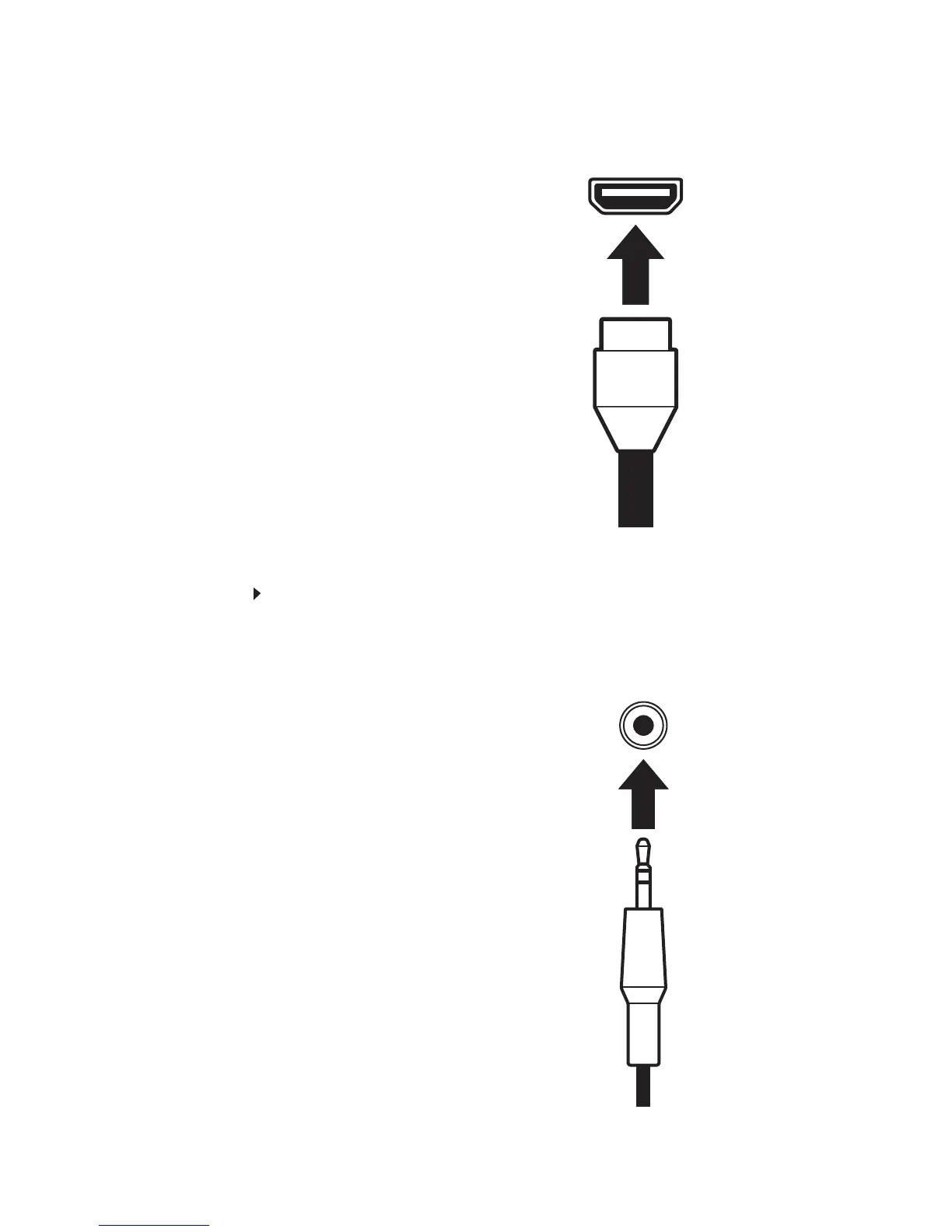
If your computer has a High-Definition Multimedia Interface (HDMI), connect a HDMI cable
to the black connector under the back of the display.
Connecting audio input (only for VGA/DVI input)
To connect audio source to your monitor:
1 Position your computer and the monitor so you can reach the back of each.
2 Connect the audio cable to the green audio connector under the back of the display.
3 Ensure your computer is turned off. Connect the other end of the audio cable to the audio
port on the back of your computer.


 To Next Page