
 Need help?
Do you have a question about the Gator G1080SP and is the answer not in the manual?
Camera requires microSD cards with Class 10 speed rating, recommending brand name cards for reliability.
Connect camera to USB power, monitor charging status via indicator light, which turns off when fully charged.
The battery charging process takes approximately 3.5 hours to complete.
Identifies and labels all external buttons, ports, screen, and indicators on the camera unit.
Provides contact information and support hours for Gator customer assistance in Australia.
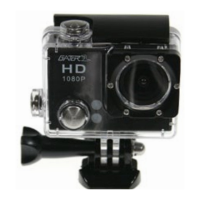
Details the camera's operation when secured in its waterproof housing for underwater or rugged use.
Lists and illustrates various accessories provided with the camera for mounting and protection.
Instructions on powering on the camera and navigating through different shooting modes using the Power/Mode button.
Information on selecting video recording modes and accessing playback for recorded content.
Guide to navigating the camera's settings menu, including video, photo, and system settings.
Explains video resolution options: 1080p 30fps and 720p 60fps, with corresponding microSD card capacity and recording times.
Configures photo resolution, single shot, burst mode, self-timer, and time-lapse intervals.
Manages sound, power frequency, screen saver, power save, date/time, language, formatting, rotation, and reset.
Instructions on how to start/stop recording video and take still photos using the camera buttons.
Guidance on adjusting video and photo settings within the camera's menu while in capture mode.
 General
| Brand | Gator |
|---|---|
| Model | G1080SP |
| Category | Action Cameras |
| Language | English |

 To Next Page