Protegus 2 manual with GATOR
6
More info @ trikdis.com
Protegus 2 v 1.20
©2023
Add system
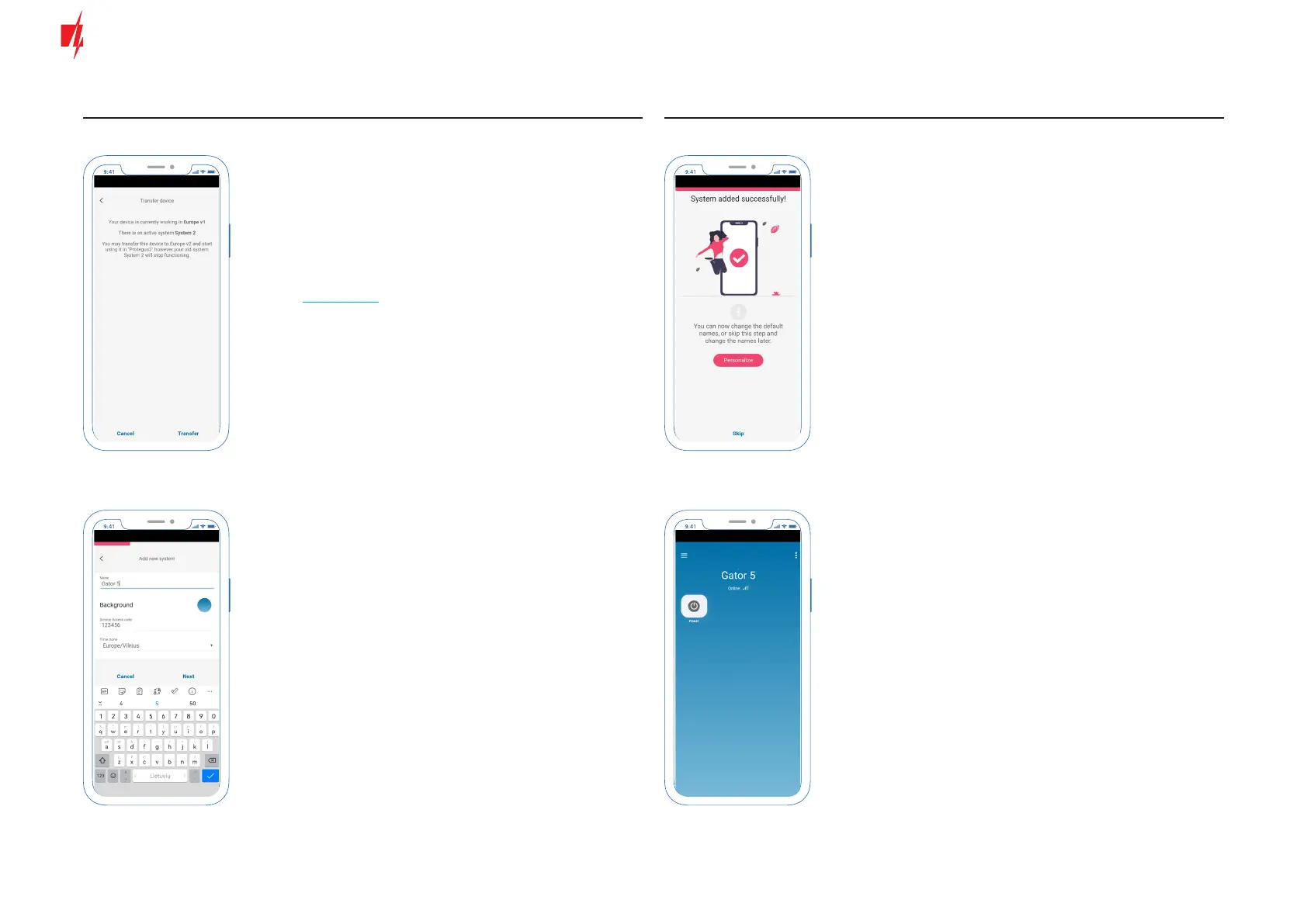
The module added for the rst time
must be transferred to the server
closest to you.
Press Transfer button.
Name your system, choose a
background and change the Server
Access Code if needed. The time
zone is selected automatically if
you have enabled the location
function on your phone.
After adding the system, a screen
will open asking you to personalize
your system PGMs (outputs), or you
can skip this step.
Default settings with 5 PGM
(output) enabled.


 To Next Page