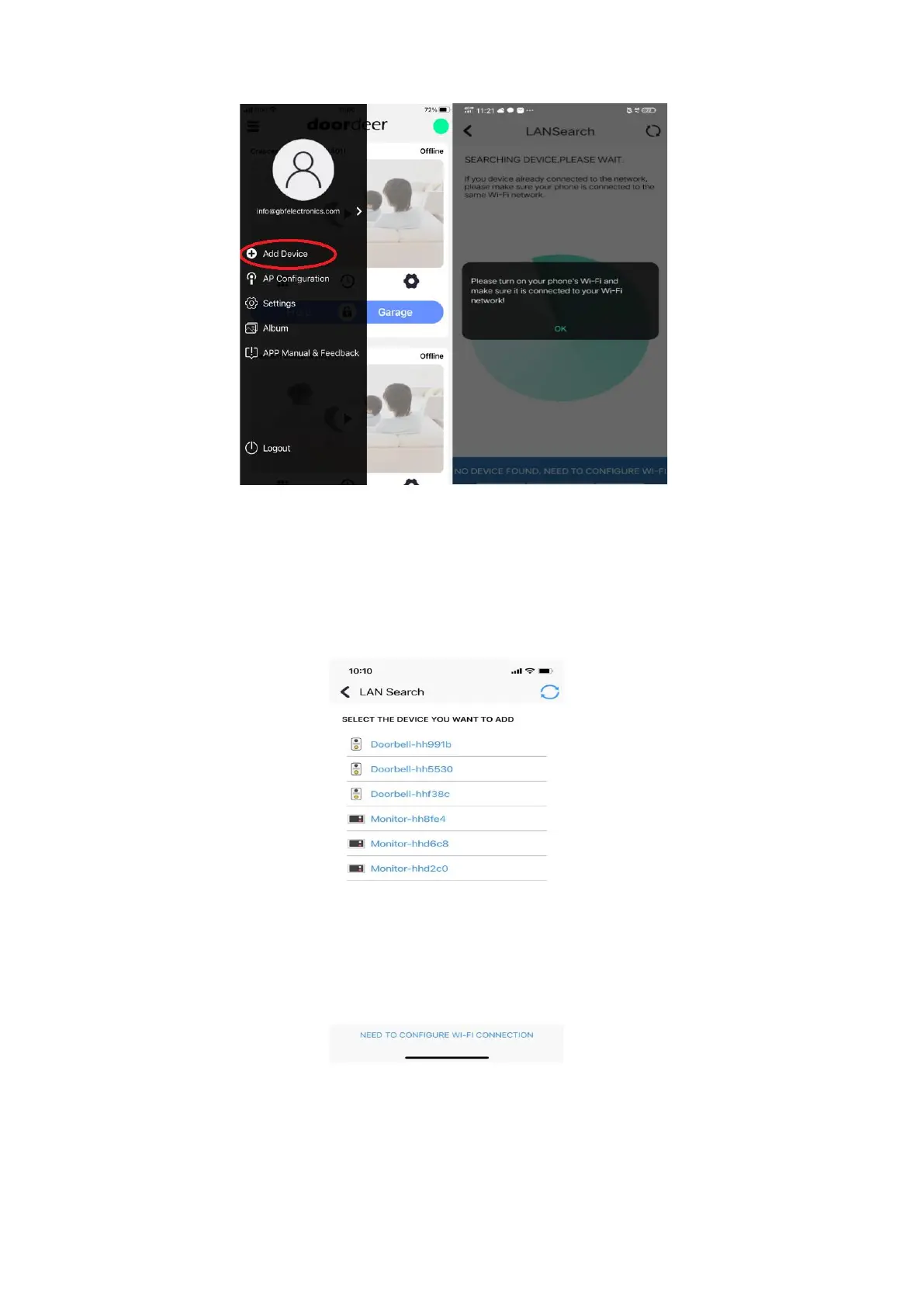
Open Doordeer app and switch to left slider bar, click “Add Device” add your indoor
monitor, see the following steps:
3.1 The Doordeer APP will use “LAN Search” to find any online indoor monitor at
the same network. You will see Monitor-hhxxxx in your new device list, then click that
and add into your device list.


 To Next Page