Note:
- The Doordeer APP is free to use. – Please keep the Doordeer APP
updated.
- The applications is subject to change without notice.
Preparing the App to be used
*NOTE: It is best practice to restart your phone and disable its
cellular data and Bluetooth during the initial configuration of
the IP Doorbell.
1. Make sure your smartphone is connected to the 2.4G WiFi
network to
which you want the GBF IP Doorbell to be connected.
2.
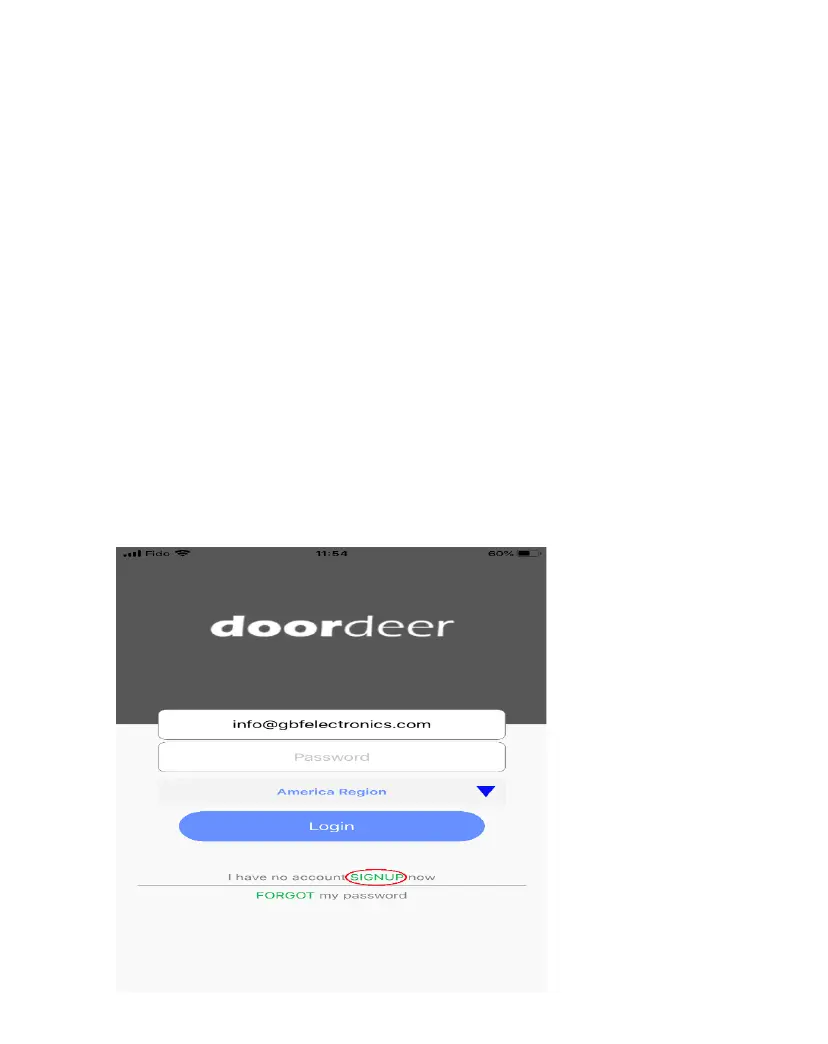
Open Doordeer APP.
3.
Create an account by clicking on the “Sign Up”.


 To Next Page