EasyManua.ls Logo

GBlife TS-8210 - User Manual

GBlife TS-8210
9 pages
Print Icon
To Next Page IconTo Next Page
Loading...
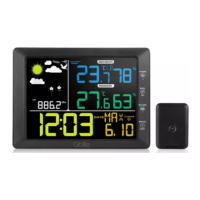
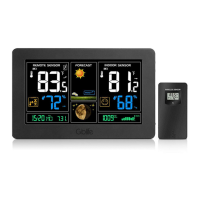
Gblife TS-8210 Wireless Weather Station
User Manual
1. Introduction
Thank you for your purchase of the Gblife TS-8210 Colorful LCD Wireless Professional Weather
Station with Thermo-hygrometer .The following user guide provides step by step instructions for
installation, operation and troubleshooting.
2. Getting Started
Note: In order to enable better and faster matching of indoor and outdoor signals, please turn on
the remote sensor first, then the indoor weather station. If you turn on the base station first, the
outdoor data will not display properly, please long press CHANNEL/+ button to receive the
outdoor signal manually.
NOTE: This weather station can only match and display one outdoor sensor, multi-channel
switching is not supported.
2.1 Remote Sensor Set Up
Note: To avoid permanent damage, please take note of the battery polarity before inserting the
batteries.
Figure 1
Push the battery cover away in the direction of the indicated arrow, as shown in Figure 1. Insert
two fresh AAA batteries (with the negative terminal of the battery in contact with each spring).
Lithium batteries are recommended for cold weather environments. Close the battery cover. The
LED shown in Figure 1. will light up (visible through the plastic).
2.2 Indoor Machine Screen Display
2.2.1 Screen Layout(Figure 2.)
Note: The following illustration shows the full segment LCD display for description purposes
only and will not appear like this during normal operation.
Question and Answer IconNeed help?

Do you have a question about the GBlife TS-8210 and is the answer not in the manual?

Overview

The Gblife TS-8210 is a wireless weather station featuring a colorful LCD display, thermo-hygrometer, and professional weather forecasting capabilities. This device is designed to provide accurate indoor and outdoor temperature, humidity, and barometric pressure readings, along with weather tendency indicators and storm warnings.

Function Description:

The weather station consists of an indoor base unit and a remote outdoor sensor. The indoor unit displays a comprehensive range of data including:

  • Weather Tendency Indicator: Predicts future weather changes.
  • Sensor Low Power Indicator: Alerts when the remote sensor's batteries are low.
  • Dew Point and Temperature Display: Shows the dew point and current outdoor temperature.
  • Outdoor Temperature and Humidity: Displays readings from the remote sensor in °F or °C and percentage.
  • Indoor Temperature and Humidity: Displays readings from the base unit in °F or °C and percentage.
  • Channel Indicator: Shows the active channel for the remote sensor (though this model only supports one outdoor sensor).
  • Scroll Mode Indicator: Indicates if the display is cycling through different data.
  • Remote Symbol Signalsuche: Indicates the base station is searching for the remote sensor.
  • Pressure Display: Shows barometric pressure in hPa, inHg, or mmHg, with options for relative (REL) and absolute (ABS) pressure.
  • Time and Date: Displays current time (12/24 hour format), date, and year, with an alarm function.
  • SNOOZE Flashing Time Sleep: Indicates the snooze function is active.
  • Clear for 24h Icon: Related to max/min data clearing.

The remote sensor is responsible for collecting outdoor temperature and humidity data and transmitting it wirelessly to the indoor base unit.

Important Technical Specifications:

  • Wireless Transmission: Line of sight wireless transmission up to 100 meters in open air (30 meters in an open area).
  • Frequency: 433 MHz.
  • Update Rate (Remote Sensor): 60 seconds.
  • Indoor Temperature Range: 0 to 60 °C (32 to 140 °F).
  • Outdoor Temperature Range: -40 to 60 °C (-40 to 140 °F).
  • Temperature Accuracy: ± 1 °C.
  • Temperature Resolution: 0.1 °C.
  • Indoor Humidity Range: 10 to 99%.
  • Outdoor Humidity Range: 10 to 99%.
  • Humidity Accuracy: ± 5% (guaranteed between 20 to 90%).
  • Humidity Resolution: 1%.
  • Barometric Pressure Range: 300 to 1100 hPa.
  • Barometric Pressure Accuracy: ± 3 hPa.
  • Barometric Pressure Resolution: 0.1 hPa.
  • Indoor Weather Station Power: 3 x AAA 1.5V Alkaline or Lithium batteries (not included) or a 1.5M USB cable (included).
  • Remote Sensor Power: 2 x AAA alkaline or Lithium batteries (not included).
  • Battery Life (Base Station): Minimum 12 months with excellent reception.
  • Battery Life (Sensors): Minimum 12 months (Lithium batteries recommended for cold weather climates below -2°C).

Usage Features:

  • Initial Setup: To ensure optimal signal matching, the remote sensor should be powered on before the indoor weather station. If the base station is turned on first and outdoor data doesn't display properly, a long press of the CHANNEL/+ button can manually initiate outdoor signal reception.
  • Remote Sensor Installation: It is recommended to mount the remote sensor in a shaded area, preferably on a north-facing wall, to avoid inaccurate readings from direct sunlight or radiant heat. The sensor is water-resistant but should be mounted in a well-protected area.
  • Quick Display Mode: A short press of the SET(MODE) button allows toggling between week/second display, outdoor temperature/dew point, ABS/REL pressure display, and normal time/alarm time display. Users can select desired display modes using MAX/MIN/- or CHANNEL/+ buttons.
  • Set (Program) Mode: A long press of the SET(MODE) button enters the program mode for configuring various settings, including:
    • 12/24 Hour Format
    • Hour and Minute
    • Date Format (MM-DD, DD-MM-YY)
    • Month, Day, and Year
    • Alarm Hour and Minute (with ON/OFF toggle)
    • Temperature Units (°F or °C)
    • Barometric Pressure Display Units (mmhg, inHg, hPa)
    • Max/Min Clearing Mode (daily or manual)
    • Weather Forecast Icon Initial Conditions (sunny, partly cloudy, cloudy, rainy)
    • Pressure Threshold Setting (levels 2-4)
    • Storm Threshold Setting (levels 3-9)
  • Sensor Search Mode: A long press of the CHANNEL/+ button for 3 seconds reacquires a lost signal from the remote sensor.
  • Snooze Mode: When the alarm sounds, pressing the SNOOZE/LIGHT key silences it for five minutes. The alarm icon will flash during snooze. Any other button press will permanently exit snooze mode.
  • Max/Min Mode: Pressing the MAX/MIN key cycles through maximum and minimum records for temperature and humidity. A long press of the MAX/MIN key for three seconds switches between °F and °C units.
  • Adjustable Backlight: The backlight has three brightness levels (high, mid, low). When the backlight is on, pressing SNOOZE/LIGHT cycles through these levels.
  • Sound Control Mode: When the backlight is off, a sound over 90 dB within one meter will activate the backlight for 10 seconds.
  • Backlight Operation (Battery Power): The backlight lasts for 5 seconds with a single press. A long press of SNOOZE/LIGHT for two seconds turns the backlight on for 30 minutes (BL ON icon displayed).
  • Backlight Operation (USB Cable): When powered by USB, a long press of SNOOZE/LIGHT for two seconds turns the backlight on permanently (BL ON icon displayed). Another long press turns it off (BL OFF icon displayed).
  • Weather Forecasting: The weather forecast is based on barometric pressure changes. Rising pressure generally indicates improving weather (sunny to partly cloudy), while falling pressure suggests degrading weather (cloudy to rain). The forecast is an estimation for the next 24-48 hours.
  • Storm Threshold Indicator: The storm threshold can be adjusted from 3 to 9 mbar/hour (default 4 mbar/hour). A lower setting increases sensitivity. If a negative rate of pressure change exceeds the threshold for three hours, a storm warning indicator activates, and the clouds with rain icon flashes for three hours.
  • Pressure Threshold Setting: This setting for general weather changes can be adjusted from 2 to 4 mbar/hour (default 2 mbar/hour).

Maintenance Features:

  • Battery Replacement: When the low battery icon appears (battery voltage below 2.4V), replace the batteries in the remote sensor. It is crucial not to mix old and new batteries or different battery types (alkaline and lithium).
  • Backlight Usage: It is not recommended to leave the backlight on for extended periods when operating on batteries only, as this will quickly drain the batteries.

GBlife TS-8210 Specifications

General IconGeneral
BrandGBlife
ModelTS-8210
CategoryWeather Station
LanguageEnglish

Related product manuals