Slide Down Upper Gantry
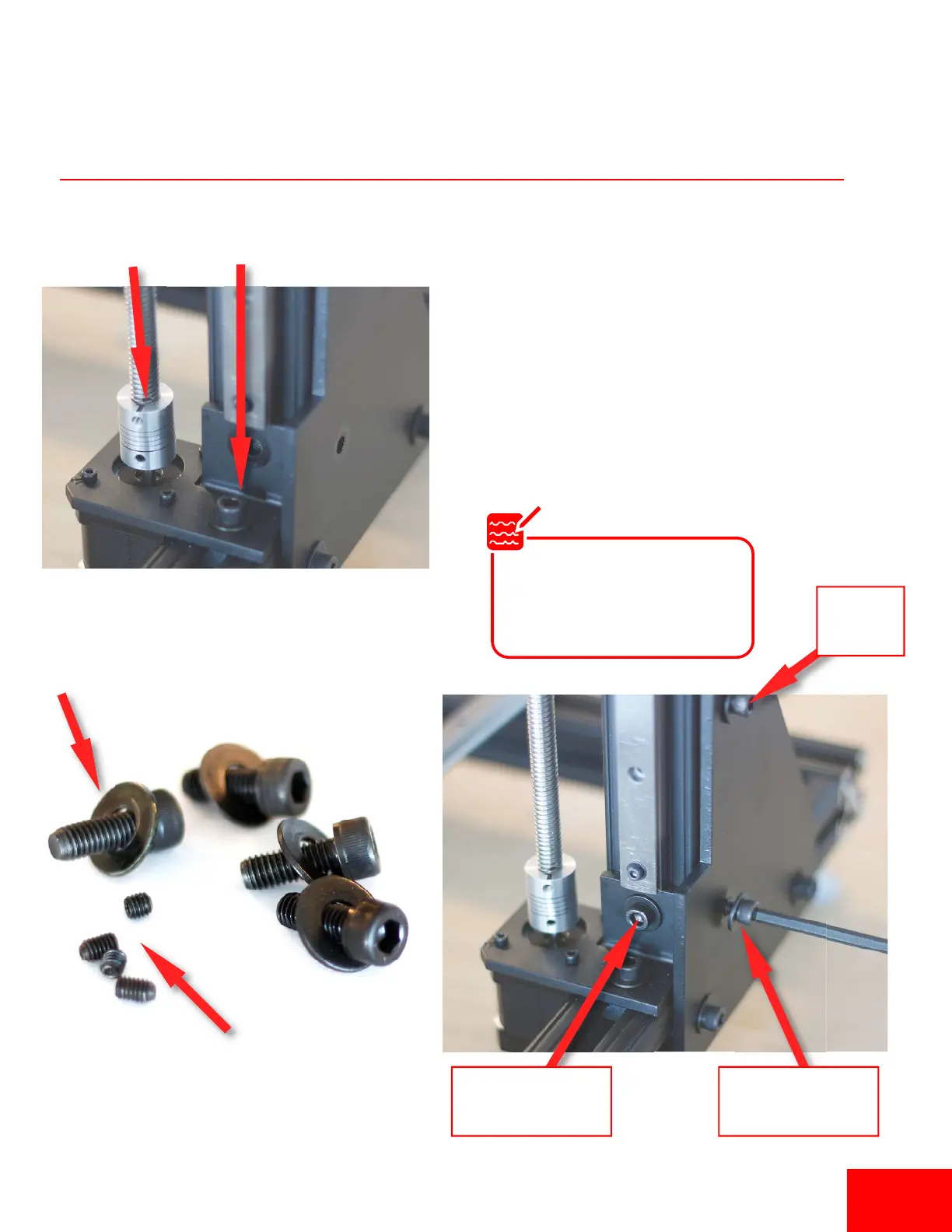
1. Slide the upper rails down unl they lay flat
against the lower frame. Make sure the lead
screw slides all the way into the coupler. Turn the
coupler by hand to ensure a solid connecon.
2. In the accessory box, open the bag containing the
M6 bolts, washers and set screws.
3 Screw in the M6 Bolts and washers into the
T-nuts already in the vercal rail.
(4) Set Screws
(4) M6 Socket Head Bolts
(4) 1/4” Washers
(1) M6 Bolt
(1) 1/4” Washer
Tighten
Bolt
(1) M6 Bolt
(1) 1/4” Washer
Slide into
coupler
Slide unl flat against
the lower frame
If the rubber spacers pop out
they can be easily pressed back
in. These spacers help line up
the T-Nuts with the holes.
Note
Pg 4


 To Next Page