EasyManua.ls Logo

GE Zenith Controls ZTX - User Manual

GE Zenith Controls ZTX
18 pages
Print Icon
To Next Page IconTo Next Page
Loading...
72R-1000
9/05
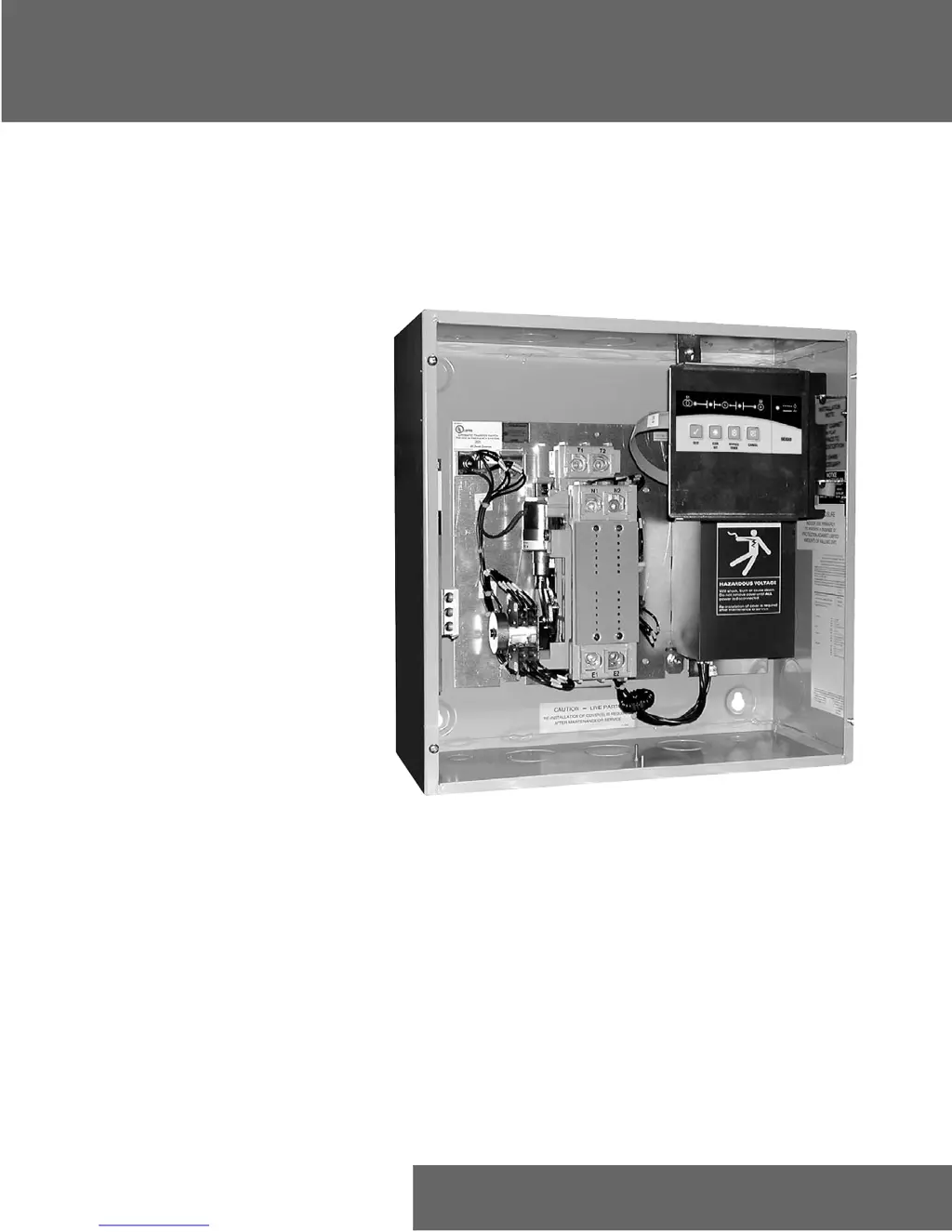
ZTX Series Automatic Transfer Switches
40-400 Amps
GE Zenith Controls
Operation and Maintenance Manual
e

Questions and Answers

  • C
    Catherine CuevasAug 18, 2025
    What to do if S1 or S2 Available LED is not lit on my GE Zenith Controls Switch?
    • A
      Ashley SanchezAug 19, 2025
      If the S1 or S2 Available LED is not lit on your GE Zenith Controls Switch, it could be due to several reasons. The sources might be either fully or partially unacceptable, so check for under voltage. It could also be that the S1 or S2 breakers are open, in which case you should check for missing phase(s). Also, check for under frequency.
  • R
    Robert PetersonAug 21, 2025
    What to do if my GE Zenith Controls ZTX Switch ATS will not retransfer Load?
    • B
      Billy TaylorAug 21, 2025
      If the ATS (Automatic Transfer Switch) will not retransfer the load, it might be because the timer has not expired yet, so wait for the timer to expire. Another reason could be that the Automatic Exerciser is in process. Also, the S1 Utility might be fully or partially unacceptable.
  • L
    Lisa MooreAug 23, 2025
    Why does my GE Zenith Controls ZTX ATS not transfer Load to S2?
    • S
      sarahgrayAug 23, 2025
      If your GE Zenith Controls Switch ATS does not transfer the load to S2, it could be because the S2 Generator is fully or partially unacceptable. In this case, set the motor-saver to dropout below (generator). It's also possible that motor loads on the system are creating enough back-EMF to keep the missing phase from falling below the ATS Fail setpoint, so check EMF.
  • D
    Donald LopezAug 26, 2025
    What to do if both S1 and S2 Position LEDs are Blinking on my GE Zenith Controls ZTX Switch?
    • J
      Joseph LaneAug 26, 2025
      If both S1 and S2 Position LEDs are blinking on your GE Zenith Controls Switch, it could indicate a few issues. First, the solenoid might be bad or disconnected, requiring the CANCEL key to clear the error. Second, the ATS contactor could be in a mid-position, so check the solenoid. Finally, check both limit switches and use the CANCEL key to clear.
  • Z
    zwilliamsAug 28, 2025
    What to do if S1 and S2 LEDs are Blinking on my GE Zenith Controls ZTX Switch?
    • A
      Alyssa GreenAug 28, 2025
      If the S1 and S2 LEDs are blinking on your GE Zenith Controls Switch, it indicates a phase rotation mismatch between the sources. Rewire the sources to ensure they have the same rotation.
  • D
    Denise AcostaAug 30, 2025
    How to fix a GE Zenith Controls Switch that will not transfer in-phase?
    • C
      Curtis WeberAug 30, 2025
      If your GE Zenith Controls Switch will not transfer in-phase, first check if the In-Phase monitor is turned on and turn it on if it is not. Also, if the frequency difference between S1 and S2 is greater than 2Hz, adjust the generator governor to hold the frequency closer to the utility frequency.
  • S
    smarshallSep 1, 2025
    Why S2 Generator will not start on my GE Zenith Controls ZTX?
    • M
      Matthew Rowe Jr.Sep 1, 2025
      If the S2 Generator will not start, check the generator start wiring, specifically the X1 or X2 connections.
  • M
    Marcus WoodardSep 4, 2025
    What to do if the Timer/In-Phase LED is constantly on in my GE Zenith Controls ZTX?
    • J
      Jeffrey TaylorSep 4, 2025
      If the Timer/In-Phase LED is constantly on, it means that both sources are locked in frequency or one source is greater than 20° out of phase. Turn the In-Phase monitor off.
  • A
    Amy BradfordSep 6, 2025
    What to do if S2 Generator will not shut down on my GE Zenith Controls ZTX?
    • P
      Peggy MatthewsSep 6, 2025
      If the S2 Generator will not shut down, wait for the U timer to expire. Alternatively, the Automatic Exerciser may be in process.
  • D
    Daniel HawkinsSep 8, 2025
    How to fix a GE Zenith Controls ZTX Switch when S1 Position LED is Blinking?
    • T
      timothy59Sep 8, 2025
      If the S1 Position LED is blinking on your GE Zenith Controls Switch, the SN limit switch may be bad or intermittent. Check the connection or the SN limit switch itself.

Summary

ZTX Series Automatic Transfer Switches

GE Zenith Controls Operation Manual

Operational and maintenance guide for GE Zenith ZTX Series Automatic Transfer Switches.

Authorized Service and Support

Introduction to Transfer Switch Technology

Purpose and Functionality of GE Zenith Transfer Switches

Explains the primary role and operational capabilities of GE Zenith transfer switches.

Transfer Switch Installation Procedures

Equipment Inspection and Storage Guidelines

Procedures for inspecting and storing the transfer switch to prevent damage.

Final Pre-Energization Inspection Checklist

Ensures all checks are complete before powering up the transfer switch.

Transfer Switch Mounting Requirements

Guidance on proper mounting locations and considerations for the transfer switch.

Installation: Power and Terminal Connections

Making Electrical Power Connections

Detailed steps for connecting power sources and loads to the transfer switch terminals.

Power Connection Terminal Specifications

Information on terminal types, wire sizes, and connection methods.

Installation: Control Wiring and Torque

Connecting Engine Start and Control Circuits

Instructions for wiring engine start controls and other system interconnections.

Lug Tightening Torque Specifications

Specifies the correct torque values for tightening power connection lugs.

Installation: Exerciser Option Setup

Battery and Holder Installation for Exerciser

Details on installing the battery and holder for the automatic exerciser feature.

Installation: Functional Testing and Timing

Performing a Functional Test of the ATS

Step-by-step guide to test the automatic transfer switch's operation.

Understanding ATS Timing Cycle Parameters

Explanation of the timers and sequence for source transfer and retransfer.

Installation: System Voltage Configuration

Adjusting System Voltage Settings

Guide to configuring the controller for specific system voltage and frequency requirements.

Control Interface Overview and Indicators

Interpreting Control Panel Indicator LEDs

Meaning and function of each LED indicator on the control interface.

Control Panel Pushbutton Functions

Description of the purpose and operation of each control pushbutton.

Keypad Control Operation Guide

Using the TEST Key for Transfer Simulation

How to simulate a power outage and test the transfer sequence using the TEST key.

Setting and Managing Automatic Exerciser

Procedure for programming and canceling automatic generator exerciser tests.

Timer Bypass and Cancel Key Functions

How to use Timer Bypass and Cancel keys for operation control.

Automatic Generator Exerciser Features

Automatic Exerciser Scheduling and Operation

Details on scheduling, running, and managing automatic generator exerciser tests.

Exerciser Load Transfer Configuration

Options for configuring the exerciser to include or exclude load transfer.

In-Phase Monitor Functionality Details

In-Phase Monitor Operation and Benefits

Explanation of the in-phase monitor's role in synchronizing power sources.

Controlling the In-Phase Monitor Feature

Instructions for enabling or disabling the in-phase monitor functionality.

Example System Configurations

Partial Coverage System Diagram Explained

Illustrates a typical partial coverage system wiring with the transfer switch.

Total Coverage System Diagram Explained

Illustrates a typical total coverage system wiring with the transfer switch.

Typical Diagrams and Schematics Reference

Power Circuit Schematic Analysis

Detailed electrical schematic for power circuits of the transfer switch.

Power Panel Component Layout Diagram

Visual representation of component placement on the transfer switch power panel.

Interconnect Plug Wiring Configuration

Diagram and details for the interconnect plug connections.

Replacement Parts Catalog (40-200 Amps)

Parts for Standard Transition 40-200 A Units

List of available replacement parts for 40-200 Amp standard transition models.

Replacement Parts Catalog (225-400 Amps)

Parts for Standard Transition 225-400 A Units

List of available replacement parts for 225-400 Amp standard transition models.

Troubleshooting Common Operational Issues

GE Zenith Controls ZTX Specifications

General IconGeneral
TypeAutomatic Transfer Switch
Voltage RatingUp to 600 VAC
Poles2, 3, 4
Current Rating30-4000A
Enclosure TypeNEMA 1, 3R, 4, 12
Control TypeMicroprocessor
StandardsUL 1008, CSA C22.2

Related product manuals