EasyManua.ls Logo

GE 169208 - User Manual

GE 169208
13 pages
Print Icon
To Next Page IconTo Next Page
Loading...
Client: PIL (Wal*Mart)
Project: 169208
Language: EN
Date: 15.04.2009
Version: 06
Page: 1 (of 13 pages)
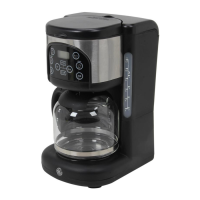
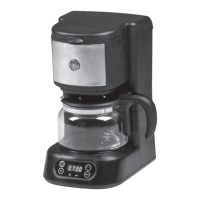
5 cup Digital
coffee maker
Model Number:
169208
UPC: 681131692083
Customer Assistance
1 877 207 0923 (US)
1 877 556 0973 (Canada)
Thank you for purchasing this GE appliance.
In keeping with the GE ecomagination initiative, please consider the option to recycle
the packaging material and donate any appliance you are no longer using.
To read more about GE's ecomagination commitment, visit:
ge.ecomagination.com
CM-169208-EN-06.indd 1 4/15/09 8:01:45 PM

Questions and Answers

  • J
    Jessica HodgesJul 30, 2025
    What to do if water does not run through my GE 169208 Coffee Maker?
    • C
      Carrie ReevesJul 31, 2025
      If water isn't running through your GE Coffee Maker, the water tank (4) might be empty. Make sure to fill the water tank (4). Also, the filter could be blocked, or the coffee grounds might be too fine or tamped down too hard. Try cleaning the filter and using coarser coffee.
  • R
    Ronald ThomasAug 7, 2025
    What to do if water runs through my GE 169208 too quickly?
    • F
      frank46Aug 7, 2025
      If water runs through your GE Coffee Maker too quickly, it's likely because the coffee grounds are too coarse. Try using finer coffee grounds.
  • C
    caleblambertAug 14, 2025
    How to fix coffee leaking around the filter basket on a GE Coffee Maker?
    • B
      Brenda NelsonAug 14, 2025
      If coffee leaks around the filter basket (19) of your GE Coffee Maker, it could be due to a couple of reasons. First, the filter basket (19) might not be seated correctly; ensure it's properly inserted. Second, the coffee might be ground too finely. In that case, clean the filter and consider using a different type of coffee.
  • B
    burnsbrandiAug 21, 2025
    Why does an ERR message appear on my GE 169208 when I press the prog key?
    • C
      Crystal RamseyAug 22, 2025
      If an ERR message appears on the display (12) of your GE Coffee Maker when the prog key (9) is pressed, it means the time hasn't been set yet. Set the current time on the coffee maker.

Summary

Important Safety Safeguards

Parts Identification

Coffee Maker Operation

Before First Use

Prepare the coffee maker before the initial use by cleaning and running a water cycle.

Using the Coffee Maker

Step-by-step guide for brewing coffee, including filter placement and water addition.

Setting the Clock Time

Instructions for setting the current time on the coffee maker's display.

Manual Brewing Start

How to initiate the coffee brewing process manually using the on/off key.

Cleaning Instructions

Troubleshooting and Technical Data

Technical Specifications

Details the electrical ratings, current, and power input of the coffee maker.

Customer Assistance and Warranty

Two-Year Limited Warranty

Details the warranty coverage, duration, and conditions for defects in material or workmanship.

Making a Warranty Claim

Steps to follow for returning the product for warranty service, including packing and contact.

Warranty Exclusions

List of parts subject to wear and conditions like misuse or neglect not covered by warranty.

Warranty and State Law

Explanation of specific legal rights and how state law relates to warranty limitations.

International Use Disclaimer

Information on warranty validity when the product is used outside the country of purchase.

GE 169208 Specifications

General IconGeneral
BrandGE
Model169208
CategoryCoffee Maker
LanguageEnglish

Related product manuals