EasyManua.ls Logo

GE 19209 - User Manual

GE 19209
9 pages
Print Icon
To Next Page IconTo Next Page
Loading...
GE Model 19209
www.jascoproducts.com
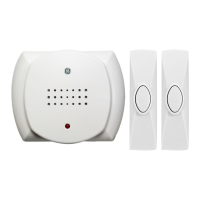
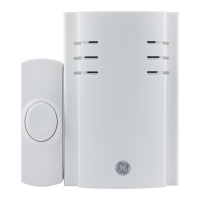
Wireless Door Chime Kit
Installation Instructions for Battery Operated
Wireless Door Chime Kit
Required Tools: Small flat blade screwdriver, drill, drill bit, and phillips
screwdriver.
Included Hardware:
(2) Plastic screw anchors
(2) 4x20mm screws (for anchors)
(2) 3x20mm screws
(2) Double sided adhesive pads
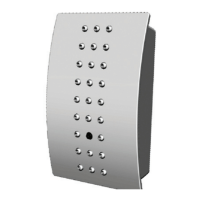
The wireless door chime Kit has two components:
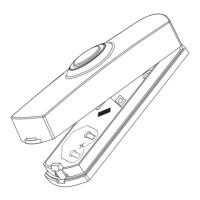
Chime (receiver) Push-Button (Transmitter).
Chime Tune Setting
All wireless chimes may have more than one push button. The chime tune for
each push button is set with jumpers 7-9.
Single Push Button Kit: If you purchased a kit with a single push button, the
chime tune will be set to Ding Dong from the factory.
Dual Push Button Kit: If you purchased a kit with two push buttons, one push
button will be set to Ding Dong and the other push button will be set to
Westminster from the factory.
The following instructions explain how to change the tune on any wireless push
Question and Answer IconNeed help?

Do you have a question about the GE 19209 and is the answer not in the manual?

Summary

Wireless Door Chime Kit Overview

Required Tools

Lists the tools necessary for installation, including screwdrivers and drill bits.

Included Hardware

Details the components provided with the kit, such as screws, anchors, and adhesive pads.

Chime Tune Setting

Explains how to adjust the chime sound for single or dual push buttons using jumpers.

Chime Sound Selection Table

Provides a table correlating jumper settings (7-9) to specific chime sounds like Westminster or Ding Dong.

Setting the House Security Code

Security Code Jumper Configuration

Details using jumpers 1-6 on both chime and push button to select one of 64 home security codes.

Installation Instructions

Push Button Mounting

Guides on removing the back cover, replacing it, and mounting the push button unit.

Chime Unit Mounting

Instructions for selecting a location, marking holes, drilling, and securing the chime unit.

Operation and Troubleshooting

Basic Operation

Steps to turn on the chime unit and activate it by pressing the transmitter button.

Troubleshooting Common Issues

Provides solutions for when the chime doesn't work, including checks for switches, batteries, and range.

FCC Compliance and Support

Information on FCC rules compliance and contact details for technical support.

GE 19209 Specifications

General IconGeneral
BrandGE
Model19209
CategoryDoor
ColorWhite
MaterialSteel
Height80 inches
Thickness1.75 inches
Frame IncludedNo
Fire Rating20-Minute

Related product manuals