1
6. The answering system automatically advances to the second number and
announces “Security Code (current 3 number). To set security code, press NEXT
then press SET to continue.” To change the second and third numbers, repeat steps
4 and 5. After the third number is stored, the answering system announces all the
stored settings and exits the setup menu.
Reviewing the Settings
This function allows you to review the current time, rings to answer, message time
and security code.
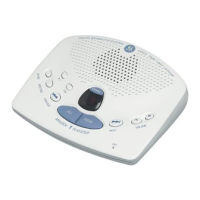
• Press and release the STOP/SET button to start the review. The answering system
announces the current settings.
Adjusting the Volume
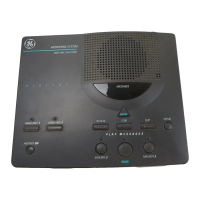
Use the VOLUME + and - buttons to increase or decrease the volume. The
answering system beeps when it is not announcing a setting or playing a
message.
Message Counter
The message counter displays the number of messages you have received.
If the answering system is off, the message counter displays a dash (-). If the
answering system is on, the message counter displays the number of messages.
Less Than 10 Messages
When you have new messages, the message counter continuously ashes the
number of new (from 1 to 9), unheard messages in the display.
When you have no new messages, the message counter displays the number of old
messages (from 0 to 9).
When you have both new and old messages, the message counter continuously
ashes the total number of messages (from 1 to 9) in the display.



 To Next Page