3
To iPad, iPhone, iPod touch (iOS Devices)
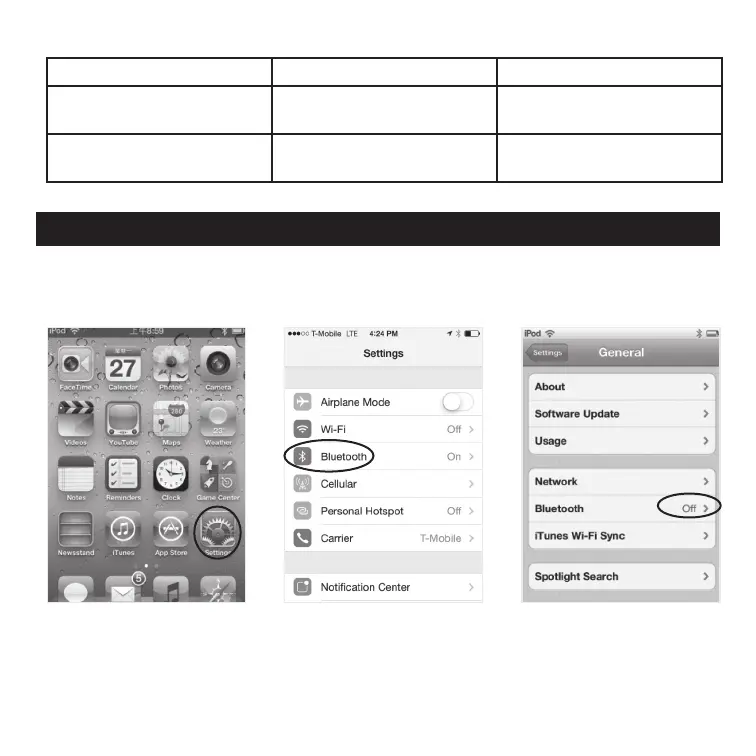
Go to Bluetooth settings on your iPad, iPhone, iPod touch and follow these steps:
LED Indicator
Indication Meaning Description
Flash once for 1 second every
5 seconds
Power on/Pairing Waiting for connection
Light stays on permanently Connected Device and main unit are
connected
Pairing your GE-branded audio receiver
1. From your iPad/iPhone/
iPod touch home page,
choose “Settings.”
2. Inside “Settings,”
choose “Bluetooth.”
3. Turn on Bluetooth if it is
not already turned on.


 To Next Page