Need help?
Do you have a question about the GE 33712 and is the answer not in the manual?
Steps for correctly installing batteries into the remote.
Important guidelines for handling and mixing batteries.
Feature that automatically turns off the remote after 8 seconds of button press.
Allows up to 10 minutes to change batteries without losing programmed codes.
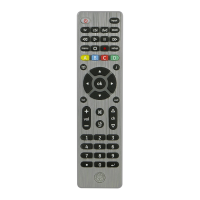
Turns connected devices On or Off.
Selects the device type (TV, STRM, etc.) to be controlled.
Initiates the remote programming sequence.
Provides directional, volume, and channel control.
Directly accesses popular streaming applications.
Controls media playback functions like play, stop, and record.
Enables direct channel selection using the numeric keypad.
Recommended method for programming remote codes via direct entry.
Method to search through all codes to find a match for your device.
Instructions for programming combo devices like TV/DVD.
Select a single device for volume control across modes.
Process to identify the code currently programmed for a device.
Procedure to restore the remote to its default factory configuration.
 General
| Brand | GE |
|---|---|
| Model | 33712 |
| Type | Universal Remote |
| Number of Devices Controlled | 4 |
| Programming Method | Manual Code Entry |
| Compatible Devices | TV, DVD, Cable, Satellite |
| Battery Type | 2 x AAA (not included) |
| Brand Compatibility | Universal compatibility with most brands |

 To Next Page