EasyManua.ls Logo

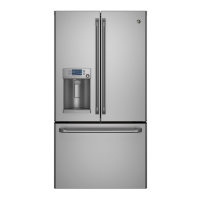
GE Cafe CFCP1NIXSS - User Manual

GE Cafe CFCP1NIXSS
140 pages
Print Icon
To Next Page IconTo Next Page
Loading...
ge.com
Refrigerators
Bottom Freezer
200D9366P002 49-60530-2 01-08 JR
Safety Instructions . . . . . . . . . . .2, 3
Operating Instructions
Additional Features . . . . . . . . . . . . .8
Automatic Icemaker . . . . . . . . . . . .11
Care and Cleaning . . . . . . . . . .12–13
Controls . . . . . . . . . . . . . . . . . . . . .4–5
Crispers and Pans . . . . . . . . . . . . . . .9
Freezer . . . . . . . . . . . . . . . . . . . . . . .10
Replacing the Light Bulbs . . . . . . .14
Shelves and Bins . . . . . . . . . . . . . .7, 8
Water Dispenser . . . . . . . . . . . . . . .11
Water Filter . . . . . . . . . . . . . . . . . . . .6
Installation Instructions
Installing the Anti-Tip
Floor Bracket . . . . . . . . . . . . . . .18–19
Installing the Refrigerator . . . .20–24
Installing the Water Line . . . . .33–35
Preparing to Install
the Refrigerator . . . . . . . . . . . . . . .17
Removing and Replacing the
Freezer Drawer . . . . . . . . . . . . .25, 26
Reversing the Door Swing
(Single Door Refrigerator
Models only) . . . . . . . . . . . . . . .27–29
Removing and Replacing
the Doors (Double Door
Refrigerator Models only) . . . .30–32
Trim Kits and Decorator Panels . .15–16
Troubleshooting Tips . . . . . . .36–40
Normal Operating Sounds . . . . . . .36
Consumer Support
Consumer Support . . . . .Back Cover
Performance Data Sheet . . . . . . . .47
Product Registration
for Canadian Customers . . . . .43, 44
Product Registration
for U.S. Customers . . . . . . . . . .41, 42
State of California Water
Treatment Device Certificate . . . . .48
Warranty for Canadian
Customers . . . . . . . . . . . . . . . . . . . .46
Warranty for U.S. Customers . . . . .45
Réfrigérateurs
Congélateur inférieur
Refrigeradores
Congelador inferior
Write the model and serial
numbers here:
Model #______________________
Serial # ______________________
Find these numbers on a label
on the right side, near the top of
the refrigerator compartment.
Models 21 and 25
Manuel d’utilisation
et d’installation
Owner’s Manual and
Installation Instructions
Manual del propietario
y instalación
La section française commence à la page 49
La sección en español empieza en la página 93

Table of Contents

Questions and Answers

  • T
    Tammy GrossAug 20, 2025
    Why is my GE Refrigerator not operating?
    • J
      Jacob WilsonAug 20, 2025
      Your GE Refrigerator might not be operating due to several reasons. It could be in defrost cycle, wait about 30 minutes for it to end. The control might be in the off position, so move the control to a temperature setting. Also, make sure the refrigerator is plugged completely into the outlet. Finally, check the fuse or circuit breaker and replace or reset if necessary.
  • L
    liujessicaAug 22, 2025
    What to do if my GE Cafe CFCP1NIXSS or freezer compartment is too warm?
    • J
      Jaclyn RiveraAug 22, 2025
      If your GE Refrigerator or freezer compartment feels too warm, the temperature controls may not be set cold enough. In warm weather or if you're opening the door frequently, try setting the temperature control one step colder. Also, check to see if a package is holding the door open.
  • D
    Deborah GlennAug 25, 2025
    What to do if food is freezing in my GE Cafe CFCP1NIXSS?
    • K
      Kristine SparksAug 25, 2025
      If food is freezing in your GE Refrigerator, it might be too close to the air vent at the back. Try moving the food away from the vent. Also, the refrigerator control might be set too cold, so adjust it to a warmer setting, one increment at a time.
  • V
    victoriadominguezAug 26, 2025
    Why is there frost on food in my GE Cafe CFCP1NIXSS?
    • S
      Sophia ThompsonAug 26, 2025
      If you notice frost or ice crystals on frozen food in your GE Refrigerator, it could be due to the door being left open. Check to see if a package is holding the door open. Also, door openings may be too frequent or too long, which is normal.
  • M
    Ms. Jennifer Bush MDAug 27, 2025
    Why are my GE Refrigerator ice cubes small?
    • A
      Adam SmithAug 28, 2025
      Small or hollow ice cubes in your GE Refrigerator can be caused by a clogged water filter. Replace the filter cartridge with a new one or with a plug. Also, ensure the icemaker power switch is in the on position. The water supply may also be turned off or not connected.
  • D
    David OrtizAug 29, 2025
    Why is ice freezing slowly in my GE Cafe CFCP1NIXSS Refrigerator?
    • R
      Robert MayoAug 30, 2025
      Slow ice cube freezing in your GE Refrigerator may be because the door is left open. Check to see if a package is holding the door open. Additionally, the freezer control may not be set cold enough.
  • R
    rebekahrichardsonAug 31, 2025
    What to do if my GE Refrigerator light doesn't work?
    • E
      Edward MataAug 31, 2025
      If the light in your GE Refrigerator or freezer compartment isn't working, first check if there's power at the outlet. Replace the fuse or reset the breaker if needed. Also, the light bulb may be burned out or loose.
  • J
    jmccormickSep 2, 2025
    Why does my GE Refrigerator make a buzzing sound?
    • L
      Lisa BrownSep 2, 2025
      A frequent buzzing sound in your GE Refrigerator indicates that the icemaker power switch is in the on position, but the water supply hasn't been connected. Set the power switch to the off position to prevent damage to the water valve.
  • J
    Jason GrahamSep 4, 2025
    Why does my GE Cafe CFCP1NIXSS Refrigerator motor operate for long periods?
    • L
      laura87Sep 4, 2025
      It's normal for the GE Refrigerator motor to operate for extended periods when first plugged in; allow 24 hours to completely cool down. This can also occur when large amounts of food are placed inside, during hot weather, or with frequent door openings. It is also normal when the TurboCool function is activated. Ensure that the door is not left open and that the temperature control is not set at the coldest setting.
  • A
    andersonjonSep 6, 2025
    How to get rid of odor in GE Refrigerator ice cubes?
    • W
      William HansonSep 6, 2025
      If your GE Refrigerator ice cubes have an odor or taste, it might be due to food transmitting the odor. Make sure to wrap foods well. Also, the interior of the refrigerator may need cleaning.

Summary

Safety Instructions

Safety Precautions

Basic safety precautions to follow when using electrical appliances, including installation and handling.

Proper Disposal of the Refrigerator

Instructions for safely disposing of old refrigerators to prevent child entrapment and environmental harm.

Use of Extension Cords

Recommendations and requirements for using extension cords with the appliance.

How to Connect Electricity

Guidance on properly grounding the appliance and connecting it to an electrical outlet.

Operating Instructions

Temperature Controls Overview

Explanation of refrigerator and freezer temperature controls, including setting and adjusting temperatures.

Changing the Temperature

Step-by-step instructions for adjusting temperature settings on door and internal control models.

Special Operating Features

Details on TurboCool, Door Alarm, and Energy Saver features for optimal operation.

Water Filter System

Information on water filter location, replacement, reset, and bypass plug usage.

Shelves and Bins Management

Instructions for rearranging, removing, and replacing shelves and spillproof bins.

Door Bins and Beverage Rack

How to manage adjustable, non-adjustable door bins and beverage racks.

Crispers and Deli Pan

Information and instructions for using crispers and the adjustable temperature deli pan.

Freezer Basket Removal

Instructions for removing various types of freezer baskets for cleaning or access.

Icemaker and Dispenser Operation

Guidance on icemaker function, external/internal dispensers, and locking features.

Refrigerator Care and Cleaning

Guidelines for cleaning the exterior and interior of the refrigerator.

Installation Instructions

Pre-Installation Preparation

Advice on moving, preparing for vacation, and general installation preparatory steps.

Lighting and Panel Installation

Steps for replacing light bulbs and installing trim kits or decorator panels.

Custom Panel Dimensions

Specific measurements for custom wood panels and raised panel requirements.

General Installation Steps

Overview of preparation, materials, tools, and initial installation steps.

Anti-Tip Bracket Installation

Detailed guide for measuring, locating, and installing the anti-tip floor bracket.

Refrigerator Placement and Leveling

Instructions for positioning, plugging in, leveling, and engaging anti-tip brackets.

Handle Removal and Attachment

Steps for removing and reattaching fresh food and freezer door handles.

Freezer Drawer Removal and Replacement

Instructions for removing and replacing the freezer drawer and its basket.

Reversing Door Swing

Detailed guide for reversing the door swing on single door models.

Removing and Replacing Double Doors

Instructions for removing and replacing doors on double door refrigerator models.

Water Line Installation

Comprehensive guide for installing the water line for icemaker models.

Troubleshooting Tips

Normal Operating Sounds

Explanation of normal sounds the refrigerator may make, including compressor, fan, and water sounds.

Before You Call for Service

Introduction to troubleshooting common problems before calling for service.

Motor and Temperature Issues

Discusses motor operation, compartment temperature, and frost formation.

Icemaker and Ice Cube Problems

Covers buzzing sounds, small cubes, and icemaker not working.

Odor, Moisture, and Light Issues

Addresses ice odor, refrigerator odors, moisture, and interior light problems.

Door and Food Issues

Covers door closure, freezing food, and freezer glow.

Water Dispenser Performance

Addresses water taste, temperature, operation, spurting, and leaks.

No Water or Ice Production

Diagnoses issues with no water or ice production from the icemaker.

Display and Filter Indicator Issues

Covers display messages and water filter indicator light behavior.

Handle, Alarm, and Door Alignment

Addresses loose handles, beeping alarms, and uneven doors.

Consumer Support

GE Service Protection Plus

Information about GE's extended warranty and service plans.

Warranty Registration Information

Instructions and address for mailing the warranty registration.

Consumer Product Ownership Registration

Steps to register the product for warranty and communication purposes.

Canadian Ownership Registration

Mailing address for ownership registration for Canadian customers.

Bilingual Ownership Registration Form

Bilingual form for registering the product and providing contact details.

US Refrigerator Warranty Details

Details of the refrigerator warranty coverage and exclusions for US customers.

Canadian Refrigerator Warranty Details

Details of the refrigerator warranty coverage and exclusions for Canadian customers.

Water Filter Performance Data

Technical data on water filter performance and operating specifications.

California Water Treatment Certification

Certification details for the water treatment device from California DHS.

GE Appliances Online Resources

Accessing website, scheduling service, and product registration.

Service Plans and Parts

Information on extended warranties, parts, and accessories.

Customer Relations and Support

Contacting GE for satisfaction and Universal Design information.

GE Cafe CFCP1NIXSS Specifications

General IconGeneral
BrandGE Cafe
ModelCFCP1NIXSS
CategoryRefrigerator
TypeFrench Door
Ice MakerYes
Water DispenserYes
Door FinishStainless Steel
Energy Star CertifiedYes
Counter DepthYes

Related product manuals