8
Model DS5000
ONE T
OUCH
Quick Start Guide
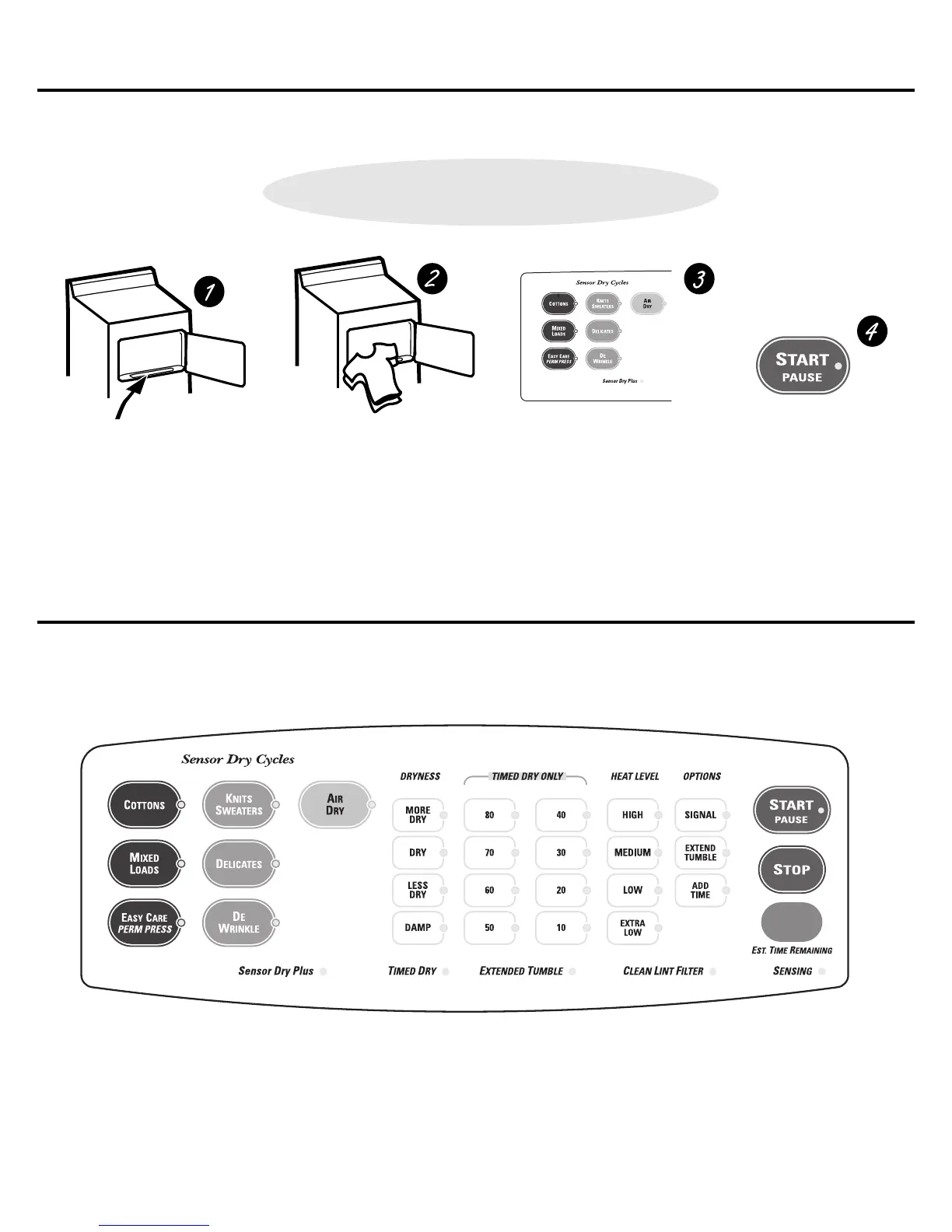
• Clean lint filter
• Add clothes
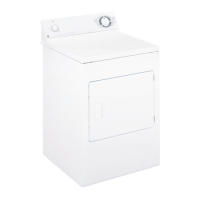
• Select dry cycle
• Check dryness level
• Check heat setting
• Close door
• Push START
Your new dryer offers the convenience of starting your dryer loads with our easy ONE TOUCH cycles. Make one simple selection, and your
DRYNESS LEVEL and HEAT SETTING are automatically set. Then all you have to do is press START.
Easy ONE TOUCH cycles—for model DS5000.
You can locate your model number on the label on the front of the dryer, behind the door.
NOTE: Any time you make a selection that is incompatible with the chosen dry cycle, the dryer will beep twice.
Dryer control panel—for model DS5000.



 To Next Page