EasyManua.ls Logo

GE GDF530 Series - User Manual

GE GDF530 Series
24 pages
Print Icon
To Next Page IconTo Next Page
Loading...
Write the model and serial
numbers here:
Model # _________________
Serial # _________________
You can find them on a label on
the tub wall just inside the door.
GE is a trademark of the General Electric Company. Manufactured under trademark license.
OWNER’S MANUAL
DISHWASHERS
49-4000239 Rev 1 02-21 GEA
ENGLISH/FRANÇAIS/
ESPAÑOL
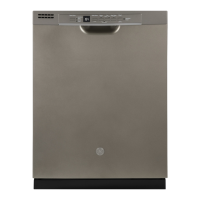
GDF530 Series
GDF630-640 Series
GDT535-635 Series
GDP615 Series
SAFETY INFORMATION .........3
USING THE DISHWASHER
Getting Started ........................5
Dispensers ............................8
Appliance Communication .............10
Loading ............................. 11
CARE AND CLEANING ............16
TROUBLESHOOTING TIPS ......19
LIMITED WARRANTY ...........23
CONSUMER SUPPORT ......... 24
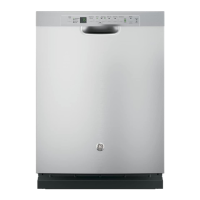
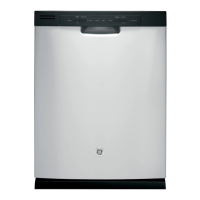
FRONT CONTROL MODELS TOP CONTROL MODELS

Questions and Answers

  • N
    Natasha GonzalezSep 6, 2025
    Why is the start status light flashing on my GE GDF530 Dishwasher?
    • J
      Jessica HeathSep 6, 2025
      The flashing light indicates the door was opened or the cycle was interrupted. Press the Start pad once and close the door within 4 seconds to start the dishwasher. Press the Start pad a second time when the dishwasher is running only if you wish to cancel the cycle.
  • K
    kellyjeremyAug 25, 2025
    Why don't my dishes dry in GE Dishwasher?
    • M
      moniqueguzmanAug 25, 2025
      Several factors can affect drying performance. Ensure the inlet water temperature is at least 120°F. Select Heated Dry or Dry Boost, and consider using Wash Temp Boost or a higher cycle like Steam Sani or Heavy. Check and fill the rinse agent dispenser if it's empty. On some models, leaving the door closed after the Clean light appears allows the fan to run for an additional 90 minutes. Also, if you are using a Light cycle, switch to a different cycle.
  • R
    Ruth HarrisonAug 25, 2025
    What to do if my GE GDF530 Dishwasher won't run?
    • J
      johnsonthomasAug 26, 2025
      First, check if the fuse is blown or the circuit breaker is tripped; replace the fuse or reset the breaker. Ensure power is turned on, especially if it's controlled by a wall switch. Also, check if the control panel is locked and unlock it if necessary; see the Getting started section for instructions.
  • E
    Eddie CopelandSep 15, 2025
    Is steam from my GE GDF530 Dishwasher normal?
    • M
      milleranaSep 16, 2025
      Yes, it is normal. Warm, moist air comes through the vent during drying and when water is being pumped out, which is necessary for drying.
  • J
    Joanna BoltonDec 1, 2025
    Why are my dishes and flatware not clean in my GE GDF530 Dishwasher?
    • M
      martinezjacquelineDec 1, 2025
      There are several reasons why your dishes might not be getting clean. It could be due to a clogged Ultra-Fine Filter assembly or Fine Filter, which requires cleaning based on the Care and Cleaning section. Low inlet water temperature can also be a factor; ensure the water temperature is correct by running the hot water faucet nearest the dishwasher until the temperature stops rising before starting the dishwasher, and consider selecting Wash Temp Boost if available. Temporarily low water pressure, a clogged air gap or disposer, improper rack loading, or poor performing detergent could also be culprits. Normal water pressure to the dishwasher should be 20-120 psi. Also, make sure large dishware does not block the detergent dispenser or the wash arms and use high quality detergents such as C...
  • D
    David CollinsSep 12, 2025
    Why does my GE Dishwasher control panel lights go off?
    • K
      Kyle LeeSep 12, 2025
      If the control panel lights go off while you're setting the controls, it means there was too much time between touching the selected pads. Each pad must be touched within 30 seconds of the others. To relight, touch any pad again or open the door and unlock (top control).
  • B
    Barbara DunnSep 1, 2025
    Why won't water pump out of the tub of my GE GDF530 Dishwasher?
    • R
      ramosjacobSep 2, 2025
      If water won’t pump out of the tub, the drain may be clogged. If you have an air gap, clean it. If the dishwasher drains into a disposer, run the disposer to clear it. Check if your kitchen sink is draining well; if not, you may need a plumber.
  • P
    paul49Sep 2, 2025
    Why aren't my dishes drying in my GE GDF530?
    • A
      Alisha TaylorSep 2, 2025
      Several factors can affect drying performance. Ensure the inlet water temperature is at least 120°F. Select Heated Dry or Dry Boost and Wash Temp Boost. Check the rinse agent dispenser and fill if needed. On some models, leave the door closed after the Clean light appears to allow the fan to run for an additional 90 minutes. If using the Light cycle, switch to a different cycle. Allow cycles to fully complete.
  • L
    Lindsay BrownSep 22, 2025
    Why is my GE GDF530 making noise?
    • C
      Cameron SalazarSep 22, 2025
      Some noises are normal operating sounds, such as beeping at the end of the cycle, the detergent cup opening, water entering the dishwasher, the motor starting and stopping, the spray arms starting and stopping, and the drain pump running. If dishes are rattling, make sure they are properly loaded. If silverware is rattling against the door, place tall utensils in the upper rack.
  • J
    Jeffrey AvilaAug 28, 2025
    Why is there water standing in the bottom of my GE GDF530?
    • G
      Garrett SmithAug 28, 2025
      If water is standing in the bottom of your GE Dishwasher tub, the air gap may be clogged; clean it. Also, check if the high drain loop or air gap is not installed correctly and refer to the Installation Instructions for proper drain line installation.

Summary

SAFETY INFORMATION

Installation and Maintenance Safety

Guidance on proper installation, maintenance, and electrical connection safety.

Usage Precautions and Specific Warnings

Essential safety rules for operation, plus warnings on water heaters and child entrapment.

Disposal and Electrical Requirements

Information on proper appliance disposal and detailed electrical connection requirements.

USING THE DISHWASHER

Getting Started and Operation

Step-by-step guide for initial setup, cycle selection, and starting the dishwasher.

Dispensers and Detergent Usage

Details on using and filling the rinse agent and detergent dispensers correctly.

Appliance Communication Features

Information on WiFi connectivity and smart features for remote monitoring and control.

Loading Guidelines

Instructions on properly loading the upper rack, lower rack, and silverware basket.

CARE AND CLEANING

Exterior and Interior Maintenance

Cleaning instructions for exterior panels, control panel, and the dishwasher interior.

Filter Maintenance and Protection

Procedures for maintaining filters and protecting the appliance from freezing.

TROUBLESHOOTING TIPS

Common Operational Issues

Solutions for common problems like flashing lights, beeping, and unclean dishes.

Performance and Cleaning Problems

Addresses suds, detergent residue, marks on dishes, drying, and water filling issues.

Stains, No-Run, and Water Issues

Troubleshooting stains, appliance not running, control lock, water standing, and drainage.

Cycle, Noise, and Film Issues

Solutions for steam, sanitized light, noise, and white film on glassware.

LIMITED WARRANTY

Warranty Coverage and Service

Details on warranty coverage, exclusions, and how to obtain service.

CONSUMER SUPPORT

Support Resources and Contact Information

Information on websites, registration, scheduling service, and ordering parts.

GE GDF530 Series Specifications

General IconGeneral
TypeBuilt-In
CapacityLarge
Number of Wash Cycles5
Drying SystemHeated Dry
Control TypeElectronic
ColorStainless Steel
Number of Options4
Water Filtration SystemYes
Rinse Aid DispenserYes
Leveling LegsYes
Tub MaterialStainless Steel
Control LocationFront
Energy Star CertifiedYes
Soil SensorYes
Place Settings16
Wash CyclesHeavy, Normal, Rinse Only
Wash Arms3
Width24 in

Related product manuals