EasyManua.ls Logo

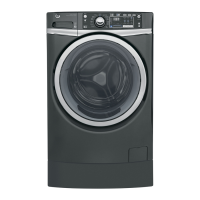
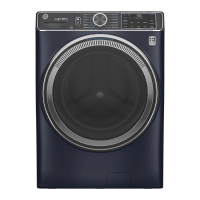
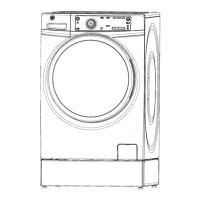
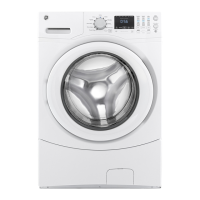
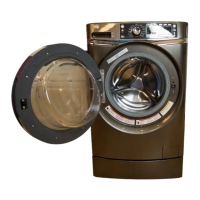
GE GFW450 - User Manual

GE GFW450
76 pages
Print Icon
To Next Page IconTo Next Page
Loading...
WASHERS
SAFETY INSTRUCTIONS .........2
USING THE WASHER
Getting Started ...................... 4
Controls ............................ 4
Features .............................10
Loading ............................. 11
CARE AND CLEANING ..........12
INSTALLATION
INSTRUCTIONS ..................14
TROUBLESHOOTING TIPS ..... 20
CONSUMER SUPPORT
Warranty ........................... 24
Consumer Support ................... 26
GFW450
GFW400
GFWS1705
GFWS1700
GFWN1600
GFWN1300
GFWH1200
GFWN1100
OWNER’S MANUAL &
INSTALLATION
INSTRUCTIONS
Write the model and serial
numbers here:
Model # _________________
Serial # _________________
You can find them on a label on
the side of the washer.
49-90542-2 04-16 GEA
ENGLISH/FRANÇAIS/
ESPAÑOL

Questions and Answers

  • K
    Kyle SavageSep 12, 2025
    Why are my clothes getting snags, holes, or tears in my GE GFW450 Washer?
    • D
      Danielle DavisSep 12, 2025
      If you're noticing snags, holes, tears, rips, or excessive wear on your clothes after washing them in your GE Washer, here are a few potential reasons: * The washer may be overloaded. Avoid exceeding the maximum recommended load sizes. * Objects like pens, pencils, nails, or screws might have been left in pockets. Always remove loose items from pockets before washing. * Pins, snaps, hooks, sharp buttons, belt buckles, zippers, and other sharp objects left in pockets can cause damage. Fasten snaps, hooks, buttons, and zippers before washing.
  • Z
    zcarrAug 25, 2025
    Why is my GE GFW450 making loud or unusual noises?
    • K
      kirkjasonAug 25, 2025
      If your GE washer is making loud or unusual noises, vibrating, or shaking, it could be due to several factors. The washer is designed to move slightly (about 1/4 inch) to reduce forces transmitted to the floor, which is normal. Ensure all rubber leveling legs are firmly touching the floor by pushing and pulling on the back right and left sides of the washer to check if it is level. An unbalanced load can also cause these issues; pause the unit, open the door, and manually redistribute the load. A clogged pump could also be the reason.
  • R
    Rachel GreeneAug 25, 2025
    Why is there not enough water in my GE GFW450?
    • F
      fleeAug 26, 2025
      If there's not enough water in your GE washer, it is normal. Horizontal washers do not require the tub to fill with water like top-load washers.
  • L
    Lindsay PriceSep 23, 2025
    Why does the control time on my GE GFW450 display wrong or changes?
    • D
      Danielle MorenoSep 23, 2025
      If the control time on your GE Washer is wrong or changes, it's likely normal. During the spin cycle, the washer may need to rebalance the load to reduce vibrations. When this happens, the estimated time is increased, causing the time left to increase or jump.
  • R
    robertsmariahSep 12, 2025
    Why are my clothes wrinkling in my GE GFW450?
    • J
      jessicahansonSep 12, 2025
      If your clothes are coming out of your GE Washer with excessive wrinkles, consider these factors: * Improper sorting of clothes can lead to wrinkling. Avoid washing heavy items (like work clothes) with light items (like blouses). * Overloading the washer can prevent clothes from moving freely, leading to wrinkles. Make sure clothes have enough room to move. * Using the incorrect wash cycle can also cause wrinkles. Match the cycle selection to the type of fabric you're washing, especially for easy-care loads. * Repeated washing in water that is too hot can set wrinkles. Wash in warm or cold water instead.
  • K
    kellyangelaSep 16, 2025
    Why does the control time change or is wrong on my GE Washer?
    • J
      John WilcoxSep 17, 2025
      If the control time is wrong or changes on your GE washer, it is normal. During spin, the washer may need to rebalance the load to reduce vibrations. When this happens, the estimated time is increased, causing the time left to increase or jump.
  • S
    Samuel HicksSep 6, 2025
    Why is there a bad odor inside my GE Washer?
    • J
      Jackie JamesSep 6, 2025
      A bad odor inside your GE washer may be due to: * The washer being unused for a long time, not using the recommended quality of HE detergent, or using too much detergent: Run a Tub Clean cycle. In case of a strong odor, you may need to run the Tub Clean cycle more than once.
  • E
    Eugene AllenSep 6, 2025
    Why is there a detergent leak in my GE Washer?
    • M
      Monique ReedSep 7, 2025
      If there is a detergent leak in your GE washer: * The detergent insert may be incorrectly placed: Make sure the detergent insert is properly located and fully seated. Never put detergent above the max line. * It is normal operation to see detergent leak on the door gasket about 20 seconds after filling the dispenser.
  • E
    Emily DunnAug 29, 2025
    Why does water not enter my GE GFW450 Washer or enters slowly?
    • A
      Amanda AdkinsAug 29, 2025
      If water does not enter your GE Washer or enters slowly, it could be due to several reasons. First, after pressing Start, the washer performs system checks, and water will flow 60 seconds after Start is pressed. Ensure both hot and cold water faucets are fully turned on. Check the water valve screens and inlet hose screen washers for blockages; turn off the water source and remove the hoses to clean the screens. Other potential causes include improper sorting, overloading the washer, or selecting the incorrect wash cycle.
  • K
    Kristin WashingtonAug 30, 2025
    How to fix improper dispensing of softener or bleach in my GE GFW450?
    • J
      jessica17Aug 30, 2025
      If your GE Washer is not dispensing softener or bleach properly, regularly clean the dispenser drawer to remove chemical buildup. Ensure you're using the correct amount of softener or bleach and not filling above the max line. Also, make sure the softener and bleach caps for the dispenser are properly seated; otherwise, they won't work correctly.

Summary

Safety Information

Important Safety Instructions

Essential safety guidelines for operating the washing machine.

Installation and Usage Guidance

Proper Installation

Guidelines for correct washer installation.

When Not In Use

Recommendations for washer care when not in use.

Washer Operation Basics

Getting Started

Step-by-step guide to beginning washer operation.

Controls Overview

Description of the main control panel buttons and knobs.

Control Settings - Core Functions

Power and Start;Pause Operation

Instructions for using the power and start/pause buttons.

Wash Cycle Selection

How to choose the appropriate wash cycle for laundry.

Control Settings - Cycle Details

Wash Cycles Continued

Further details and options for various wash cycles.

Control Settings - Cycle Options

Add Steam, Soil, Temp, Spin

Adjusting steam, soil level, temperature, and spin settings.

My Cycle and PreWash Features

Using custom cycles and the prewash function.

Control Settings - Advanced Options

PreSoak, Time Saver, Delay Wash

Utilizing pre-soak, time saver, and delay wash functions.

Extra Rinse and Stain Features

Adding extra rinse and using stain removal features.

Control Settings - Special Features

Tumble Care, Volume, Signal

Managing tumble care, volume, and cycle signals.

Lock Controls and Display

Using control lock and understanding the display.

Washer Features Explained

Dispenser Drawer System

Details on the detergent and fabric softener dispenser.

Detergent Compartment Details

Information on detergent types and compartment usage.

Loading the Washer

Loading Examples

Recommended load configurations for various laundry types.

Care and Cleaning

Exterior and Interior Cleaning

How to clean the washer's exterior and interior tub.

Pump Filter Maintenance

Procedure for cleaning the washer's pump filter.

Maintenance and Storage

Dispenser and Gasket Cleaning

Cleaning the dispenser area and door gasket.

Vacation and Moving Preparation

Steps for preparing the washer for long periods of non-use.

Installation Instructions - Preparation

Before You Begin and Tools

Initial steps, safety, required tools, and parts.

Parts and Accessories

Information on supplied and optional parts/accessories.

Installation Instructions - Location & Dimensions

Washer Location Requirements

Guidelines for selecting an appropriate installation location.

Rough-in Dimensions

Specifications for washer clearances and dimensions.

Installation Instructions - Unpacking

Unpacking the Washer

Procedure for safely unpacking the new washer.

Installation Instructions - Requirements

Electrical and Grounding Requirements

Specifications for electrical connections and grounding.

Water and Drain Requirements

Water supply pressure and drain specifications.

Installing the Washer - Connections

Connecting Water Hoses

Step-by-step guide to connecting water supply hoses.

Positioning and Leveling

Instructions for placing and leveling the washer.

Installing the Washer - Final Steps

Securing Drain Hose and Power

Finalizing drain hose setup and connecting power.

Pre-Operation Checks

Final checks before starting the washer for the first time.

Troubleshooting - Common Myths

Common Washer Myths

Addressing common misconceptions about washer operation.

Troubleshooting - Operational Issues

Draining, Spinning, Tumbling Problems

Solutions for issues with draining, spinning, or tumbling.

Leaking Water Causes

Identifying and resolving causes of water leaks.

Wet Clothes and Cycle Issues

Addressing issues with wet clothes and incomplete cycles.

Troubleshooting - Performance Issues

Noise, Vibration, and Power Failures

Resolving noise, vibration, and power-related problems.

Fabric Damage and Control Issues

Troubleshooting fabric snags and control malfunctions.

Water Entry and Wrinkling Problems

Solutions for slow water entry and excessive wrinkling.

Troubleshooting - Specific Problems

Clothes Color and Odor Issues

Addressing problems with clothes color and washer odor.

Detergent and Softener Problems

Resolving issues related to detergent and softener dispensing.

Pump Running Issue

Troubleshooting the pump running when the washer is idle.

Washer Warranty Information

Warranty Coverage and Exclusions

Details on what is covered and not covered by the warranty.

Warranty Details by Region

Specific warranty terms for the US and Canada.

Consumer Support Resources

GE Appliances Website

Accessing support and information online.

Schedule Service

How to schedule professional repair services.

Extended Warranties and Parts

Information on purchasing extended warranties and parts.

Contact Us and Registration

Ways to contact GE support and register the appliance.

GE GFW450 Specifications

General IconGeneral
TypeFront Load Washer
Appliance CategoryWasher
Capacity4.5 cu. ft.
Spin Speed1300 RPM
Energy Star CertifiedYes
ColorWhite
Steam FunctionYes
Number of Wash Cycles12
Control TypeElectronic
Delay WashYes
Child LockYes
Weight205 lbs
Wash ActionTumble
Water Level OptionsAutomatic

Related product manuals