
 Need help?
Do you have a question about the GE imagine and is the answer not in the manual?
Connect your smart speaker to power.
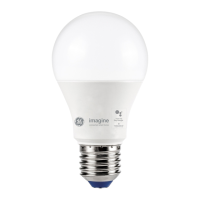
Fit the bulb and turn it on, ensuring it blinks.
Get the app and follow setup instructions.
Start the setup process for the smart light in the Google Home app.
Pick, select, and confirm your GE smart light for setup.
Place the light in a room and give it a unique name.
Finalize the installation and confirm the light is ready.
Control light brightness and turn it on/off via the app.
Customize the light colour through the app interface.
Operate your smart light using voice commands.
Automate light actions with routines.
Navigate and utilize the Routines feature in the Google Home app.
Resolve blinking issues by performing a factory reset.
Troubleshoot control issues by rebooting the Google Home device.
Controls are exclusively via app/voice; not compatible with external dimmers.
Specifies dry location use and provides regulatory compliance information.
 General
| Brand | GE |
|---|---|
| Model | imagine |
| Category | Home Automation |
| Language | English |

 To Next Page
