.——.4
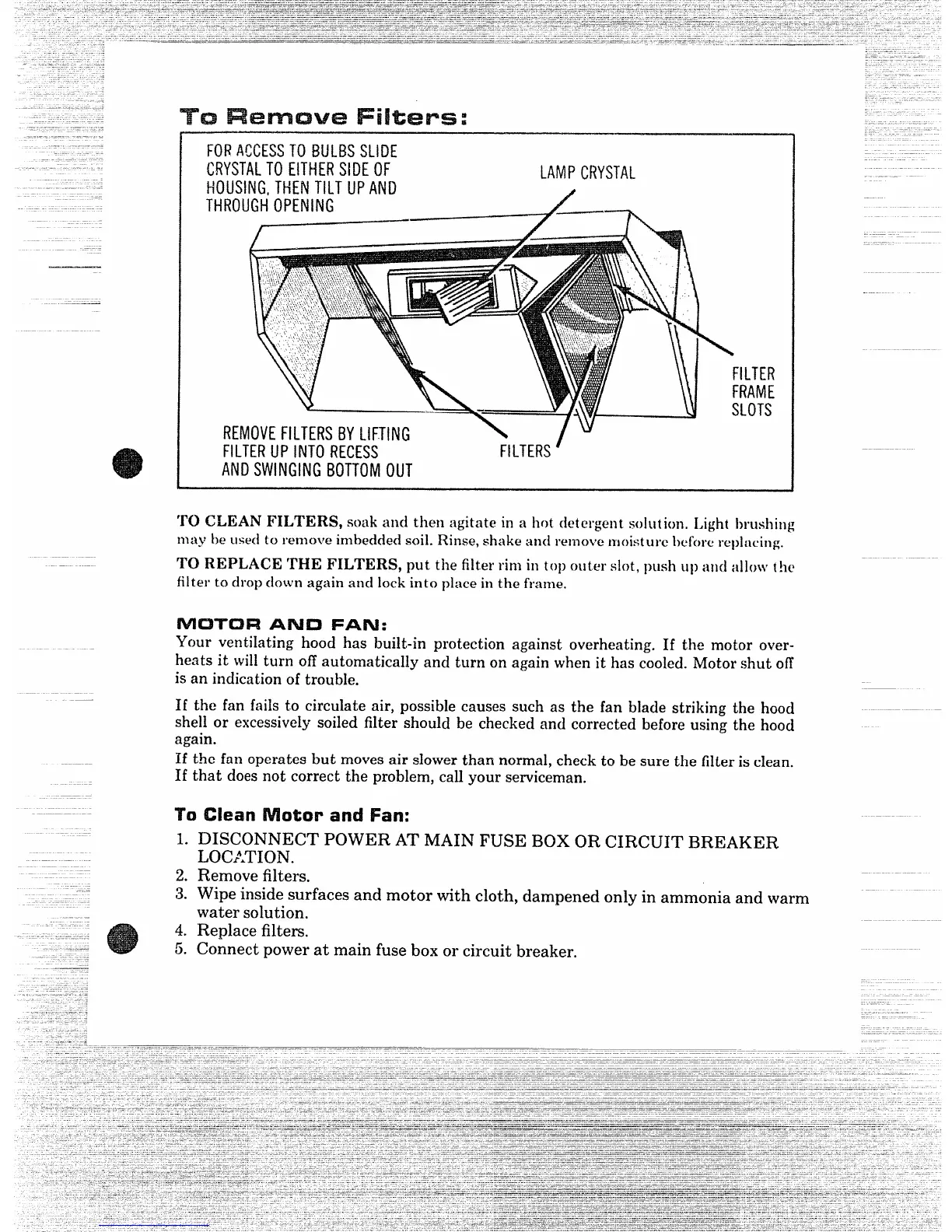
TO CLEAN FILTERS, soak and then agitate in a hot detergent solution. Light brushing
.
FORACCESSTOBUIJIISSLIDE
CRYSTALTOEITHERSIDE(IF
HOUSING,THENTILTUPAND
LAMPCRYSTAL
#
may he usecito remove imbedckxisoil. Rinse,shake and remove n]oisture Iwfowreplacing.
TO REPLACE THE FILTERS, put the filter rim in top miter slot, push up and ;L11OWt!le
filter to drop down again ancllock into place in the frame,
#’VlC3T’Cl~
AND FAN:
Ycmr ventilating hood has built-in protection against overheating. If the motor over-
heats it will turn off automatically and turn on again when it has cooled. Motor shut off
is an indication of trouble.
If the fan fails t.o circulate air, possible causes such as the fan blade striking the hood
shell or excessively soiled filter should be checkeciand corrected before using the hood
again.
If the fan operates but moves air slower than normal, check to be sure the filter is clean.
If that does not correct the problem, call your serviceman.
70
(Hem Motor and Fan:
1. DISCONNECT POWER AT MAIN FUSE BOX OR CIRCUIT BREAKER
LO(Y.TION.
2. Remove filters.
3. Wipe inside surfaces and motor with cloth, dampened only in ammonia and warm
water solution.
4. Replace filters.
5. Connect power at main fuse box or circuit breaker.



 To Next Page