Oven Control, Clock & Timer
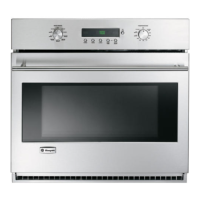
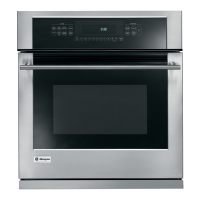
Wall Oven
Clock
Theclock must be set for the automatic oven
timing functions to work properly.
Thetime of day clock cannot be changed during
Delay Start. (It can be changed during a regular
bake or broil operation.)
To set
the clock
1 Press the CLOCK pad.
2 Pressthe number pads the same way you
read them. For example, to set 12:34, press the
number pads 1,2, 3 and/4 in that order.
If number pads are not pressed within one
minute after you press the CLOCKpad, the
display reverts to the original setting. If this
happens, press the CLOCK pad and reenter
the time of day.
3 Pressthe STARTpad. This enters the time and
starts the clock.
Tocheck the time of day when the display is
showing other information, simply press the
CLOCKpad. The time of day shows until another
pad is pressed.
@
@@®®®®@®®®
Power
failure
If a flashing time of day is in the display,
you have experienced a power failure.
Resetthe clock.
To reset the clock, press the CLOCK pad.
Enter the correct time of day by pressing
the appropriate number pads. Press the
STARTpad.
Timer
NOTE:Thetimer is independent of all the other
functions and it does not control the oven. The
CLEAR/OFFpad does not affect the timer.
You may program the timer to time cooking
or other household activities for up to 9 hours
and 59 minutes.
Thetimer counts down in minutes, 1 minute
at a time, until the last 60 seconds are reached.
Then the control will beep one time. The seconds
will not be displayed until the last minute is
reached.
When the timer reaches ":00," the control
will beep 3 times followed by one beep every
6 seconds until the TIMER ON/OFF pad is
pressed.
The 6-second tone can be canceled by following
the steps in the Special Features of Your Control
under Tones at the End of a Timed Cycle.
1!







 To Next Page