Using the Sabbath Feature
Wall Oven
How to
exit the
Sabbath
feature
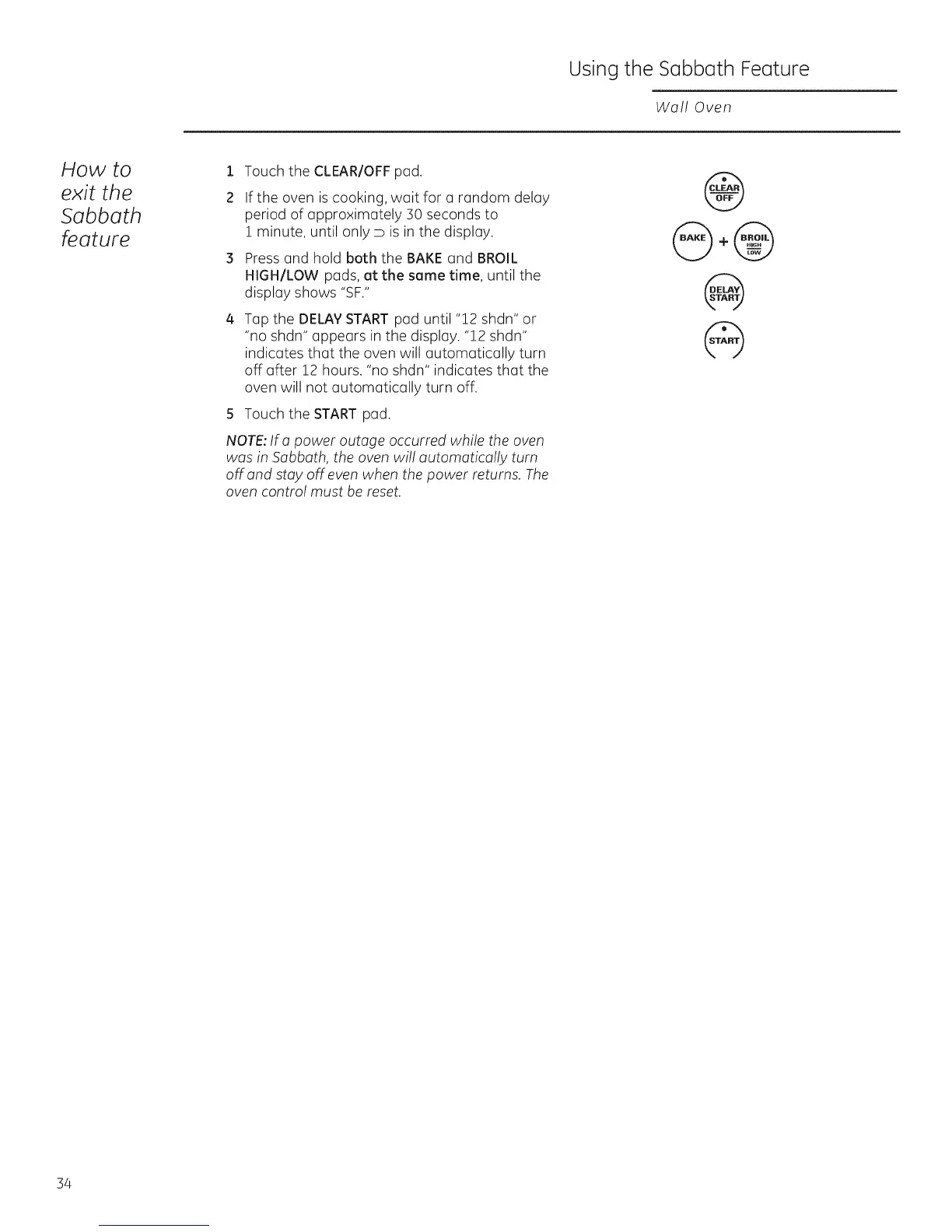
1 Touch the CLEAR/OFFpad.
2 If the oven iscooking, wait for a random delay
period of approximately 30 seconds to
i minute, until only D is in the display.
3 Press and hold both the BAKE and BROIL
HIGH/LOW pads, at the same time, until the
display shows "SF."
4
Tap the DELAYSTARTpad until "12 shdn" or
"no shdn" appears in the display. "12 shdn"
indicates that the oven will automatically turn
off after 12 hours. "no shdn" indicates that the
oven will not automatically turn off.
S Touch the START pad.
NOTE:If a power outage occurred while the oven
was in Sabbath, the oven will automatically turn
off and stay off even when the power returns. The
oven control must be reset.
@
@,@
@
@
34







 To Next Page