Sabbath
Feature:
How to set for
timed baking
or roasting
- immediate
start and
automatic stop
Make sure the clock shows the correct time of day
and the oven is OFF.
4
5
6
7
8
Pressand hold both the BAKE and BROIL
HIGH/LOW pads, at the same time, until the
display shows "SF."
NOTE:If bake or broil appears in the display,
the BAKEand BROILHIGH/LOW pads were
not touched at the same time. Touch the
CLEAR/OFFpad and begin again.
Tap the DELAYSTART pad until "SAb bAtH"
appears in the display.
Touch the STARTpad and D will appear
in the display.
Touch the COOKTIME pad.
Touch the number pads to set the desired
length of cooking time between 1 minute and
9 hours and 99 minutes. The cooking time that
you entered will be displayed.
Touch the START pad.
Touch the BAKE pad. No signal will be given.
Using the number pads, enter the desired
temperature. No signal or temperature will be
given.
9 Touch the START pad.
iO
After a random delay period of approximately
30 seconds to i minute, DC will appear in
the display indicating that the oven is baking/
roasting. If DC doesn't appear in the display,
start again at Step 7.
To adjust the oven temperature, touch the
BAKEpad, enter the new temperature using the
number pads, and touch the STARTpad.
When cooking isfinished, the display will change
from DC to D and "0:00" will appear, indicating
that the oven has turned OFF but is still set in
Sabbath. Remove the cooked food.
@+@
@
@
(9@@@@@@@@@
@
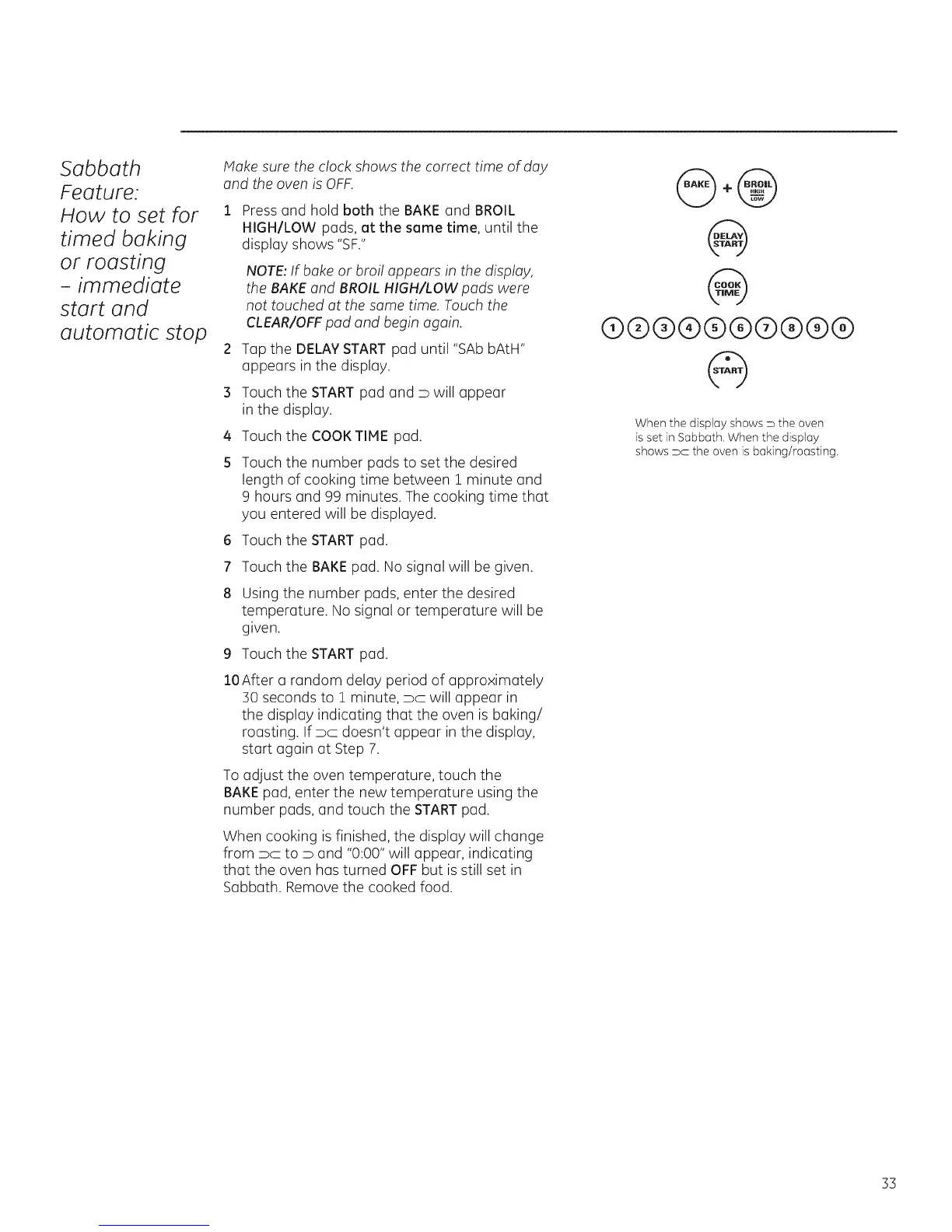
When the display shows D the oven
is set in Sabbath. When the display
shows PC the oven is baking/roasting.
33







 To Next Page