EasyManua.ls Logo

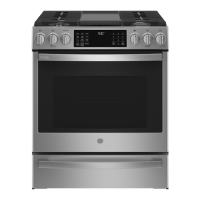
GE PGS930 - User Manual

GE PGS930
32 pages
Print Icon
To Next Page IconTo Next Page
Loading...
Write the model and serial
numbers here:
Model # _________________
Serial # _________________
You can find the rating label on the
front behind the range drawer.
ESPAÑOL
Para consultar una version en
español de este manual de
instrucciones, visite nuestro sitio de
internet GEAppliances.com.
OWNER’S MANUAL
RANGES
Self-Cleaning Gas
49-2000781 Rev. 4 02-22 GEA
SAFETY INFORMATION .......... 3
USING THE RANGE
In Case of a Power Failure ............... 8
Surface Burners ........................ 8
Griddle ................................10
Oven Controls ..........................11
Cooking Options. . . . . . . . . . . . . . . . . . . . . . . .12
Settings ...............................12
Sabbath Mode ..........................14
Oven Racks ............................15
Aluminum Foil and Oven Liners ...........15
Oven Cooking Modes ...................16
Oven Air Vents .........................17
Oven Probe ............................17
Oven Cooking Guide ....................18
Air Fry Cooking Guide .................. 20
CARE AND CLEANING
Range – Exterior ........................21
Range – Interior ....................... 22
Cooktop .............................. 23
Door and Drawer ...................... 25
Oven Probe ........................... 25
Oven Light ............................ 26
Oven Door ............................26
TROUBLESHOOTING TIPS ....... 27
LIMITED WARRANTY ............30
ACCESSORIES .....................31
CONSUMER SUPPORT ........... 32
GE is a trademark of the General Electric Company. Manufactured under trademark license.
PGS930

Other manuals for GE PGS930

Questions and Answers

  • K
    kevin63Sep 7, 2025
    What to do if my GE Ranges food does not bake properly?
    • D
      david49Sep 7, 2025
      If food isn't baking properly in your GE Ranges, first ensure that the oven controls are set correctly. Check that the rack is positioned correctly and is level. Verify that you're using the correct type and size of cookware. If issues persist, the oven temperature may need adjustment.
  • R
    Raymond PerezAug 22, 2025
    What to do if my GE Ranges burners do not light?
    • D
      Donald WarrenAug 22, 2025
      If the burners on your GE Ranges aren't lighting, several factors could be at play. First, ensure the range is properly plugged into a grounded electrical outlet. If it is, check whether a fuse has blown or a circuit breaker has tripped, and replace or reset it accordingly. Also, gas supply might not be connected or turned on. If these steps don't resolve the issue, burner parts might not be replaced correctly, or burner slots near the electrode may be clogged. Remove the burners and clean them, inspecting the electrode area for any food residue. If residue is found, lightly polish the electrode tip with a nail file or sandpaper until shiny.
  • B
    Brittany WiseSep 4, 2025
    Why is there excessive smoking during broiling in my GE Ranges?
    • M
      millerdavidSep 4, 2025
      Excessive smoking during broiling in your GE Ranges usually means the food is too close to the burner element. Lower the rack position of the food.
  • J
    Jorge CrawfordSep 2, 2025
    Why is there excessive smoking during the clean cycle of my GE Ranges?
    • C
      christopherburnsSep 2, 2025
      Excessive smoking during the clean cycle of your GE Ranges is usually due to excessive soil or grease. Press the Cancel/Off pad, open windows to ventilate the room, and wait for the LOCKED light to turn off. Then, wipe up the excess soil and restart the clean cycle.
  • W
    William HernandezSep 1, 2025
    What does “LOCK DOOR” flashes in the display of my GE Ranges mean?
    • C
      Colleen HahnSep 1, 2025
      If “LOCK DOOR” flashes in the display of your GE Ranges, it means the self-clean cycle has been selected, but the oven door isn't fully closed. Ensure the oven door is completely closed.
  • R
    Robert FoxAug 30, 2025
    Why is my GE Ranges oven light not working?
    • C
      Caitlin VargasAug 30, 2025
      If the oven light in your GE Ranges isn't working, the bulb might be loose or defective. Try tightening it or replacing it.
  • W
    washingtonmeaganAug 29, 2025
    What to do if my GE Ranges oven will not self-clean?
    • F
      felicianicholsonAug 29, 2025
      If your GE Ranges oven won't self-clean, it might be because the temperature is too high. Allow the oven to cool down before resetting the controls. Also, ensure the oven controls are properly set.
  • P
    Patricia McleanAug 27, 2025
    Why is my GE Ranges oven temperature too hot or too cold?
    • A
      Amber LongAug 28, 2025
      If your GE Ranges oven temperature is too hot or too cold, the oven temperature likely needs adjustment.
  • D
    Dawn ButlerAug 27, 2025
    What to do if my GE Ranges oven and/or display appears not to work?
    • W
      williamsjosephAug 27, 2025
      If your GE Ranges oven or display isn't working, start by checking the fuse in your home or the circuit breaker, replacing the fuse or resetting the breaker if necessary. Ensure the oven controls are properly set. Also, verify the oven isn't accidentally in Sabbath Mode. Finally, check if the clock is turned off and reset it if needed.
  • J
    Joshua CarterAug 25, 2025
    What to do if my GE Ranges oven door will not open or the LOCKED light is on?
    • L
      lisa28Aug 26, 2025
      If your GE Ranges oven door won't open and the LOCKED light is on, it's because the oven's internal temperature hasn't cooled down enough. Press the Cancel/Off pad and allow the oven to cool until the temperature drops below the locking point.

Summary

Safety Information

General and Anti-Tip Device Safety

General safety guidelines and instructions for installing the anti-tip device to prevent range tipping.

Fire, Cooktop, and Oven Safety

Precautions for fire prevention, cooktop use, oven operation, and self-cleaning operations.

Appliance Connectivity and Disposal

Information on remote enable equipment, FCC compliance, and proper appliance disposal.

Using the Range

Power Failure and Surface Burners

Guidance on operating the range during power outages and using surface burners.

Cookware, Griddle, and Wok Usage

Recommendations for cookware, wok usage, and instructions for the griddle.

Oven Controls, Settings, and Options

Overview of oven control panel, cooking options, settings, and connectivity features.

Oven Modes, Racks, and Guides

Instructions for oven racks, cooking modes, probe usage, Sabbath mode, and cooking guides.

Care and Cleaning

Exterior Range Cleaning

Instructions for cleaning the exterior surfaces, control panel, and stainless steel parts.

Interior Oven Cleaning

Methods for manual cleaning, steam cleaning, and self-cleaning the oven interior.

Cooktop and Grate Cleaning

Procedures for cleaning the cooktop surface, burner caps, heads, and grates.

Door, Drawer, and Oven Probe Care

Guidelines for cleaning the oven door, removable drawer, and temperature probe.

Troubleshooting Tips

Common Oven Performance Issues

Solutions for problems like incorrect cooking, temperature issues, and unusual sounds.

Display Errors and Lockout Issues

Troubleshooting display error codes, lockout features, and power issues.

Burner and Door Glass Issues

Resolving problems with burner ignition, flame appearance, and oven door glass.

Limited Warranty

Accessories

Consumer Support

GE PGS930 Specifications

General IconGeneral
Cooktop TypeGas
Number of Burners5
Self-CleaningYes
Wi-Fi ConnectYes
Convection OvenYes
ColorStainless Steel
Fuel TypeGas
Burner TypeSealed
Ignition TypeElectronic
Oven TypeConvection
Oven Capacity5.6 cu ft
Cooktop SurfacePorcelain
Width30 in
Depth28.5 inches
Height47 inches
Control TypeKnob
Cooktop MaterialPorcelain