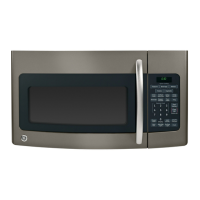
Mounting the Oven
Toaid installation, we suggest that
you use some solid support such as
books to hold the oven while you
are securing it with the mounting
bolts. (Fig. 16)
Fig. 16
Make sure that whatever you use
is stacked or cut as close as possible
to the height needed for the oven to
reach the cabinet bottom.
1.
Place the oven on the support
and move it into position. Lift the
oven, aligning the mounting holes
on the oven with the bolts.
2. Insert bolts into the mounting
holes on the microwaveoven.
Tighten the bolts to secure the
oven to the bottom of the cabinet.
(Alternate tightening between bolts
so that oven is drawn up evenly.)
3. Once the ovenis securely in
place, you may remove the rubber
feet. (If you remove the feet, be
sure to store them in a secure place
because you may want to use the
microwave oven as a countertop
oven at a later date.)
4. Plug the power cord into a three
prong (grounding) wall receptacle.
ToRemovethe Oven
from Cabinet Mount
Step 1: Replace the rubber feet.
Step 2: Fully support the
microwavewith something sturdy.
For example,use telephonebooks
or encyclopedias,stackedevenly
and close enough to balance the
weight of the oven. (Fig. 16)
Step3:
Open the cabinet. Using
a screwdriver, begin to remove
the screws holding the microwave
oven in place by turning them
counterclockwise.
(Alternatebetweenscrewsso that
the ovenis loosened as evenlyas
possible.)
Note: Beforefinal removalof the
screws,check to be sure that the
microwaveovenis being suitably
supportedto preventit from falling
or sliding. (Fig. 16)
.,
25



 To Next Page
 Loading...