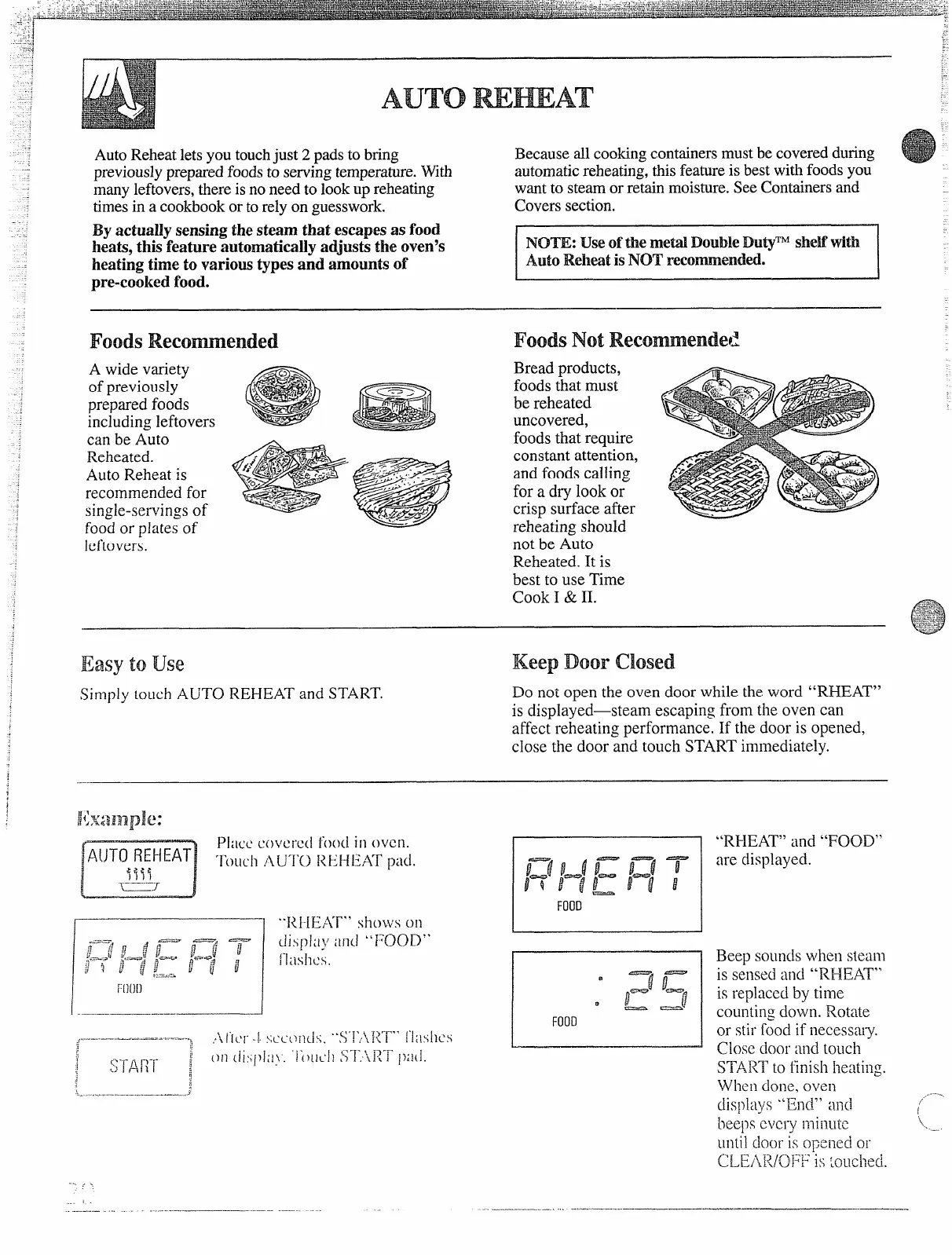
AutoReheatletsyou touchjust 2 padsto bring
Becauseall cookingcontainersmustbe coveredduring
previouslypreparedfoodsto servingtemperature.With
automaticreheating,thisfeatureis bestwithfoodsyou
manyleftovers,thereisno need to lookup reheating
wantto steamor retain moisture.SeeContainersand
timesin a cookbookor torely on guesswork.
Coverssection.
By actuallysensing thesteam that escapesas food!
I
heats,this featureautomaticallyadjuststhe oven’s
INOTE:Useofthemetal.DoubIeDutyTMsheifwith
heatingtime to varioustypesand amountsof
Auto ReheatisNO’Trecommended.
pre-cookedfood.
Foods
A wide variety
of previously
prepared foods
including leftovers
can be Auto
Reheated.
Auto Reheat is
recommended for
single-servingsof
food or plates of
leftovers.
FoodsNot
Bread products,
foods that must
be reheated
uncovered,
foods that require
constant attention,
and foods calling
for a dry look or
crisp surface after
reheating should
not be Auto
Reheated. It is
best to use Time
Cook I & II.
Easy touse
KeepDoor msdl
Simplytouch AUTOREHEATandSTART.
Donotopentheovendoorwhiletheword “RHEAT”
isdisplayed—steamescapingfromtheovencan
affectreheatingperformance.If thedooris opened,
closethedoorandtouchSTARTimmediately.
r
——..
I
[“[)()[)
I —,——— —
FOOD
‘“RHEAT” shows on
.,-.-—...—...-...—-.-.—----
.. ..
“RI-IEAT”and “FOOD”
are displayed.
Beep soundswhen steam
is sensed and
“REH3AT”
isreplacedbytime
countingdown.Rotate
orstirfoodifnecessat-y.
close door
and touch
START
to finish heating.
When ck)lle,oven
displays “End” and
beepseveryminuk
until CkX)r is
OpCiled01”
(J ~~AJ</.(j]:’p i:; @Ll&~
. .
.....
./.
/
\,
..




 To Next Page