Other Features
Your Model May Have
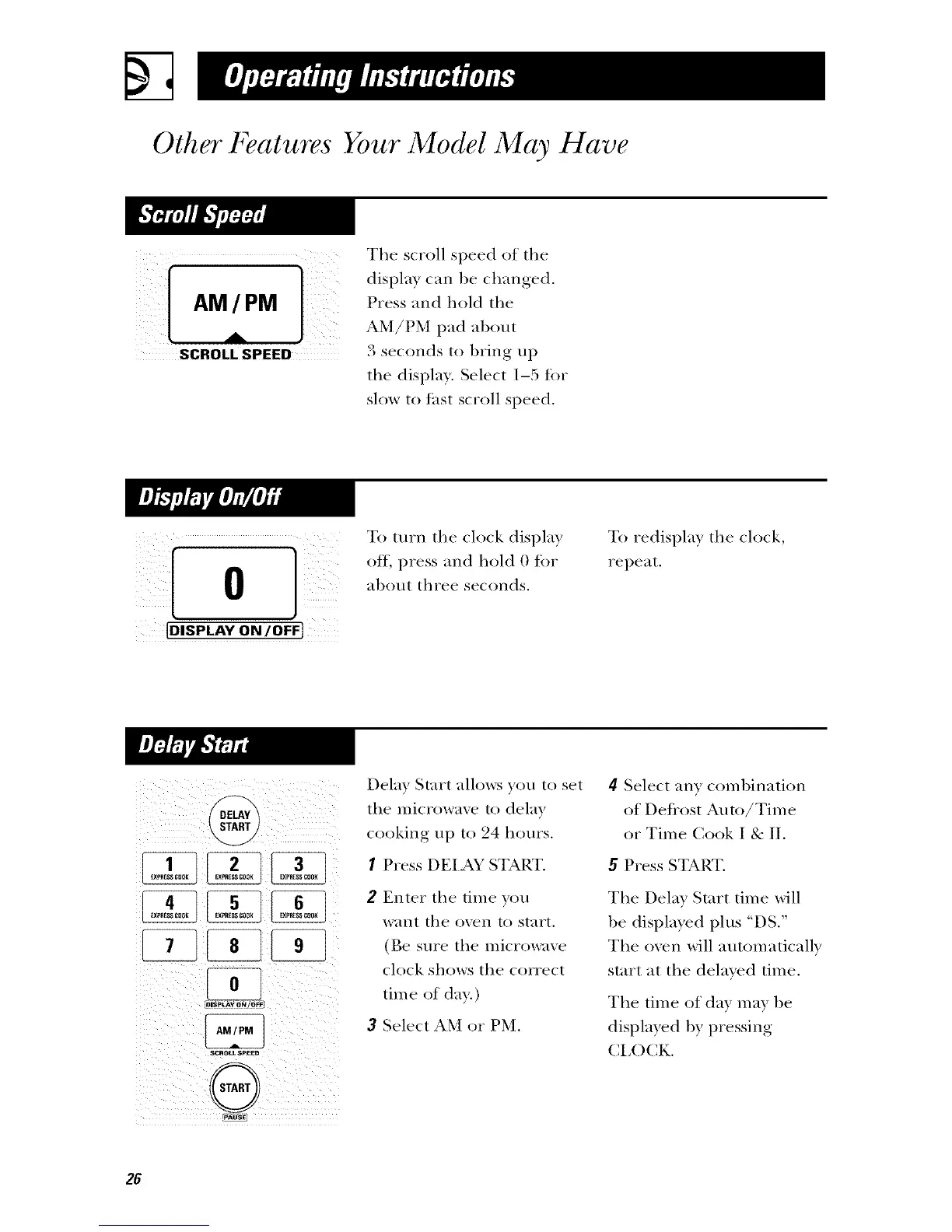
The scroll speed of the
AM [ PM Pressand hold the
.4L AM/PM pad al)out
SCROLL SPEED 3 seconds to bring up
the displa). Select 1-5 for
slow to fast scroll speed.
10 1
[DISPLAY ON/OFF}
To turn the clock displa)
off, press and hold 0 for
al)out three seconds.
To redispla) the clock,
repeat.
SCRO_SPEED
Delay Start allo_,:s you to set
the microwaxv to delay
cooking up to 24 hours.
I Press DEIAY START.
2 Enter the time you
want the oven to start.
(Be sure the microwave
clock shows the correct
tim e of day.)
3 Select AM or PM.
4 Select an) coml)ination
of Deflost Auto/Time
or Time Cook I & II.
5 Press START.
The Delay Start time will
be displayed plus "DS."
The oven will automatically
start at the delayed time.
The time of day m_W be
displayed by pressing
CI,OCK.
26



 To Next Page
 Loading...