
 Need help?
Do you have a question about the GE Truvitals TM3000 and is the answer not in the manual?
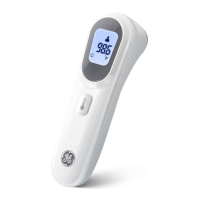
The Truvitals Non-Touch 2-in-1 Thermometer, model TM3000, is a battery-operated electronic device designed for measuring body temperature through touchless infrared sensing. It is intended for household use on individuals aged 2 years and older, offering a safe and convenient way to monitor health without direct contact. The device is reusable and pre-calibrated, ready for use right out of the box.
The thermometer provides accurate temperature readings in just 1 second, minimizing the risk of contamination due to its non-contact design. It features a distance sensing mechanism to ensure consistent and precise readings. The device includes visual and audio fever alerts to help users identify potential health risks promptly. In addition to body temperature, it offers a "Surface Mode" for measuring the temperature of objects, such as baby bottles. The thermometer is equipped with an easy-to-read LCD display and a memory feature that records up to 9 measurements, allowing users to track temperature trends. To conserve battery life, it has a 60-second auto shutoff feature.
The thermometer's interface includes a Memory Button, Mode Button, Battery Cover, LCD Screen, Measure Button, Measurement Sensor, and Distance Detection Sensor. The LCD screen provides a comprehensive overview, displaying temperature measurement, measurement in progress, mute mode indicator, body mode indicator, surface mode indicator, recorded temperature in memory mode, Fahrenheit or Celsius mode, low battery indicator, and visual cues for fever (frowning face for temperatures ≥ 100.4 °F / 38 °C, smiling face for temperatures < 100.4 °F / 38 °C).
For body temperature readings, users power on the device, ensure it's in body mode (indicated on the screen), and hold it approximately 1 inch (2-3 cm) from the forehead before pressing the measure button. A beep confirms measurement completion (unless in mute mode). If the thermometer is not close enough, a flashing arrow icon appears, prompting the user to move it closer. The temperature remains on screen for five seconds before returning to standby.
The device allows switching between Fahrenheit (°F) and Celsius (°C) by pressing the mode button. A beep confirms the change, and the new unit is applied to future measurements. A mute feature can be activated or deactivated by pressing and holding the mode button for two seconds, silencing or enabling audio alerts. The thermometer defaults to unmuted in body mode when powered on.
In Surface Mode, the thermometer is set by simultaneously pressing the memory and mode buttons. The surface mode indicator lights up, and two blinking dashes appear on the LCD. Users hold the thermometer 1-2 inches (3-5 cm) from the object's surface and press the measure button. The temperature reading is displayed for five seconds before returning to standby.
Battery replacement is straightforward: when a blinking low battery icon appears, slide down the battery cover, remove old batteries, insert two new AAA 1.5 V batteries aligning with polarities, and slide the cover back. It is recommended to remove batteries if the thermometer will not be used for more than three months.
For cleaning, wipe the thermometer with a dry, soft cloth. If contaminated, use a cloth moistened with water and a mild detergent or 75% alcohol. Care should be taken to avoid excessive liquid that could seep into electronic parts. The thermometer should be stored in a safe, dry, dust-free environment, away from direct sunlight and out of reach of children. If storing for over three months, batteries should be removed, and the device kept in its original packaging.
The manual also provides an error code chart (HI, LO, Err) with corresponding meanings and resolutions, guiding users to operate the thermometer in appropriate conditions, clean the sensor tip if necessary, or contact customer service if issues persist.
 General
| Brand | GE |
|---|---|
| Model | Truvitals TM3000 |
| Category | Thermometer |
| Language | English |

 To Next Page