OPERATING INSTRUCTIONS
GRASSO SYSTEM CONTROL
FOR TWO STAGE CHILLER/ PACKAGES WITH SCREW
COMPRESSORS
_805011_om_gsc_sp2_gbr_1_.doc 11
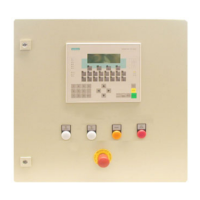
1.2.3 Operator terminal
[Chapter 1.2. in user manual]
The operator terminal is the interface between the operator and the control unit.
All switching, operating and control actions are carried out via this operator terminal.
fig. 3: GSC operator terminal
System LED’s
A
B Function keys
C soft keys
D CPU operating mode setting
E digital keybord
F cursor keys
G System keys
System keys LED‘s
H


 To Next Page

