EasyManua.ls Logo

GEAppliances JT3500 - User Manual

GEAppliances JT3500
16 pages
Print Icon
To Next Page IconTo Next Page
Loading...
49-80721 03-14 GE
GEAppliances.com
Safety Information ...........2
Warranty .......................4
Assistance / Accessories .....5
Using The Oven
Oven Controls .....................6
Special Features ..................8
Oven Racks .......................9
Aluminum Foil and Oven Liners ....9
Cookware .........................9
Cooking Modes ..................10
Cooking Guide ...................11
Care and Cleaning
Control Panel ....................12
Oven Exterior ....................12
Stainless Steel Surfaces ..........12
Oven Interior .....................12
Flat Racks ........................12
Maintenance .....................13
Troubleshooting Tips ........15
Wall Oven
Built-In Electric
Write the model and serial
numbers here:
Model # __________________
Serial # ___________________
You can find them on a label
on the side trim or on the front of
the (lower) oven behind the oven
door.
Printed in the United States
Printed on
Recycled Paper
For a Spanish version of this
manual, visit our Website at
GEAppliances.com.
Para consultar una version
en español de este manual
de instrucciones, visite
nuestro sitio de internet
GEAppliances.com.
JK3000 - 27" Single Wall Oven
JT3000 - 30" Single Wall Oven
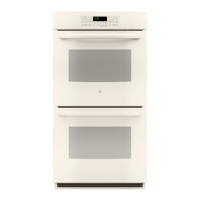
JK3500 - 27" Double Wall Oven
JT3500 - 30" Double Wall Oven
Owner’s Manual

Questions and Answers

  • A
    Ashley GraySep 23, 2025
    Why does the glass on my GEAppliances JT3500 door appear tinted or have a rainbow color?
    • B
      Benjamin Bender Jr.Sep 23, 2025
      The inner oven glass is coated with a heat barrier to reflect heat back into the oven, preventing heat loss and keeping the outer door cool. This is normal. Under certain light or angles, you may see this tint or rainbow color.
  • B
    Brian WilliamsAug 23, 2025
    What to do if my GEAppliances Oven doesn't work?
    • K
      Kim DanielsAug 25, 2025
      If your GEAppliances oven isn't working, check the following: First, verify that a fuse in your home hasn't blown or a circuit breaker hasn't tripped; replace the fuse or reset the circuit breaker if needed. Second, ensure that the oven controls are properly set. Finally, check to see if the oven is in Sabbath Mode and disable it, if necessary.
  • J
    Jacqueline ConnerAug 25, 2025
    Why is my GEAppliances JT3500 Oven smoking excessively during the clean cycle?
    • D
      Dr. Nicole WrightAug 25, 2025
      Excessive smoking during the clean cycle typically occurs due to excessive soil or grease in the oven. To resolve this, press the Cancel/Off pad, open the windows to ventilate the room, wait until the LOCKED light turns off, wipe up the excess soil, and then reset the clean cycle.
  • P
    Peter GibbsAug 27, 2025
    Why is the LOCKED light on my GEAppliances JT3500 Oven when I want to cook?
    • O
      oparsonsAug 27, 2025
      The LOCKED light indicates that the oven door is locked because the temperature inside the oven hasn't dropped below the locking temperature. To unlock it, press the Cancel/Off pad and allow the oven to cool down.
  • E
    Elizabeth TapiaAug 27, 2025
    What to do if my GEAppliances Oven door will not open after a clean cycle?
    • S
      Stacy SweeneyAug 27, 2025
      If your oven door won't open after a clean cycle, it's likely because the oven is still too hot. Allow the oven to cool below the locking temperature, and then the door should open.
  • J
    Julie JonesSep 18, 2025
    What to do if the "LOCK DOOR" flashes on my GEAppliances JT3500 display?
    • A
      Alicia HartmanSep 18, 2025
      The "LOCK DOOR" flashing on the display indicates that the self-clean cycle has been selected but the oven door is not closed. Close the oven door to resolve this.
  • M
    Mr. Samuel RoachSep 14, 2025
    Why does my GEAppliances JT3500 Oven make fan noise?
    • A
      Anthony BaileySep 14, 2025
      A cooling fan may automatically turn on in your GEAppliances oven. This is normal; the fan cools internal parts and may run for up to three hours after the oven is turned off.
  • T
    Tina ReynoldsSep 15, 2025
    What to do if my GEAppliances JT3500 clock and timer do not work?
    • E
      Ernest HunterSep 16, 2025
      If the clock and timer on your GEAppliances oven do not work, check whether a fuse in your home may be blown or the circuit breaker tripped. Replace the fuse or reset the circuit breaker.
  • E
    Erin BowenSep 6, 2025
    Why is my GEAppliances JT3500 food not broiling properly?
    • S
      Sarah ParkerSep 6, 2025
      If food isn't broiling properly in your GEAppliances oven, make sure you select the appropriate broil mode and refer to the Cooking Guide for rack location suggestions. Ensure the cookware is cool and suited for broiling, using a pan specifically designed for broiling. If using aluminum foil, make sure it conforms to pan slits. If the power (voltage) is low, preheat the broil element for 5 minutes.
  • R
    Ryan PetersonSep 3, 2025
    Why does my GEAppliances JT3500 display "F— and a number or letter"?
    • L
      lawrencelisaSep 3, 2025
      The "F— and a number or letter" message indicates a function error code. Press the Cancel/Off pad, allow the oven to cool for one hour, and then try putting the oven back into operation. If the error code repeats, disconnect all power to the oven for at least 5 seconds and then reconnect power. If the function error code repeats call for service.

Summary

Safety Information

General Safety Instructions

Provides general safety guidelines for using the appliance to prevent injury or death.

California Proposition 65 Warning

Warns about potential exposure to chemicals known to cause cancer or reproductive harm.

Keep Flammable Materials Away From Oven

Warns against storing flammable items near the oven to prevent fire or personal injury.

Fire Safety Procedures

Outlines immediate steps to take in case of a fire in the oven to prevent injury and spread.

Oven Safety Instructions

Details specific safety precautions for operating the oven, including door handling and rack placement.

Self-Cleaning Oven Safety

Provides essential safety guidelines for using the self-cleaning feature of the oven.

Warranty Information

GE Electric Range Warranty Terms

Outlines the terms of the GE Electric Range warranty, including coverage and exclusions.

Exclusion of Implied Warranties

Explains limitations on implied warranties like merchantability or fitness for a particular purpose.

Extended Warranties

Information on purchasing extended warranties and available discounts.

Assistance and Accessories

Scheduling Service and Support

How to schedule service, find parts, and get assistance online or by phone.

Oven Accessories Available

Lists various accessories available to enhance cooking and maintenance experiences.

Removing Shipping Film and Tape

Instructions for safely removing protective film and adhesive tape from the appliance.

Using The Oven

Single Wall Oven Controls Overview

Identifies and explains the function of each control button on the single wall oven.

Double Wall Oven Controls Overview

Identifies and explains the function of each control button on the double wall oven.

Special Features Explained

Details various special features like temperature adjustment, clock display, and Sabbath mode.

Oven Racks and Placement

Explains rack positions and guidelines for optimal baking results.

Using Foil and Oven Liners

Cautions against improper use of foil/liners that can cause damage or fire risks.

Cookware Guidelines

Provides advice on how cookware material and size affect baking performance.

Cooking Modes Explained

Describes various cooking modes like Bake, Proof, Warm, and Broil (Hi/Lo).

Cooking Guide

Offers recommendations for food types, modes, rack positions, and additional suggestions.

Care and Cleaning

Control Panel Cleaning

Instructions for cleaning the oven's control panel using mild soap and water.

Oven Exterior Cleaning

Guidelines for cleaning the oven exterior, avoiding abrasive cleaners.

Stainless Steel Surface Cleaning

Advice on cleaning stainless steel surfaces, wiping with the grain.

Oven Interior Cleaning Methods

Details manual, Steam Clean, and Self Clean modes for interior oven cleaning.

Flat Racks Cleaning

Information on cleaning flat racks, including during self-clean cycles.

Maintenance

Oven Light Replacement

Step-by-step instructions for replacing the oven light bulb safely.

Lift-Off Oven Door Maintenance

Guides on how to safely remove and replace the oven door.

Troubleshooting Tips

Cooking Performance Issues

Addresses common problems like cooking differences, improper baking or broiling, and temperature variations.

Oven Operation Issues

Covers problems such as oven not working, clicking noises, and preheating delays.

Self-Clean and Timer Issues

Troubleshoots self-clean cycle problems, locked doors, display errors, and timer functions.

Odor and Glass Appearance

Explains normal odors during initial use and the 'rainbow' color on oven door glass.

GEAppliances JT3500 Specifications

General IconGeneral
BrandGE Appliances
ModelJT3500
Fuel TypeElectric
Oven Capacity5.0 cu. ft.
Control TypeElectronic Touch
Interior LightYes
Number of Oven Racks2
Wi-Fi ConnectNo
ColorStainless Steel
BroilerYes
Number of Cooktop Burners5
Oven FeaturesConvection, Self-Cleaning
Width30 inches

Related product manuals