Need help?
Do you have a question about the Gear4music VISIONKEY-1 and is the answer not in the manual?
Do not open cover. Refer servicing to qualified personnel for safe operation.
Avoid heat, direct sunlight, liquids, open flames, and ensure proper ventilation to prevent damage.
Proper battery handling, polarity, mixing, disposal, and heat exposure to prevent explosion or leakage.
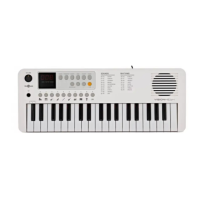
Key features include 37 mini keys, 100 sounds, 100 rhythms, 30 songs, 32-note polyphony.
Select and scroll through instrument sound banks using the numbered buttons.
Connect a USB-C cable to power the keyboard via an adapter or device.
Install 4x AA batteries. Pay attention to polarity. Remove if unused for long periods.
Adjusts tempo for Metronome, Rhythms, and Songs from 30-280bpm.
Adjusts the volume for Metronome, Rhythms, and Songs.
Specifies 37 mini keys and 32-note polyphony.
 General
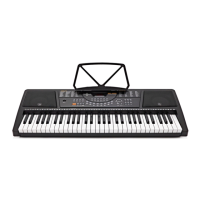
| Keys | 61 |
|---|---|
| Display | LCD |
| Polyphony | 32 |
| Connectivity | USB, MIDI, Headphone Jack |
| Number of Keys | 61 |
| Included Accessories | Power Adapter, Music Rest |
| Touch Sensitivity | Yes |
| Power Supply | AC Adapter or Batteries |

 To Next Page