EasyManua.ls Logo

GearLight S1300 - User Manual

GearLight S1300
2 pages
Print Icon
To Next Page IconTo Next Page
Loading...
Package Contents:
FOR YOUR SAFETY, READ BEFORE OPERATING
Operation Guide
Irvine, California | USA | www.GearLight.com
Limitation Of Liability
Liability limited to the purchase price of this product. GearLight shall not be
liable for any incidental or consequential damages or any implied warranty on
this product. Some states do not allow the exclusion or limitation of
incidental or consequential damages, so the above limitation or exclusion
may not apply to you.
Limited One-Year Warranty
GearLight warrants this product for one year from the date of purchase
against any defects in material or workmanship. This warranty does not cover
normal wear and tear, nor damage resulting from misuse or neglect. We will,
at our discretion, repair, replace, or refund the purchase price of this product
should we determine it to be defective.
WARRANTY AND LIMITATION OF LIABILITY
1x GearLight S1300 LED Lantern
1x Operation Guide
1x Warranty Card
S1300 LED LANTERN
MAINTENANCE
Inspect the lantern monthly and carefully remove any damaged batteries and clean
any corrosion. If the lantern is used less than once a month, remove the batteries
between use.
If problem persists: LED Failure. Contact GearLight for replacement.
• Replace the batteries.
If light appears dim or faded:
• Replace the batteries.
• Make sure the battery cap is twisted on tightly and batteries are inserted correctly
according to the polarity (-,+) marked inside the battery compartment.
• Firmly press the power button on and o several times.
TROUBLESHOOTING
If the lantern does not turn on or works intermittently:
Version 1
Question and Answer IconNeed help?

Do you have a question about the GearLight S1300 and is the answer not in the manual?

Summary

Troubleshooting

Maintenance

Warranty and Limitation of Liability

Limited One-Year Warranty

Product warranty details, covering defects in material or workmanship for one year.

Limitation Of Liability

Limits liability to purchase price, excluding incidental or consequential damages.

Operation

On;Off

Instructions for turning the lantern on and off, including cycling through modes.

Switching Modes

Details on the 3 different lighting modes and how to switch between them.

Getting Started

D Battery Installation

Step-by-step guide for installing D batteries into the lantern.

Foldaway Hook

How to use the foldaway hook for hanging the lantern.

Overview

The GearLight S1300 LED Lantern is a versatile lighting device designed for various applications, offering multiple lighting modes and convenient features for ease of use and portability. This operation guide provides comprehensive instructions for its setup, operation, troubleshooting, and maintenance, ensuring users can maximize its functionality and longevity.

Function Description

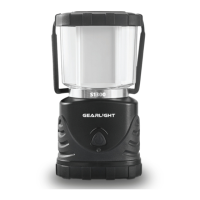
The primary function of the GearLight S1300 LED Lantern is to provide illumination. It features a COB LED, which stands for "Chip on Board" LED, a technology known for producing a broad and uniform light output. The lantern is designed to be a reliable light source, suitable for situations where a wide area needs to be lit, such as camping, emergencies, or general outdoor and indoor use. Its design incorporates a handle for easy carrying and a foldaway hook for hanging, enhancing its versatility in different environments.

Usage Features

The GearLight S1300 LED Lantern offers straightforward operation with several user-friendly features:

  • On/Off Functionality: To turn the lantern on, users simply press down firmly on the power button until a click is heard. This ensures a clear indication of activation. To turn the lantern off, the power button is pressed repeatedly to cycle through the different lighting modes until the lantern completely shuts off.
  • Multiple Lighting Modes: The lantern is equipped with three distinct lighting modes to cater to various needs:
    • White Light Modes: These include "Max Bright" for maximum illumination and "Min Bright" for a lower, more energy-efficient light output.
    • Warm Light Mode: This mode provides a "Medium" intensity warm light, which can be more comfortable for the eyes in certain settings or for creating a specific ambiance.
    • Mode Switching: Users can easily switch between these lighting modes by pressing the power button. Each press cycles to the next mode, allowing for quick adjustments to the desired light level and type.
  • D Battery Installation: The lantern operates on three (3) D batteries. The installation process is designed to be simple and secure:
    1. The battery compartment cap is removed by holding the lantern upside down and rotating the base counterclockwise. A helpful tip suggests holding the black section of the lantern during this step.
    2. Three D batteries are inserted, ensuring correct polarity (+,-) as marked inside the compartment.
    3. The battery compartment cap is secured by aligning two poles with holes in the base.
    4. The cap is then pressed down firmly and rotated clockwise to tighten, ensuring a secure connection.
    • Battery Safety Warning: The manual emphasizes the importance of following battery manufacturer's instructions for proper usage, handling, storage, and disposal. It advises using only batteries from reputable manufacturers, avoiding mixing different brands or types, and replacing all batteries simultaneously. Failure to adhere to these safety guidelines can lead to personal injury and property damage.
  • Portability and Hanging: The lantern is designed for easy transport and placement:
    • Handle: A sturdy handle is integrated into the design, allowing users to comfortably carry the lantern.
    • Foldaway Hook: Located at the base of the lantern, a foldaway hook provides a convenient option for hanging the device. This feature is particularly useful for illuminating an area from above, such as inside a tent or from a tree branch.
    • Hanging Safety Warning: A crucial safety warning advises against hanging, hooking, or attaching the lantern directly above any person, as it may fall and cause serious injuries.
  • Eye Safety Warning: The manual includes a prominent warning against shining the light directly into anyone's eyes or staring directly into the LED, and advises keeping the device away from children.

Maintenance Features

Proper maintenance is crucial for ensuring the long-term performance and reliability of the GearLight S1300 LED Lantern. The manual outlines specific steps for care:

  • Monthly Inspection: Users are advised to inspect the lantern monthly. This regular check-up helps in identifying potential issues early.
  • Battery Management:
    • Damaged Battery Removal: During the monthly inspection, any damaged batteries should be carefully removed. This prevents potential leaks or further damage to the lantern.
    • Corrosion Cleaning: If any corrosion is found within the battery compartment, it should be cleaned immediately. Corrosion can impair electrical contact and reduce the lantern's performance.
    • Battery Removal for Infrequent Use: If the lantern is used less than once a month, it is recommended to remove the batteries between uses. This practice helps prevent battery drain and potential corrosion from prolonged contact, especially with older or lower-quality batteries.

Troubleshooting

The manual provides clear troubleshooting steps for common issues:

  • Lantern Does Not Turn On or Works Intermittently:
    • Battery Replacement: The first step is to replace the batteries, as depleted batteries are a common cause of such problems.
    • Battery Cap and Polarity Check: Users should ensure the battery cap is twisted on tightly and that batteries are inserted correctly according to the polarity markings (-,+) inside the compartment. Incorrect insertion or a loose cap can prevent proper electrical contact.
    • Power Button Actuation: Firmly pressing the power button on and off several times can help resolve intermittent contact issues.
  • Light Appears Dim or Faded:
    • Battery Replacement: Similar to the previous issue, replacing the batteries is the primary solution, as dim light often indicates low battery power.
    • Persistent Problem (LED Failure): If replacing batteries does not resolve the dimness, it suggests a potential LED failure. In such cases, users are instructed to contact GearLight for replacement.

Warranty and Limitation of Liability

The GearLight S1300 LED Lantern comes with a Limited One-Year Warranty from the date of purchase. This warranty covers defects in material or workmanship but explicitly excludes normal wear and tear, damage from misuse, or neglect. GearLight reserves the right to repair, replace, or refund the purchase price if the product is determined to be defective.

The Limitation Of Liability states that liability is limited to the purchase price of the product. GearLight is not liable for any incidental or consequential damages or any implied warranty. The manual notes that some states do not allow such exclusions or limitations, so these may not apply to all users.

In summary, the GearLight S1300 LED Lantern is a user-friendly, multi-functional lighting solution designed for reliability and convenience, backed by clear operational guidelines, maintenance advice, and a warranty for peace of mind.

GearLight S1300 Specifications

General IconGeneral
Brightness1300 Lumens
Battery LifeUp to 12 hours
Water ResistanceIPX4
MaterialDurable ABS plastic
ModesHigh, Medium, Low, Strobe, SOS