EasyManua.ls Logo

Geek Aire AF1S - User Manual

Default Icon
6 pages
Print Icon
To Next Page IconTo Next Page
Loading...
1
INSTRUCTION MANUAL
Model: AF1S
IMPORTANT SAFETY INSTRUCTIONS
READ AND SAVE THESE SAFETY INSTRUCTIONS BEFORE USING THIS FAN
When using electrical appliances, basic precautions should always be followed to reduce the risk of fire, electric
shock, and injury to persons, including the following:
1 Use this fan only as described in this manual. Other use not recommended as it may cause fire, electric shock or injury
to persons.
2 This product is intended for household use ONLY and not for commercial, industrial or outdoor use.
3 To protect against electric shock, do not place fan in window, immerse unit, plug or cord in water or spray with liquids.
4 This appliance has a polarized plug (one blade is wider than the other). To reduce the risk of electric shock, this plug
is intended to fit in a polarized outlet only one way. If the plug does not fit fully in the outlet, reverse the plug. If it still
does not fit, contact a qualified electrician. DO NOT attempt to defeat this safety feature.
5 Close supervision is necessary when any appliance is used by or near children.
6 Turn the fan OFF and unplug the fan from the outlet when not in use, when moving the fan from one location to
another and before cleaning.
7 To disconnect the fan, first turn the unit OFF, grip the plug and pull it from the wall outlet. Never pull the plug by the
cord.
8 Do not operate the fan in the presence of explosive and/or flammable fumes.
9 Do not place the fan or any parts near an open flame, cooking or other heating appliance.
10 Do not operate the fan with a damaged cord or plug of if the product malfunctions, is dropped or damaged in any
manner.
11 Avoid contact with moving fan parts.
12 The use of attachments not recommended by the manufacturer may be hazardous.
13 Place the fan on a dry level surface.
14 Do not hang or mount fan on a wall or ceiling.
15 Do not operate if the fan housing is damaged.
16 A loose fit between the AC outlet (receptacle) and plug may cause overheating and a distortion of the plug. Contact a
qualified electrician to replace loose or worn outlet.
17. This product employs overload protection (fuse). A blown fuse indicates an overload or short-circuit situation. If the
fuse blows, unplug the product from the outlet. Replace the fuse as per the user servicing instructions (follow product
marking for proper fuse rating) and check the product. If the replacement fuse blows, a short-circuit may be present
and the product should be discarded or returned to an authorized service facility for examination and/or repair.
Question and Answer IconNeed help?

Do you have a question about the Geek Aire AF1S and is the answer not in the manual?

Summary

Important Safety Instructions

General Safety Precautions

Essential safety guidelines for operating the fan, covering electrical shock, fire risks, proper usage, and maintenance.

Fan Operation and Controls

Control Panel and Remote

Overview of the fan's control panel and remote control layout for basic operation.

Operation Modes and Functions

Detailed explanation of fan functions including power, speed, timer, oscillation, breeze modes, and smart mode.

User Servicing and Maintenance

Remote Control Battery

Instructions for battery replacement and safety warnings related to coin cell batteries.

User Servicing Instructions

Guidance on replacing the fuse within the plug and general safety for this procedure.

Cleaning and Maintenance

Recommended procedures for cleaning the fan and guidelines for storage.

Regulatory and Warranty Information

FCC Warning

Information regarding FCC compliance and potential interference issues.

Limited Warranty

Details on the product's warranty coverage, duration, and exclusions.

Overview

This document is the instruction manual for the Geek Aire AF1S fan, a digital air circulator designed for household use. It outlines important safety instructions, operational procedures, maintenance guidelines, FCC warnings, and limited warranty information.

Function Description:

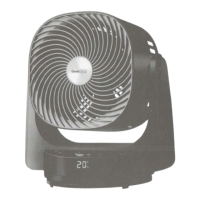
The Geek Aire AF1S is a fan designed to circulate air within a room. It offers multiple operating modes and speed settings to provide customized comfort. The fan can be controlled via a physical control panel located on the unit or a remote control. It also features smart functions, including Wi-Fi control through a dedicated app (HE app) and voice control compatibility with Amazon Alexa and Google Assistant devices, allowing for remote operation and integration into smart home ecosystems.

Important Technical Specifications:

  • Model: AF1S
  • Power Input: AC 120V, 60Hz
  • Speed Settings: 4 speeds (1-SOFT, 2-LOW, 3-MEDIUM, 4-HIGH)
  • Timer Function: 1 to 6 hours, in 1-hour increments, for automatic power-off.
  • Oscillation: Up/Down and Left/Right oscillation features for wider air distribution.
  • Breeze Modes: Normal, Natural, and Sleep.
  • Smart Mode: Temperature-sensitive automatic speed adjustment.
  • Overload Protection: Employs a replaceable 2.5 Amp, 125 Volt fuse.
  • Remote Control Battery: CR2032 DC3V lithium button/coin cell battery.
  • Connectivity: Wi-Fi enabled for smart control.

Usage Features:

  • ON/OFF Button: Powers the fan on (starts at 2 speeds/LOW) and off.
  • SPEED Knob: Adjusts fan speed from 1 (SOFT) to 4 (HIGH) by turning clockwise or anticlockwise. The digital LED screen displays the current speed setting.
  • TIMER Button: Sets an automatic power-off timer from 1 to 6 hours. The digital LED screen displays the set timer.
  • Up/Down OSC Button: Activates or deactivates vertical oscillation.
  • Right/Left OSC Button: Activates or deactivates horizontal oscillation.
  • BREEZE Button: Toggles between three breeze modes:
    • NORMAL: Standard fan operation.
    • NATURAL: Simulates a natural breeze by operating at computerized intervals of changing speeds.
    • SLEEP: Generates a gentle breeze suitable for sleeping, operating at computerized intervals of changing speeds.
  • SMART MODE (Temperature Sensor): Automatically adjusts fan speed based on room temperature:
    • Below 77°F: Speed 1 (SOFT)
    • 77°F - 82°F: Speed 2 (LOW)
    • 84°F - 93°F: Speed 3 (MEDIUM)
    • Above 93°F: Speed 4 (HIGH) This mode can be canceled by pressing the button again.
  • LED Display: Shows current temperature, speed, and timer settings alternately when active.
  • Polarized Plug: Designed for safety, fitting into a polarized outlet in only one way.
  • Smart Control: Wi-Fi connectivity allows control via the HE app and voice commands through Amazon Alexa and Google Assistant. A separate Wi-Fi Setup Guide is included for detailed instructions.

Maintenance Features:

  • Cleaning:
    • Always turn off and unplug the fan before cleaning.
    • Use a soft, damp cloth to wipe the fan's surface.
    • For cleaning between the grilles, a pipe cleaner, vacuum cleaner, or compressed air is recommended to remove dust.
    • DO NOT immerse the fan in water or allow water to drip into the motor housing.
    • DO NOT use gasoline, paint thinner, or other chemicals for cleaning.
  • Storage: The fan can be stored assembled and covered to protect it from dust in a cool, dry place.
  • Fuse Replacement:
    • The product has overload protection with a fuse. If the fuse blows, unplug the product.
    • Open the fuse cover on the attachment plug (slide open or push tabs).
    • Turn the fuse holder over to carefully remove the old fuse.
    • Replace with a 2.5 Amp, 125 Volt fuse only.
    • Close the fuse cover by sliding it shut or pushing until all tabs latch.
    • WARNING: Do not replace the attachment plug itself if damaged, as it contains a safety device. Discard the product if the attachment plug is damaged.
  • Battery Replacement (Remote Control):
    • The remote control uses a CR2032 DC3V lithium button/coin cell battery.
    • Ensure the battery is inserted in the correct direction.
    • WARNING: Keep batteries out of reach of children. Do not recharge or dispose of in fire. Dispose of used batteries according to municipal or provincial law.

Safety Precautions:

  • Use the fan only as described in the manual to prevent fire, electric shock, or injury.
  • Intended for household use only, not commercial, industrial, or outdoor use.
  • Do not place the fan in a window, immerse it in water, or spray with liquids.
  • Close supervision is necessary when children are near the appliance.
  • Unplug the fan when not in use, when moving it, or before cleaning.
  • Always pull the plug, not the cord, to disconnect.
  • Do not operate near explosive/flammable fumes, open flames, or heating appliances.
  • Do not operate with a damaged cord or plug, or if the product malfunctions, is dropped, or damaged.
  • Avoid contact with moving fan parts.
  • Do not use attachments not recommended by the manufacturer.
  • Place the fan on a dry, level surface.
  • Do not hang or mount the fan on a wall or ceiling.
  • Do not operate if the fan housing is damaged.
  • Address loose or worn AC outlets by contacting a qualified electrician.
  • Do not route the cord under carpeting, throw rugs, runners, furniture, or appliances. Keep the cord away from traffic areas to prevent tripping.
  • WARNING: To prevent electric shock, match the wide blade of the plug to the wide slot of the outlet and fully insert.
  • WARNING: Do not use this fan with any solid-state speed control device to reduce the risk of fire or electric shock.
  • FCC WARNING: Changes or modifications not expressly approved by the responsible party could void the user's authority to operate the equipment. This device complies with Class B digital device limits and generates radio frequency energy. If interference occurs, reorient/relocate the receiving antenna, increase separation, or connect to a different circuit.
  • WARNING: Do not attempt to open or repair the fan yourself, as this could void the warranty and cause damage or personal injury.

Geek Aire AF1S Specifications

General IconGeneral
BrandGeek Aire
ModelAF1S
CategoryFan
LanguageEnglish

Related product manuals