Geekworm official store https://geekworm.aliexpress.com
WIKI:http://www.raspberrypiwiki.com/index.php/EXP_GDC 16 / 18
The common laptop’s installation
configuration
BIOS-DISPLAY-Graphic Device Set to INTEGRATED
GRAPHICS
Lenovo
Y470/G470/Y480/G480
BIOS-GRAPHIC DEVICE Set to UMA, Disable PXE BBOT
TO LAN
BIOS-GRAPHIC MODE Set to integrated,Disable
NETWORK BOOT
PTD Set to 7S, Disable PXE BOOT TO LAN or
NETWORK BOOT
Insert EC cable before get into the system
Disable the built-in graphic
Graphics mode can be switched in BIOS
If you encounter a black boot, turn off the wireless NIC
hard switch
To uninstall the driver of the build-in depend graphic, then
connect the external graphics card.
Update BIOS to the latest
FAQ:
More Detail & FAQ please refer to WIKI:
http://www.raspberrypiwiki.com/index.php/EXP_GDC
Q 1: My laptop is xxx-xxx, will my laptop compatible with the EXP GDC?
Answer:
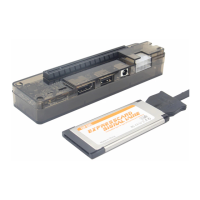
Laptops released after year 2007 almost all fit EXP GDC when they have mini PCI-E slot or
EXPRESSCARD slot.


 To Next Page