EasyManua.ls Logo

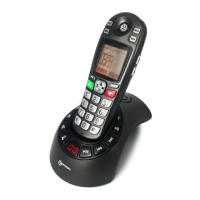
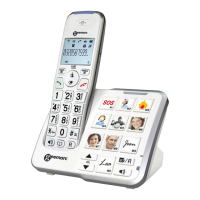
Geemarc amplidect 295 photo - User Manual

Geemarc amplidect 295 photo
28 pages
Print Icon
To Next Page IconTo Next Page
Loading...
English
Amplified cordless telephone with
answering machine

Table of Contents

Questions and Answers

  • D
    David MorganAug 3, 2025
    How to fix a Geemarc Telephone that does not work?
    • J
      Julia FarrellAug 3, 2025
      If your Geemarc Telephone isn't working at all, ensure the battery is correctly installed and charged. For optimal performance, return the handset to the base after each use. Check that the power adapter and telephone line cord are securely plugged in. Try unplugging the base, waiting 15 seconds, and plugging it back in to synchronize the handset. If issues persist, remove and re-insert the battery, and consider replacing it if necessary. As a last resort, test the wall jack with another phone to rule out wiring or service problems; if another phone doesn't work, contact your telephone service provider.
  • S
    Stephanie WilsonAug 10, 2025
    What to do if there is interference during a Geemarc Telephone conversation?
    • D
      David HarperAug 10, 2025
      If you experience interference during a telephone conversation or your calls fade out when using your Geemarc Telephone handset, try moving closer to the telephone base. If you have high-speed internet (DSL), ensure a DSL filter is installed between the base and the wall jack. Appliances or other cordless phones can cause interference, so try moving them or the base to another outlet. Keep the telephone away from electronic devices like routers, TVs, computers, and other cordless phones. If plugged in with a modem or surge protector, try a different location or surge protector. Place the base in a central location away from obstructions. Test with a corded phone to rule out wiring or service issues; if problems persist, contact your telephone service provider.
  • T
    tylerdavisAug 18, 2025
    What to do if low battery shows on Geemarc amplidect 295 photo Telephone screen?
    • J
      Joanna JosephAug 18, 2025
      If the battery of your Geemarc Telephone shows as low on the screen, place the handset in the telephone base for recharging. Alternatively, remove and reinstall the battery, use it until fully depleted, and then recharge it in the base. If the problem continues, consider replacing the battery.
  • B
    Brian ChambersAug 26, 2025
    Why does Geemarc amplidect 295 photo battery not charge?
    • T
      tnelsonAug 26, 2025
      If the battery of your Geemarc Telephone isn't charging in the handset, make sure the handset is correctly placed in the telephone base. Remove and reinstall the battery, then charge for up to 16 hours. If the issue persists, you may need to purchase a new battery.

Summary

Important Safety Instructions

General Safety Precautions

Essential safety measures for using the telephone equipment to reduce risks of fire, electric shock, and injury.

Telephone Setup and Installation

Using Your Telephone

Making and Answering External Calls

Procedures for placing outgoing calls and responding to incoming calls.

Phonebook and Contact Management

Adding, Searching, Viewing, and Editing Contacts

Steps to manage phonebook entries including adding, searching, viewing, and editing details.

Phone Settings and Customization

Answering Machine Operation

Managing Messages and Memos

Switching the answering machine on/off, playing, deleting messages, and recording memos.

Outgoing Messages (OGM) and Settings

Recording, playing, deleting OGMs, and configuring answer delay and recording time.

Advanced Answering Machine Features

Setting TAM language, base screening, compression, and remote access PIN.

Remote Operation of Answering Machine

Instructions for remotely accessing and controlling the answering machine functions.

Troubleshooting and Technical Details

Geemarc amplidect 295 photo Specifications

General IconGeneral
BrandGeemarc
Modelamplidect 295 photo
CategoryTelephone
LanguageEnglish

Related product manuals