Need help?
Do you have a question about the Geko P500 and is the answer not in the manual?
Outlines essential safety guidelines, installation, and usage rules for the dashcam.
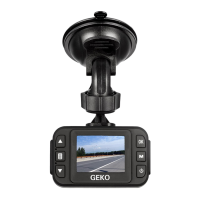
Details the physical components and layout of the dashcam.
Lists all items included in the dashcam package.
Instructions for charging the dashcam using car charger or computer.
How to record video, stop recording, and save files.
How to capture still images and use night mode/zoom.
How to view recorded videos and files.
Options for resolution, loop recording, and EV value.
Options for timer, resolution, quality, sharpness, white balance, ISO, EV, anti-shaking.
Options for deleting and protecting files.
System settings like date/time, language, screen saver, format.
Key reminders before recording, memory card limits, and reset procedure.
Provides email and phone for technical support and customer service.
 General
| Brand | Geko |
|---|---|
| Model | P500 |
| Category | Dash Cameras |
| Language | English |

 To Next Page