EasyManua.ls Logo

Gembird CAM44U - User Manual

Gembird CAM44U
10 pages
Print Icon
To Next Page IconTo Next Page
Loading...
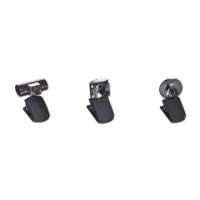
Web camera
CAM44U/CAM55U/CAM66U
PC Camera
Question and Answer IconNeed help?

Do you have a question about the Gembird CAM44U and is the answer not in the manual?

Summary

Disclaimer

Introduction and Requirements

Web Camera Features

CAM44 U Specifications

Details technical specifications for the CAM44U model, including resolution, sensor, capture size, video mode, and interface.

CAM55 U Specifications

Details technical specifications for the CAM55U model, including resolution, chipset, and sensor type.

CAM66 U Specifications

Software Installation Guide

Step 1: Initiate Setup

Instructions for starting the software installation by inserting the CD and selecting 'Next' in the setup wizard.

Step 2: Installation Progress

Describes the installation progress window indicating operations are being performed.

Step 3: Complete Setup and Restart

Instructions to click 'Finish' upon successful driver installation and restart the computer.

Step 4: Hardware Recognition

Details on plugging in the web camera and its automatic recognition by Windows.

Step 5: Launch Capture Program

Guide to accessing and launching the 'AMCAP' program via the Start menu for video capture.

Video Capture Interface

Video Capture Window View

Visual representation of the main video capture window for the AMCAP software.

Adjusting Video Picture Settings

Instructions for using the 'Video Capture Filter' dialog to adjust image properties like brightness and contrast.

Video Format and Size Adjustment

Video Capture Pin Settings

Guide to the 'Video Capture Pin' dialog for adjusting video format, frame rate, and output size.

Operating Precautions

Important safety and handling instructions for the web camera, including lens care and environmental conditions.

Summary

Disclaimer

Introduction and Requirements

Web Camera Features

CAM44 U Specifications

Details technical specifications for the CAM44U model, including resolution, sensor, capture size, video mode, and interface.

CAM55 U Specifications

Details technical specifications for the CAM55U model, including resolution, chipset, and sensor type.

CAM66 U Specifications

Software Installation Guide

Step 1: Initiate Setup

Instructions for starting the software installation by inserting the CD and selecting 'Next' in the setup wizard.

Step 2: Installation Progress

Describes the installation progress window indicating operations are being performed.

Step 3: Complete Setup and Restart

Instructions to click 'Finish' upon successful driver installation and restart the computer.

Step 4: Hardware Recognition

Details on plugging in the web camera and its automatic recognition by Windows.

Step 5: Launch Capture Program

Guide to accessing and launching the 'AMCAP' program via the Start menu for video capture.

Video Capture Interface

Video Capture Window View

Visual representation of the main video capture window for the AMCAP software.

Adjusting Video Picture Settings

Instructions for using the 'Video Capture Filter' dialog to adjust image properties like brightness and contrast.

Video Format and Size Adjustment

Video Capture Pin Settings

Guide to the 'Video Capture Pin' dialog for adjusting video format, frame rate, and output size.

Operating Precautions

Important safety and handling instructions for the web camera, including lens care and environmental conditions.

Gembird CAM44U Specifications

General IconGeneral
Frame Rate30 fps
InterfaceUSB 2.0
MicrophoneBuilt-in
Lens TypeFixed focus
Cable Length1.5 meters
Field of View60 degrees
CompatibilityWindows, macOS
Resolution1280x720 pixels