EasyManua.ls Logo

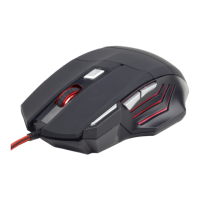
Gembird MUSG-02 - User Manual

Gembird MUSG-02
28 pages
Print Icon
To Next Page IconTo Next Page
Loading...
USER MANUAL
HANDBUCH
HANDLEIDING
MANUEL DESCRIPTIF
РУКОВОДСТВО ПОЛЬЗОВАТЕЛЯ
КЕРІВНИЦТВО КОРИСТУВАЧА
GAMING MOUSE
GAMING-MAUS
GAMING-MAUS
SOURIS SPECIAL GAMER
ИГРОВАЯ МЫШЬ
ІГРОВА МИША
MUSG-02
Question and Answer IconNeed help?

Do you have a question about the Gembird MUSG-02 and is the answer not in the manual?

Summary

Mouse Profiles Management

Creating and Managing Profiles

Learn to create, save, load, and manage personalized mouse settings and macros for different applications.

Light Setting

Breathing Light Configuration

Adjust breathing light effects like fade time, extinguish time, brightness, and standby time.

Light Mode Selection

Choose LED modes: ON, OFF, Full Lightened, Breathing, or Single Color for customizable illumination.

Sensitivity

DPI Setting Adjustment

Configure DPI levels (1200-3600 DPI) for up to four profiles and understand sensitivity.

Cursor Sensitivity Options

Adjust X/Y axis sensitivity and enable synchronous working for precise cursor control.

Advanced Settings

System and Performance Tuning

Customize double-click speed, pointer precision, scroll speed, polling rate, and on-to-go speed.

Factory Reset Function

Restore mouse to default settings, clearing custom configurations and macros.

Button Setting

Button Function Assignment

Reassign buttons to clicks, menu actions, multimedia controls, or application functions.

Macro Creation and Management

Create, record, save, and delete complex key sequences (macros) for automated actions.

Special Function Assignments

Program buttons for profile switching, CPI cycling, launching applications, or system shortcuts.

Summary

Mouse Profiles Management

Creating and Managing Profiles

Learn to create, save, load, and manage personalized mouse settings and macros for different applications.

Light Setting

Breathing Light Configuration

Adjust breathing light effects like fade time, extinguish time, brightness, and standby time.

Light Mode Selection

Choose LED modes: ON, OFF, Full Lightened, Breathing, or Single Color for customizable illumination.

Sensitivity

DPI Setting Adjustment

Configure DPI levels (1200-3600 DPI) for up to four profiles and understand sensitivity.

Cursor Sensitivity Options

Adjust X/Y axis sensitivity and enable synchronous working for precise cursor control.

Advanced Settings

System and Performance Tuning

Customize double-click speed, pointer precision, scroll speed, polling rate, and on-to-go speed.

Factory Reset Function

Restore mouse to default settings, clearing custom configurations and macros.

Button Setting

Button Function Assignment

Reassign buttons to clicks, menu actions, multimedia controls, or application functions.

Macro Creation and Management

Create, record, save, and delete complex key sequences (macros) for automated actions.

Special Function Assignments

Program buttons for profile switching, CPI cycling, launching applications, or system shortcuts.

Gembird MUSG-02 Specifications

General IconGeneral
TypeOptical
ConnectionWired
Buttons3
ColorBlack
TechnologyOptical
ModelMUSG-02
Cable Length1.5 m

Related product manuals