EasyManua.ls Logo

Gembird MUSW-PT-001 - User Manual

Gembird MUSW-PT-001
12 pages
Print Icon
To Next Page IconTo Next Page
Loading...
USER MANUAL
HANDBUCH
HANDLEIDING
MANUEL DESCRIPTIF
РУКОВОДСТВО ПОЛЬЗОВАТЕЛЯ
КЕРІВНИЦТВО КОРИСТУВАЧА
WIRELESS TOUCH MOUSE, PHOENIX SERIES
WIRELESS TOUCH-MAUS, PHOENIX-SERIE
DRAADLOZE TOUCH-MUIS, PHOENIX SERIE
SANS FIL TOUCH MOUSE, PHOENIX SERIES
БЕСПРОВОДНАЯ МЫШЬ С "БЕСКОЛЕСНОЙ"
ПРОКРУТКОЙ, СЕРИЯ PHOENIX
БЕЗДРОТОВА СЕНСОРНА МИША, СЕРІЇ PHOENIX
MUSW-PT-001
Question and Answer IconNeed help?

Do you have a question about the Gembird MUSW-PT-001 and is the answer not in the manual?

Summary

Features

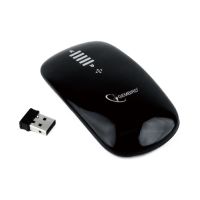
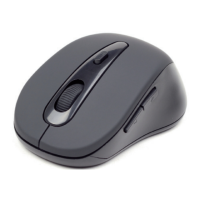
3-button optical wireless mouse

Describes the mouse as a 3-button optical wireless device.

Touch sensitive surface for scrolling

Highlights the touch-sensitive surface for scrolling.

Specifications

Connecting the USB Receiver

Insert receiver into computer

Visual guide for inserting the USB receiver into a PC port.

Installing Batteries

Insert AAA batteries

Demonstrates inserting two AAA batteries with correct polarity.

Using the Mouse

Scrolling and touch gestures

Depicts hand gestures for scrolling on the touch surface.

Safety and Precautions

Avoid moisture and heat exposure

Warnings against water, high temperatures, and direct sunlight.

Prevent physical damage

Warnings against dropping, impacts, and improper tool use.

Warranty Conditions

Warranty period and claims

Details the 24-month warranty, receipt needs, and claim process.

Gembird MUSW-PT-001 Specifications

General IconGeneral
Device TypeMouse
ModelMUSW-PT-001
ConnectivityWireless
InterfaceUSB
TechnologyOptical
Number of buttons3
Connection2.4 GHz wireless
ColorBlack
BatteryAA Battery

Related product manuals