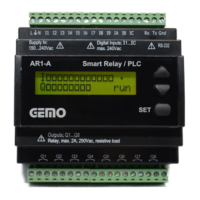
GEMO
USER INTERFACE
AR1-A user interface consists of a 2x16 character LCD module and SET, Up & Down keys. User programmable
multilingual two level menu system with password protection is designed with “GEMO Ladder Editor” LCD menu
designer. AR1-A user programmable parameters (Preset A & Preset B values of 16 timers and Preset values of 16
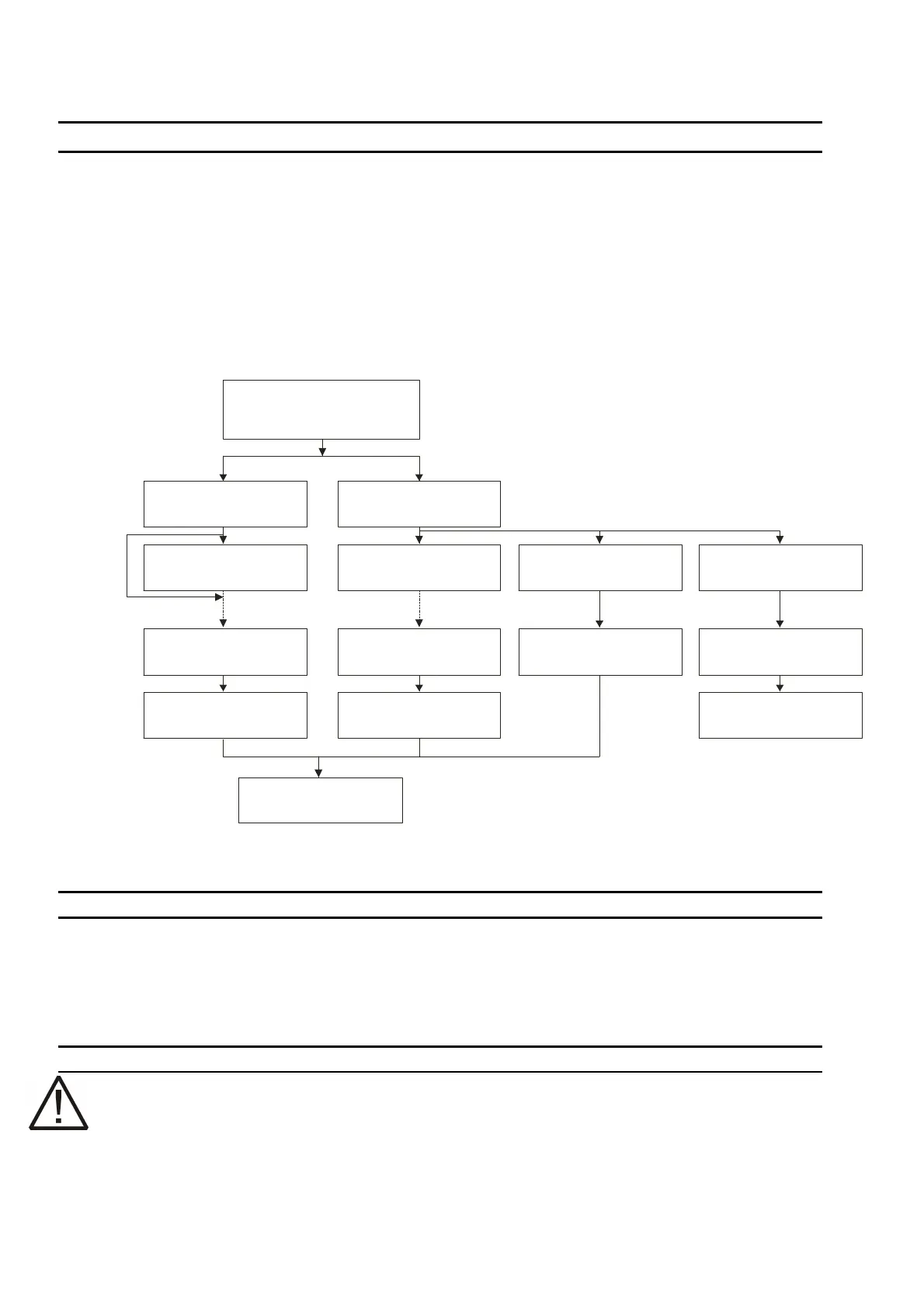
counters) shall be accessed by user at any order in a two level password protected manner as shown on the diagram.
Maximum 32 parameters in total (total of 2 levels) shall be accessed by the user. By pressing SET key for 2 sec., user
shall access to “PARAMETERS LEVEL1 (L1)” page which is the entry of 1. Level. 1. Level access starts when user
releases SET key. If user keeps pressing SET key for 5 sec., “PARAMETERS LEVEL2 (L2)” page, which is the entry
of 2. level, is seen. 2. level password entry shall be done after SET key is released. If user enters “555” as level 2
password, AR1-A is initiated to accept program from PC via its RS-232 port. Program download ends only when AR1-
A is turn off. If user enters “666” as level 2 password, menu language selection screen is accessed and Language A
or Language B (as designed in GEMO ladder Editor’s LCD menu designer screen) selection is accomplished. If 1.
Level (if enabled) and 2. Level passwords are entered incorrectly, menu entry is canceled.
MESSAGES
• “Load Program”: AR1-A has no program to run. Load a new program.
• “PARAMETERS LEVEL1 (L1)”: 1. Level Menu entry. Release SET key to enter 1. Level or keep pressing SET
key and wait for Level 2 entry page.
• “PARAMETERS LEVEL2 (L2)”: 2. Level Menu entry. Release SET key to enter 2. Level. Enter password as;
“555” for program download or “666” for language selection. Or enter level 2 password to start level 2
parameters entry.
CLAEANING
•
Do not use any solvents (alcohol, thinners, benzine, acid, etc.) or corrosive substances to clean the
device. Use only a dry and clean non-abrasive cloth. Before cleaning, disconnect the power supply and
mains connections.
Gürbüzoğlu Elektronik San. ve Tic. Ltd. Şti. http://www.gemo.com.tr
Çamlıtepe Cad. No:297 / 3-4 Siteler, Ankara, Türkiye e-mail: info@gemo.com.tr
Tel: +90-312-3503900, Fax: +90-312-3511117
4
Keep SET key pressed
to enter parameters
programming menu
Programming ends
(*) 1. Level password as entered in “GEMO Ladder Editor” LCD Menu Designer Screen
(**) 2. Level password as entered in “GEMO Ladder Editor” LCD Menu Designer Screen
Press for ec.2 s
1.Level
not
enabled
2.Level
Enter 1 . Level
Passw ord i f enabled (*)
Ente r 2 . Leve l
Pas sword (**)
If 2. Level
Password = 666
Select Language
LanLan. A / . B
If 2. Level
Password = 555
AR1-A accepts program
dow load from PCn
Power off and on after
program download
Enter; . Level
1. Parameter
1
Enter; . Level
. Parameter
1
m
Enter; . Level
1. Parameter
2
Enter; . Level
. Parameter
2
n
Press for 5 ec. s


 To Previous Page
 Loading...