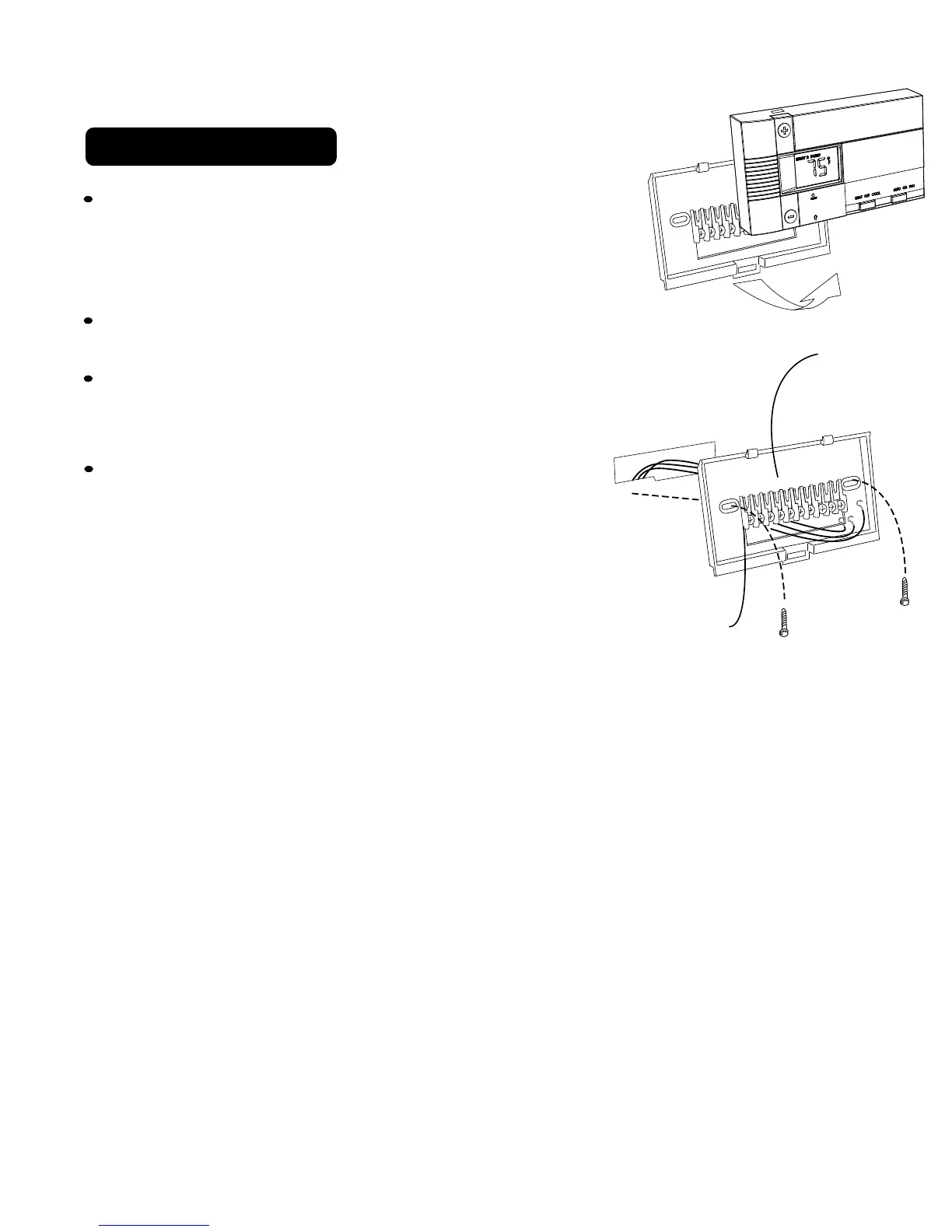
3 Mount the GT5020
Separate front from back of unit. Press up on the
catch on bottom of thermostat and swing the body
away from the base, lift up to remove the body from
the base.
Hold the base against the wall, with the wires
coming through the opening below the terminal block.
Position the base for best appearance.
Attach the base to the wall with the two
screws provided.
If you are mounting the base to sheet rock
or if you are using the old mounting holes,
use the plastic anchors provided. Drill a
3/16-in.(4.8mm) hole for the insert at each
screw location, then mount the base.
PG 4
A
G
C
W2
RC
O
B
RH
W
Y
A
G
C
W2
RC
O
B
RH
W
Y
Terminal
Block
Thermostat Base



 To Next Page