2
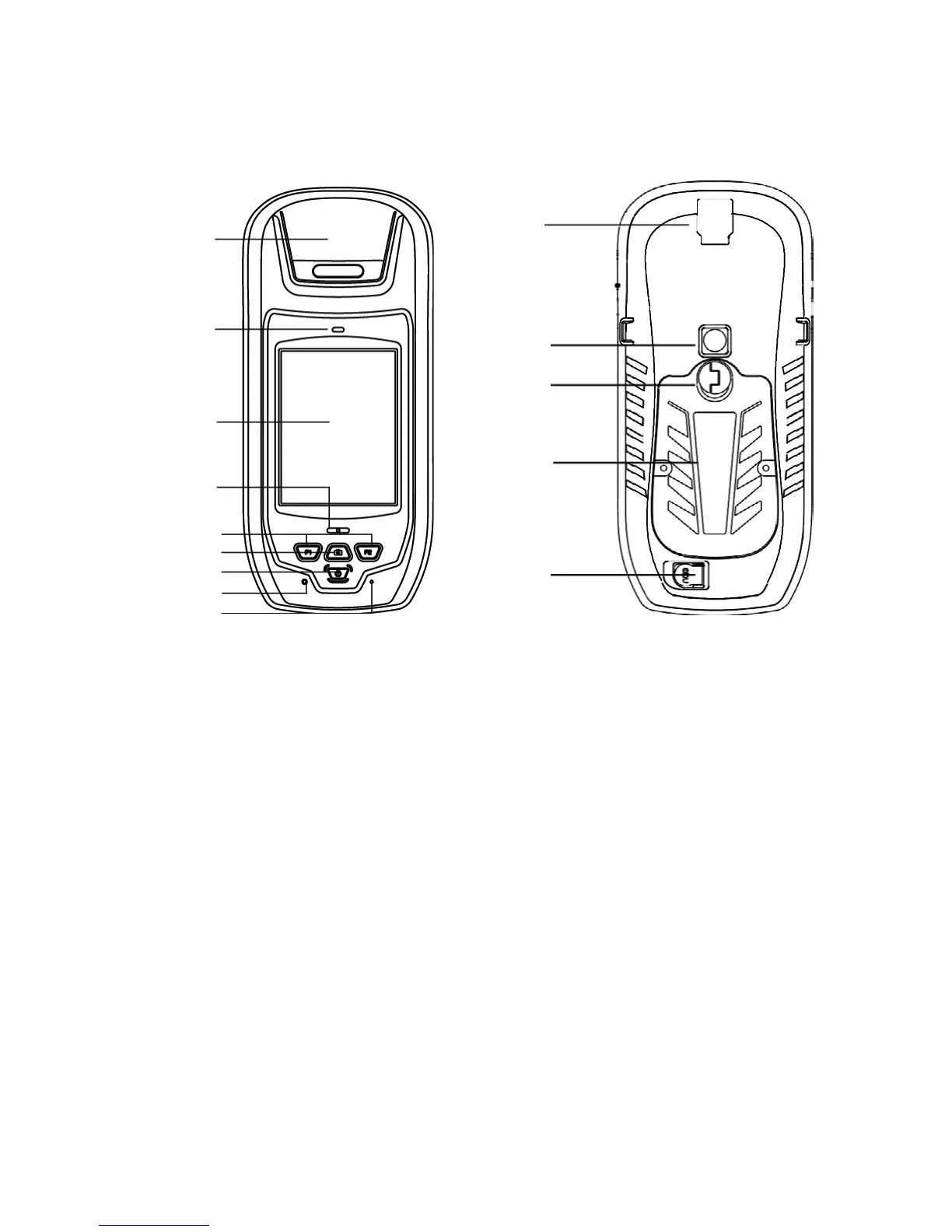
1. Appearance
SXPro Series
GPS
Antenna
Earpiece
Touch
panel
LED
External
antenna
connector
Camera
Lock
Screw
Battery
Function
Keys
Camera
Key
Power
Key
Reset
Microphone
Front
DATA
port
Back
2. Operating Instructions
Charging
a) Battery charger: Insert the Li-ion battery into the battery charger to charge.
b) DC adapter + charging cable: a charging cable for connection between device and DC
adapter.
c) USB cable: USB cable can also be used to charge the device. (maximum 500 mA)
Note: if you choose b) or c), there is a charging icon in the top right corner in the screen if device is <on>
Installing the TF card/SIM card/Battery
a) Turn the lock screw to take out the battery
b) Insert the SIM card and TF card according to the instructions in the battery compartment
c) Turn the lock screw to the lock position to properly insert the battery



 To Next Page