EasyManua.ls Logo

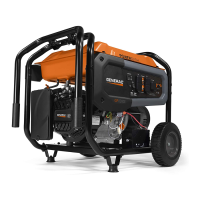
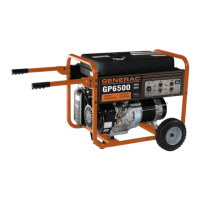
Generac Power Systems GP6500 - User Manual

Generac Power Systems GP6500
72 pages
Print Icon
To Next Page IconTo Next Page
Loading...
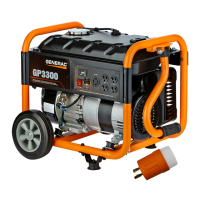
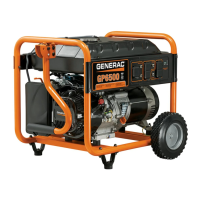
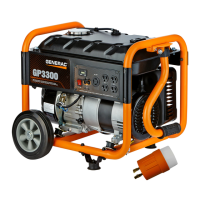
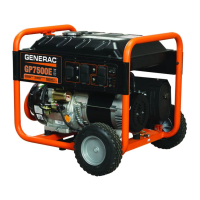
GP Series Portable Generator
Owners Manual
MODEL:________________________
SERIAL:________________________
DATE PURCHASED:______________
Register your Generac product at:
WWW.GENERAC.COM
1-888-GENERAC
(1-888-436-3722)
SAVE THIS MANUAL FOR FUTURE REFERENCE
006616
(000209b)
WARNING
Loss of life. This product is not intended to
be used in a critical life support application.
Failure to adhere to this warning could result
in death or serious injury.
BC

Table of Contents

Other manuals for Generac Power Systems GP6500

Questions and Answers

  • J
    Janice HayesJul 26, 2025
    What to do if my Generac Power Systems Portable Generator produces zero voltage?
    • E
      elizabethclarkJul 26, 2025
      If your Generac Power Systems Portable Generator produces zero voltage or residual voltage, try the following: reset the system to the “ON” position, or replace the component if it is bad. Re-check voltage at the receptacle panel, replace bad brushes, or replace the automatic voltage regulator.
  • E
    Edwin HendersonAug 5, 2025
    How to fix high voltage at no-load on Generac Power Systems GP6500?
    • B
      Brian FordAug 5, 2025
      To fix high voltage at no-load on your Generac Power Systems Portable Generator, check and adjust the engine governor for both the 389cc and 410cc engines. You may also need to replace the capacitor.
  • S
    Sonia RosalesAug 15, 2025
    What to do if there is excessive voltage/frequency droop when load is applied to my Generac Power Systems GP6500 Portable Generator?
    • H
      Holly GonzalezAug 15, 2025
      If you notice excessive voltage/frequency droop when a load is applied to your Generac Power Systems Portable Generator, reduce the load.

Summary

Section 1 Introduction and Safety

Safety Symbols and Meanings

Explains DANGER, WARNING, CAUTION, and NOTE symbols for hazard communication.

Exhaust and Location Hazards

Warns about carbon monoxide risks and proper outdoor generator placement.

Electrical Hazards

Covers electrocution risks, proper grounding, and GFCI use.

Fire Hazards

Details risks of explosion and fire from fuel and hot surfaces.

Product Specifications

CO-SENSE TM

Add Engine Oil

Fuel

Section 3 Operation

Prepare Generator for Use

Safety warnings related to operation, including CO, exhaust, and hot surfaces.

Starting Pull Start Engines

Step-by-step instructions for starting engines using the recoil starter.

Starting Electric Start Engines

Step-by-step instructions for starting engines using the electric start.

Section 4 Maintenance and Troubleshooting

Change Engine Oil

Step-by-step guide for draining and refilling engine oil.

Troubleshooting

Engine is running, but AC output is not available.

Troubleshooting steps for when the generator runs but produces no power.

Engine runs well at no-load, but bogs when load is applied.

Troubleshooting steps for when the generator struggles under load.

Engine will not start; or starts and runs rough.

Common causes and solutions for starting or rough running issues.

Engine shuts down during operation.

Troubleshooting steps for when the engine stops unexpectedly.

Engine lacks power.

Identifies causes and solutions for reduced generator power output.

Engine surges or stumbles.

Troubleshooting steps for inconsistent engine speed or performance.

Engine starts and shuts off right away.

Troubleshooting steps for when the engine starts briefly and then stops.

Generac Power Systems GP6500 Specifications

General IconGeneral
ModelGP6500
TypePortable Generator
Engine TypeOHV 4-Stroke
Engine Displacement389 cc
Fuel TypeGasoline
Voltage120/240V
Frequency60 Hz
Noise Level72 dBA
Wheel KitIncluded
Running Wattage6, 500 W
Outlets120V 20A
Starting SystemRecoil

Related product manuals